

Managing online communities? Yeah, it's honestly a pain.
Between keeping members engaged, organizing content, and dealing with clunky platforms, it feels like you're constantly putting out fires. Most community platforms either make you jump through hoops or are missing the features you actually need.
Sure, Facebook groups are everywhere, but let's be real, they're not built for serious community builders who want to monetize their expertise.
That's where Skool comes in. This platform basically takes all the headaches out of running an online community and puts everything you need under one roof.
In this Skool review, we're diving deep into what makes it different from Facebook groups and other community software platforms, plus whether it's actually worth making the switch for your community.
Community
5/5
Skool
Skool is an online platform for learning and community building. It offers courses, discussion forums, and collaboration tools, making it easy to learn and connect with others.

What is Skool?
Skool is an all-in-one community platform that enables you to monetize your knowledge via courses and memberships without needing to manage multiple tools.
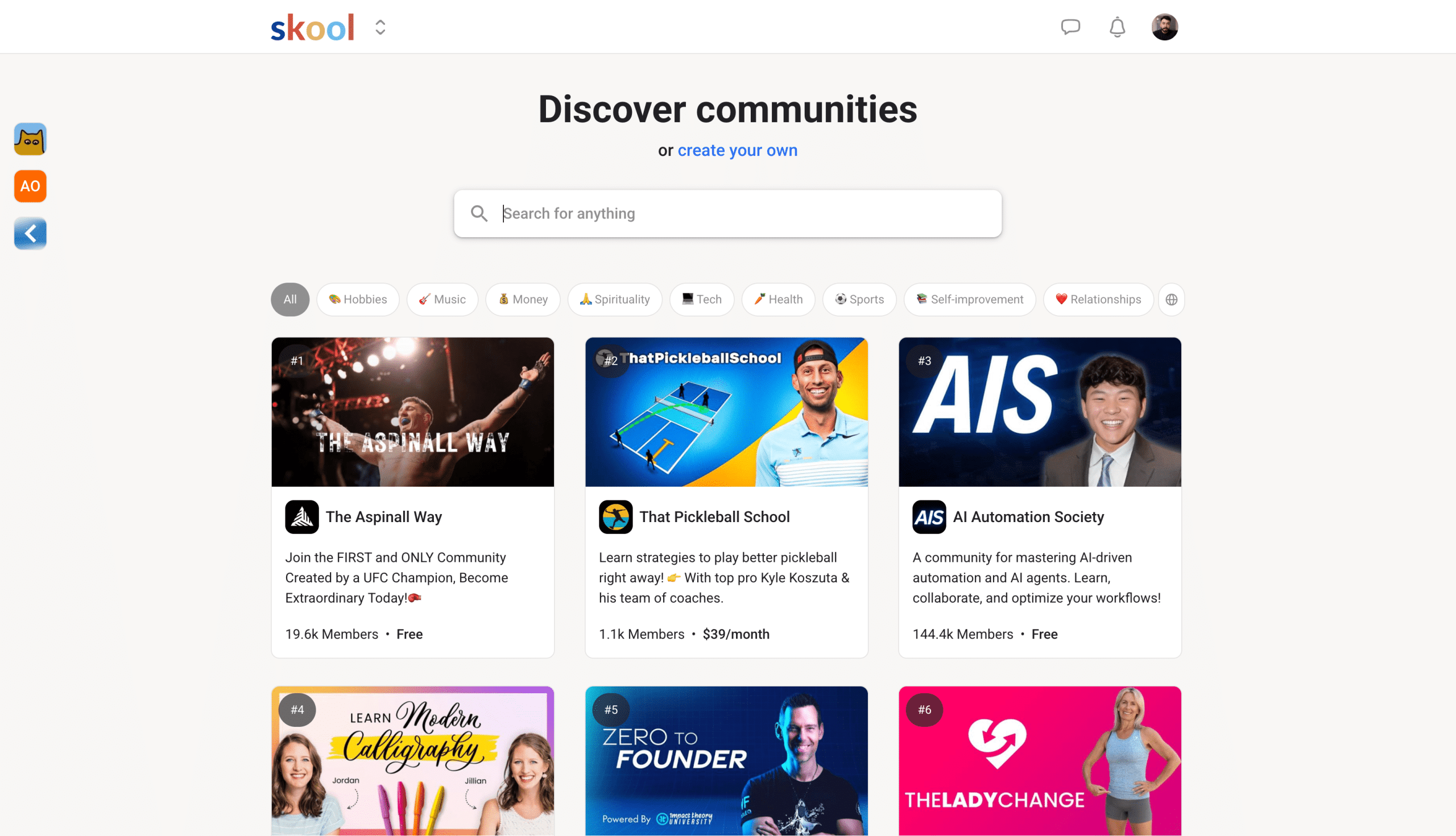
When you create a Skool community, you get the whole package: gamification features to keep members hooked, built-in payment processing, and hosting for all your digital content. You don't need to put together different platforms.
I know the feeling because I used to pay for:
- Loom
- Vimeo
- Zoom Workspace
- Third-party payment processor
We're talking livestreaming, unlimited courses, unlimited members, and even discovery through Skool's algorithm. It's designed to give creators and businesses a single hub where their members actually want to hang out.
We'll go through all the features Skool provides in this review, so stay with me.
Pros
- The ability to host live events and calls natively
- Community engagement tools for gamification
- Google and Apple pay for seamless transactions
- Rank on Skool Discovery, which leads to free traffic
- Powerful plugin integrations such as Hyros and Zapier
Cons
- The notification feature can be annoying if you don’t set it up properly
- You can’t create order bumps or upsells after checkout, but can once they are in the group
- The user interface is very simple, and you can’t change it
- Advanced plugin features are only available on the Pro plan
- No local language support, and you can embed HTML or JavaScript code
My Experience With Skool.com
In short, I was first introduced to Skool through the coaching program I worked for, where we transitioned from Facebook to a Skool group.
We chose to switch after noticing Facebook's algorithm was limiting our reach within our own group. Moving all our community members over made a significant difference for me as an admin.
We could effortlessly host online courses, live calls, and our community all in one place, creating an ideal business model for our team.
After four years, we still use Skool as our course platform, and I’ve gained enough knowledge to start my own community and assist others.
Skool Pricing
Skool used to keep things simple with just one $99/month plan, but now they've got two options to choose from:
- One at the $99.99 Pro plan
- One at the $9.99 Hobby plan
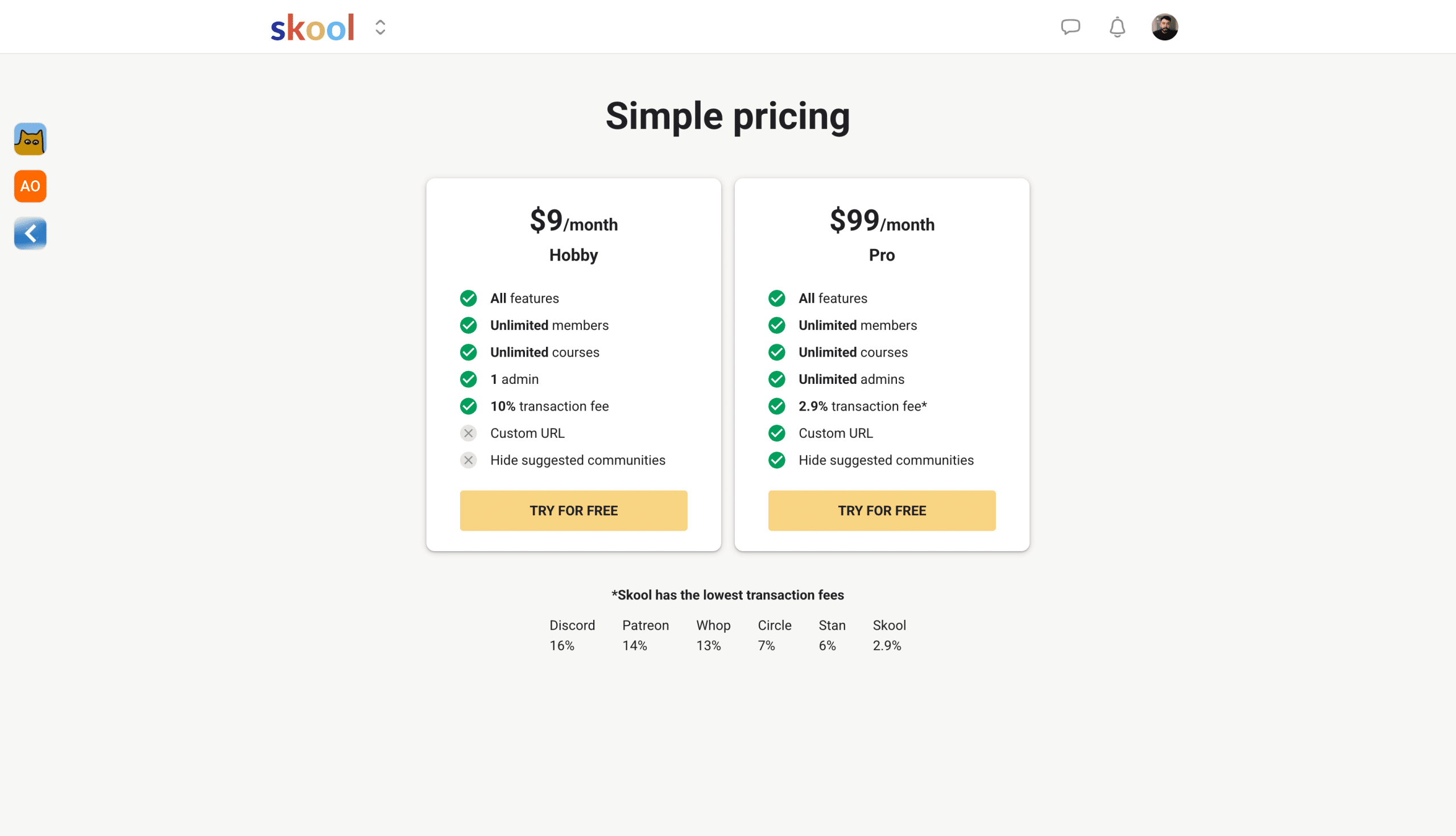
The Hobby plan is perfect for getting started, but here's what you're trading off compared to Pro:
- Higher transaction fees (still reasonable though)
- No pro plugins (you get the core features)
- Single admin only (no team management)
- Slightly different interface (like recommended communities showing up in your sidebar)
The Hobby plan is honestly a game-changer. For $ 9 per month, you get unlimited courses and unlimited members - try finding that anywhere else.
Platforms like Teachable or Kajabi? You're looking at way higher costs for similar features, and they usually cap your member count or course creation.
Plus, you can upgrade or downgrade whenever you want. Start small on the Hobby plan, and when you're ready to scale up, flip the switch to Pro.
Want all the details? Check out the full breakdown at skool.com/pricing.
Skool Features
This is where we get to the good stuff on the Skool platform. There are many different things you can do, and we'll go over that in more detail.
Gamification
Skool's gamification features make it fun and simple for your audience to engage proactively while the community levels up.
By gamifying your group, members can unlock courses at a certain level for participating. To deter spammers, chats and community posts can be unlocked at levels 2 or 3.
Points are earned when others like your posts, comments, and replies. 1 like = 1 point for the post or comment author.
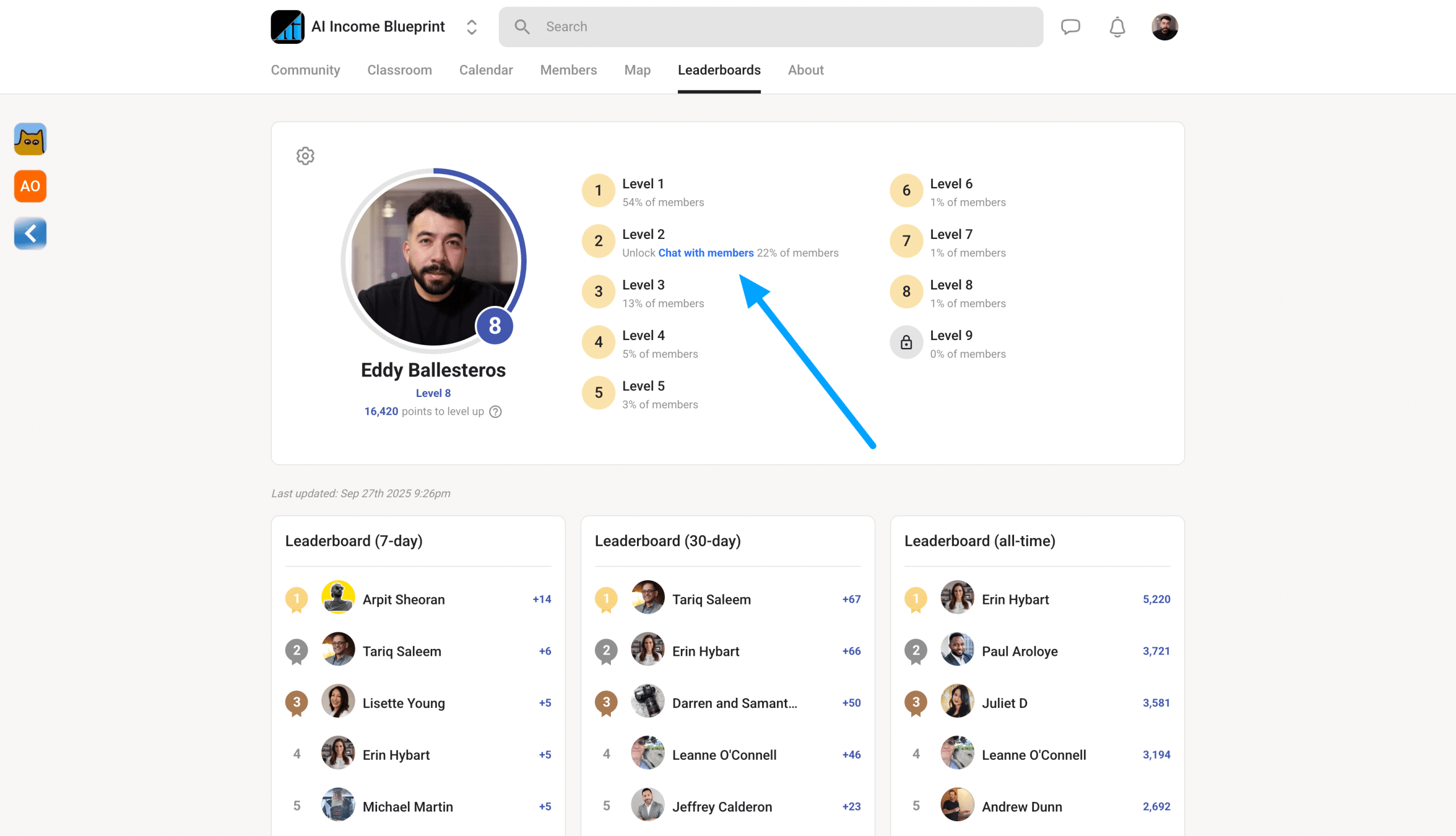
For example, once a member levels up to a certain level, you can even offer them free merch or extra resources that aren’t available to the public.
This encourages users to engage as much as possible, naturally prompting others to continue conversing within the group.
Members can check their points and view other members' profiles by navigating to the leaderboard tab.
All The Settings
To keep it simple, Skool has multiple tabs within the settings navigation where you can:
- Update your user profile
- Change your payment method
- Download your invoices
- View the communities you're in and pin important ones
- View all of your payouts, whether you're a community owner or an affiliate
- Update your chat preferences for your notifications
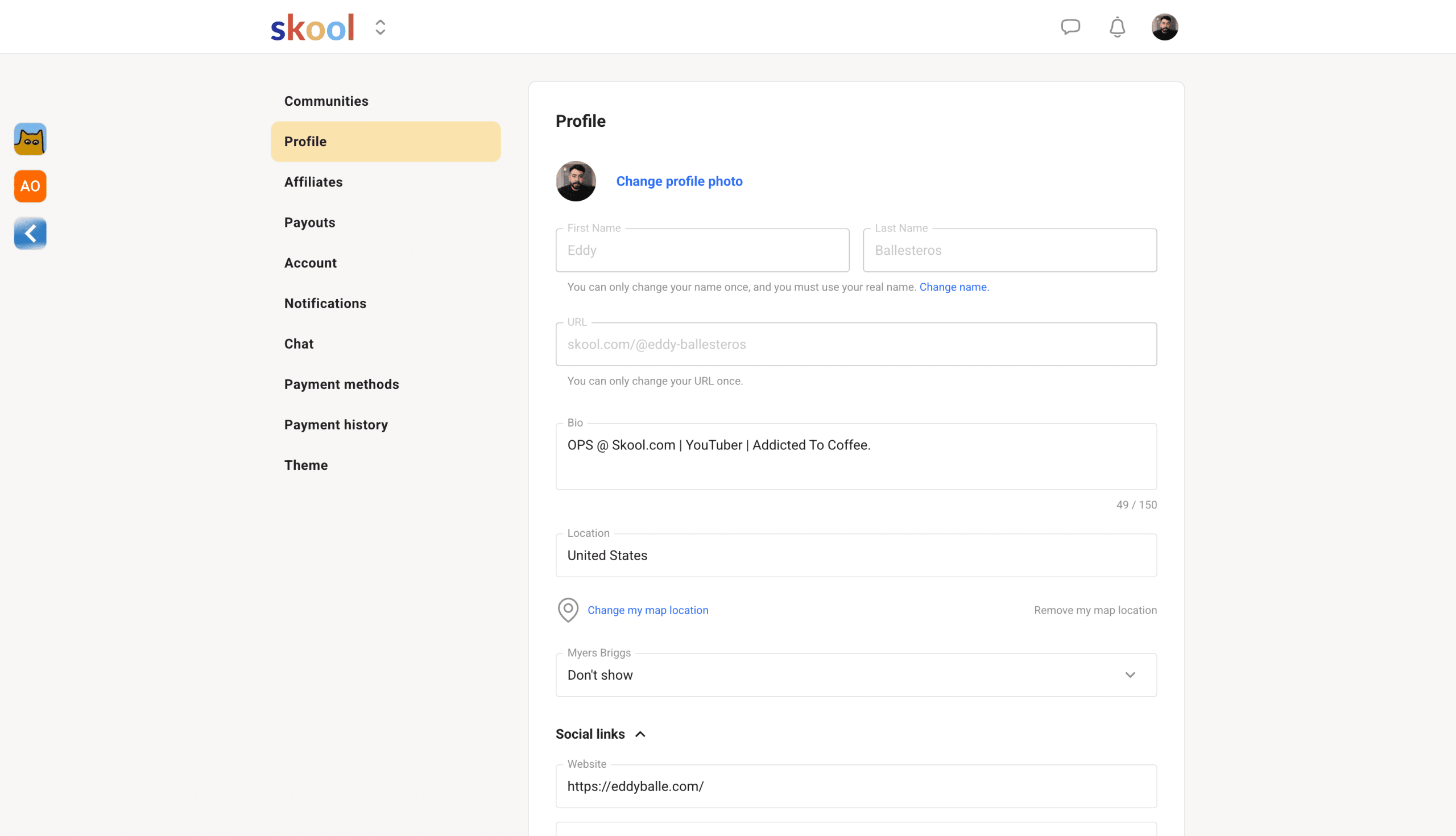
Once you understand the settings, your user experience will significantly improve. If you don't want to receive direct messages from random people, you can toggle off the chat for that specific group. You can also manage this all through your mobile app.
Plugins
Skool supports plug-ins, which integrate with specific tools.
For example, you can connect Zapier, Meta Ads, or Google Ads to enhance your conversion rates when marketing to your school community.
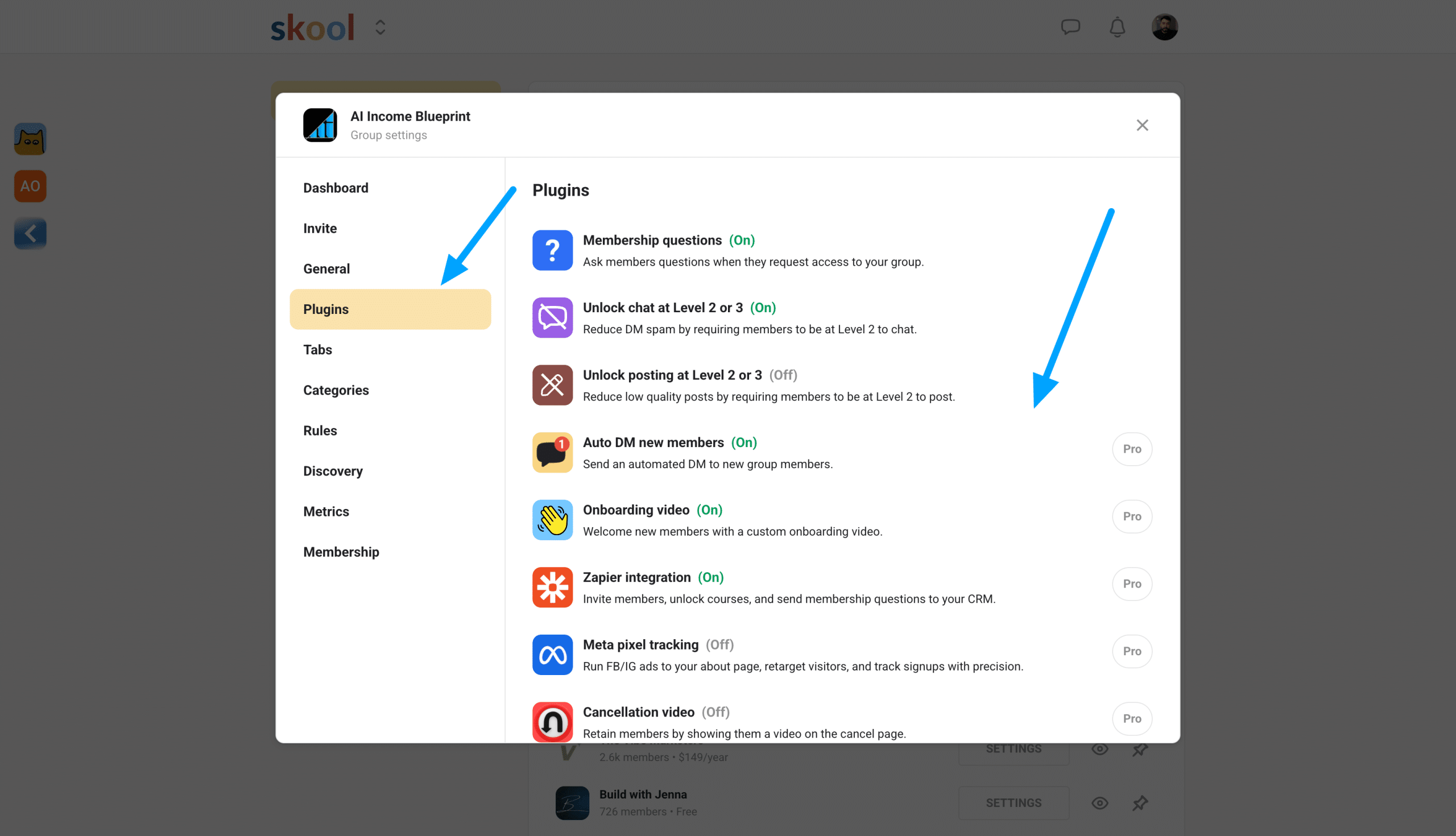
Both plans also include free community-building tools, such as adding membership questions and enabling chats.
The latest integration with Hyros significantly improves ad performance for group owners and enhances your retargeting ads.
Classroom
The classroom area is a feature every course creator desires in a community software platform. Within the classroom tab, you can upload all your course videos and host content directly on the platform.
This means you don’t need to pay extra for video hosting.
This includes digital products, resource files, online courses, and more. Once members join your group, you can lock courses based on their membership level.
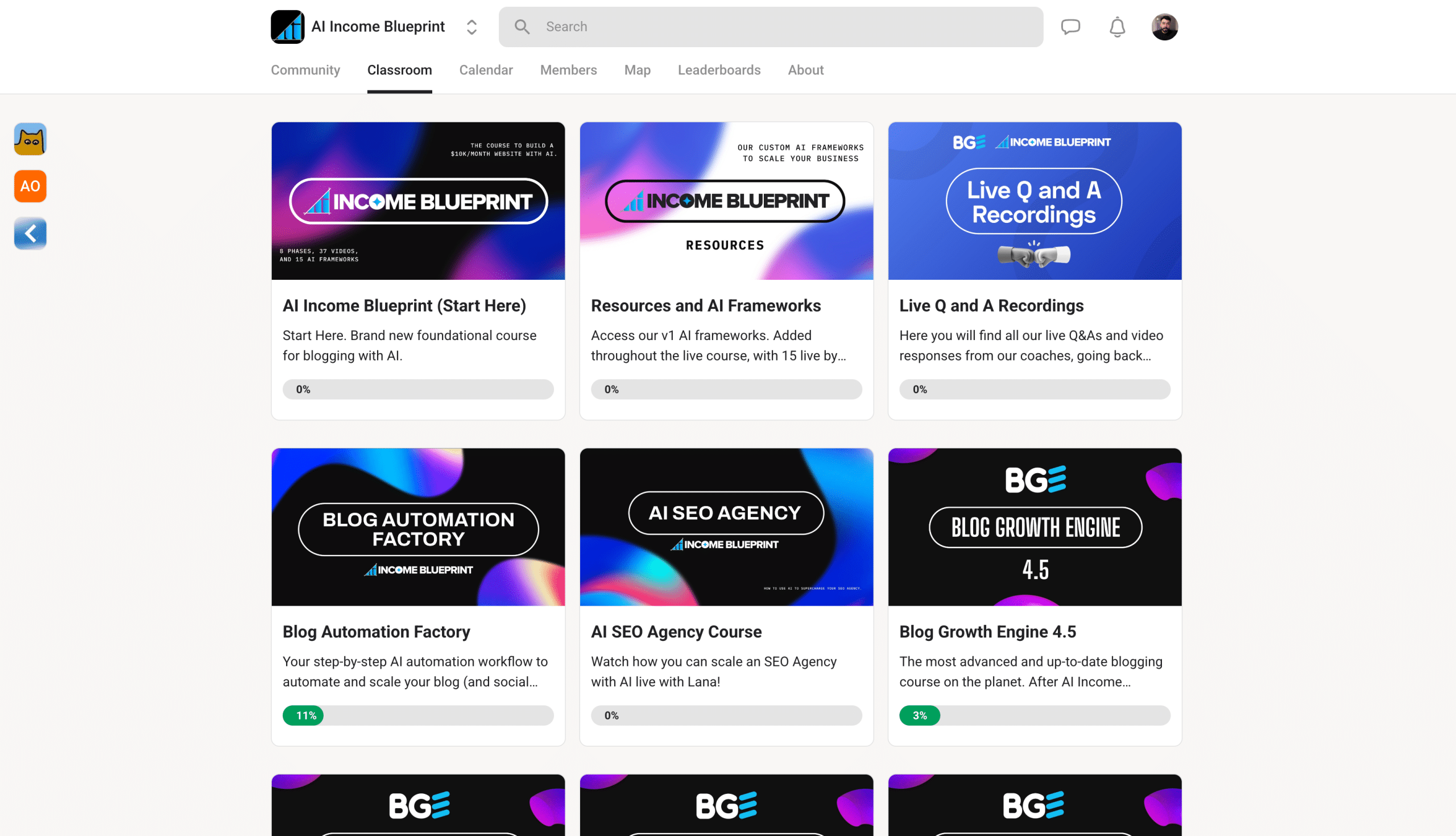
You can also create upsells by selling additional access to specific courses. Additionally, enabling affiliates allows members to promote your community and its content, creating a win-win situation.
Notes to consider:
- You can add pages and folders within a classroom course.
- Drag and drop lessons for easy organization.
If you manage multiple communities, you can duplicate courses from one group to another using a course key, simplifying the process of sharing your content across groups.
Live Calls
You can also host live calls directly on the platform. You won't need to use other tools such as Zoom or Google Meet.
Even better, you can also receive the transcript directly on the platform, which saves you fees from using any AI note-taking apps.
You can set up live calls directly in Skool in the calendar tab. Once you are all set up and have started your first live call, you can also record.

All the material will upload directly onto the platform, so you don't need to take too many steps trying to download it.
Here's me testing the live call feature. You can see that it's very simple, straightforward, and easy to use. So if you're a business coach or teaching a live lesson, this is going to be very helpful for you.
Member Analytics
The members analytics dashboard is currently simple but sufficient for starting your Skool community.
Right now, you can view your traffic over the past 7 days. It shows your conversion rate from visitors opting into your free or paid groups. If you have a paid group, you can also view your total subscription memberships.
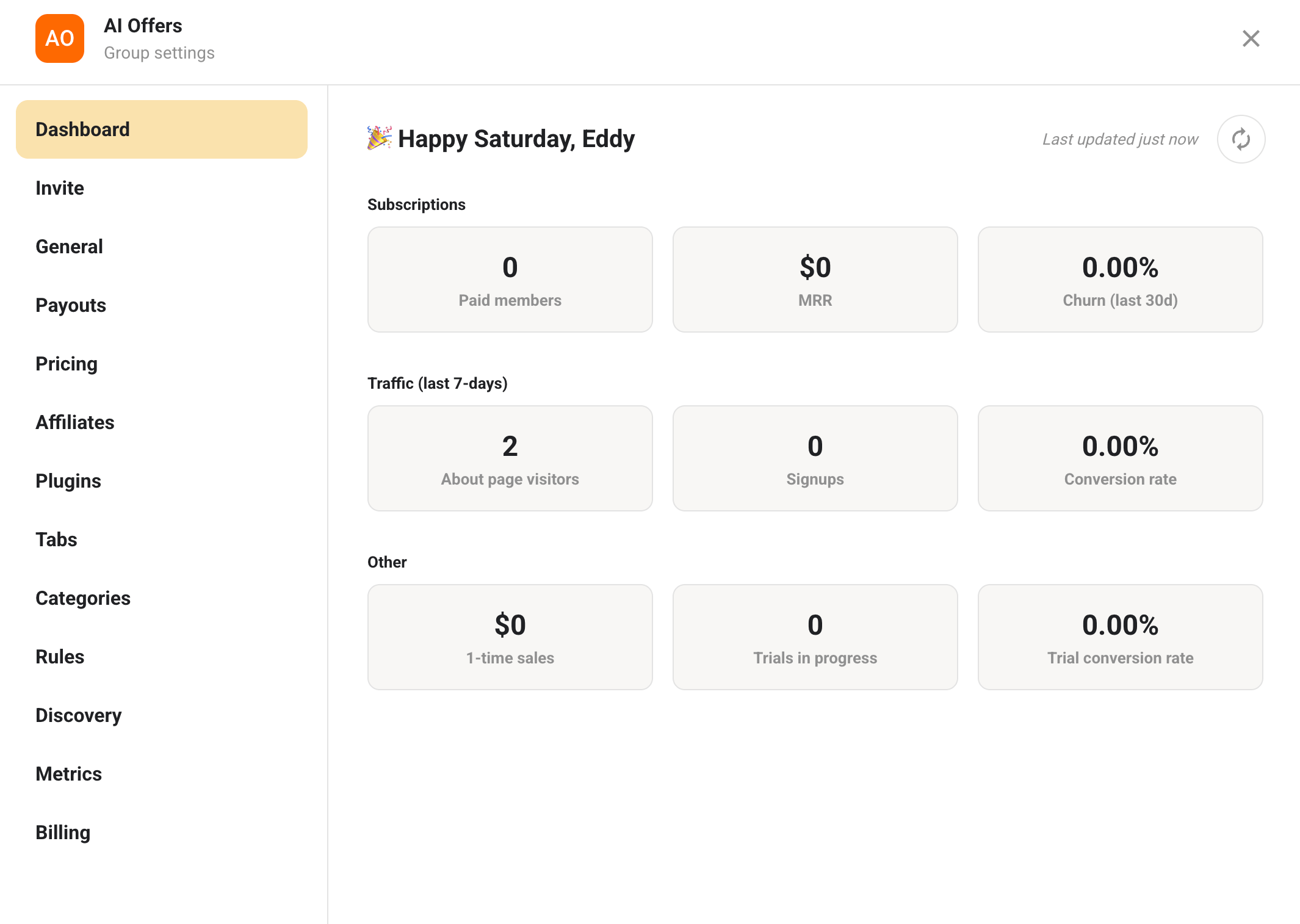
If you're selling one-time courses within your free community classroom, you can also track the number of sales made.
Overall, the member analytics are quite functional, but for more in-depth data, consider integrating with Hyros, Meta, and Google Ads to gain a better understanding of your monetization performance.
Easy Payout System
Skool offers a straightforward payout process for group owners and affiliates via Stripe.
The hype is real when it comes to the lowest transaction fees, as Stripe charges only 2.9% + 30¢ with no hidden costs.
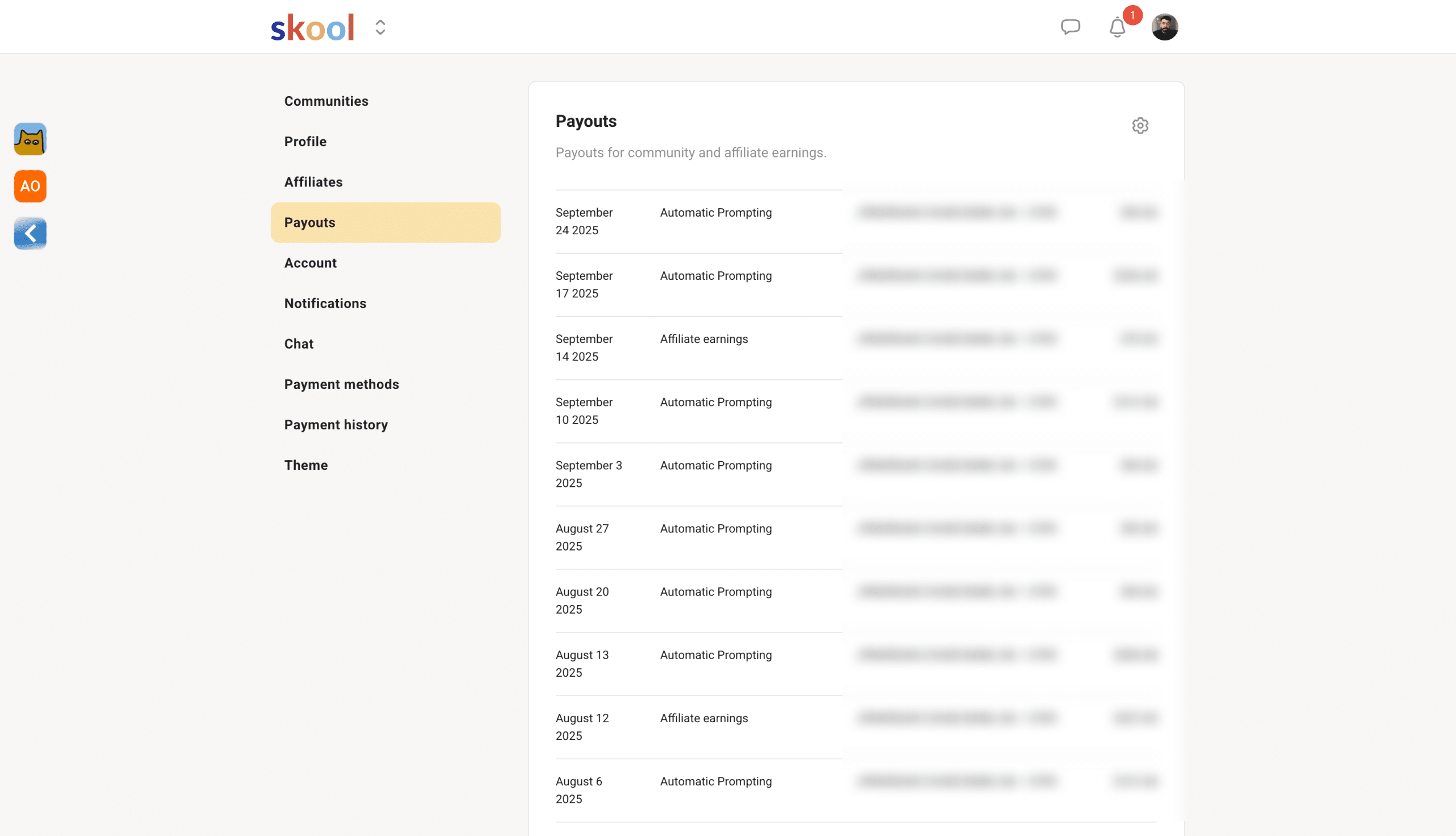
However, if you’re international, you might encounter additional foreign exchange fees depending on your location and bank.
Overall, the payout setup is straightforward and easy to use. Skool enables both individuals and business owners to accept payments, but users should be mindful of subject restrictions, as some niches are not permitted.
About Page
Your about page replaces landing pages. Think of it as a place where you can host your video sales letter, images, and your sales copy.
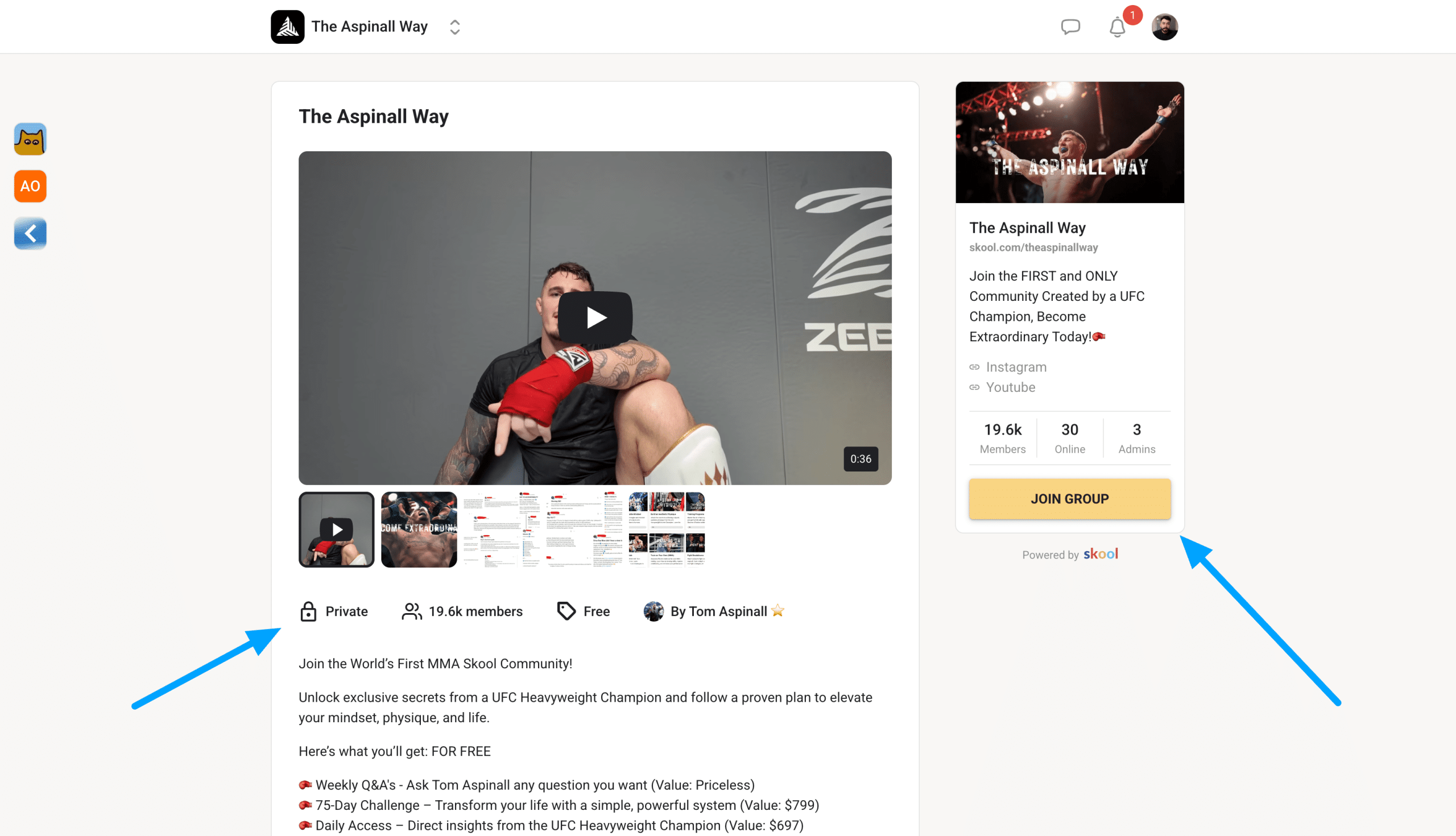
Your Skool about page is where you'll send people to sign up to your community if you're charging on the platform.
While you can't edit the actual UI of your about page, you can add in all those sales elements. Anyone can sign up using their card, Google Pay, or Apple Pay.
So, think of it as a sales page.
Skool Discovery Page
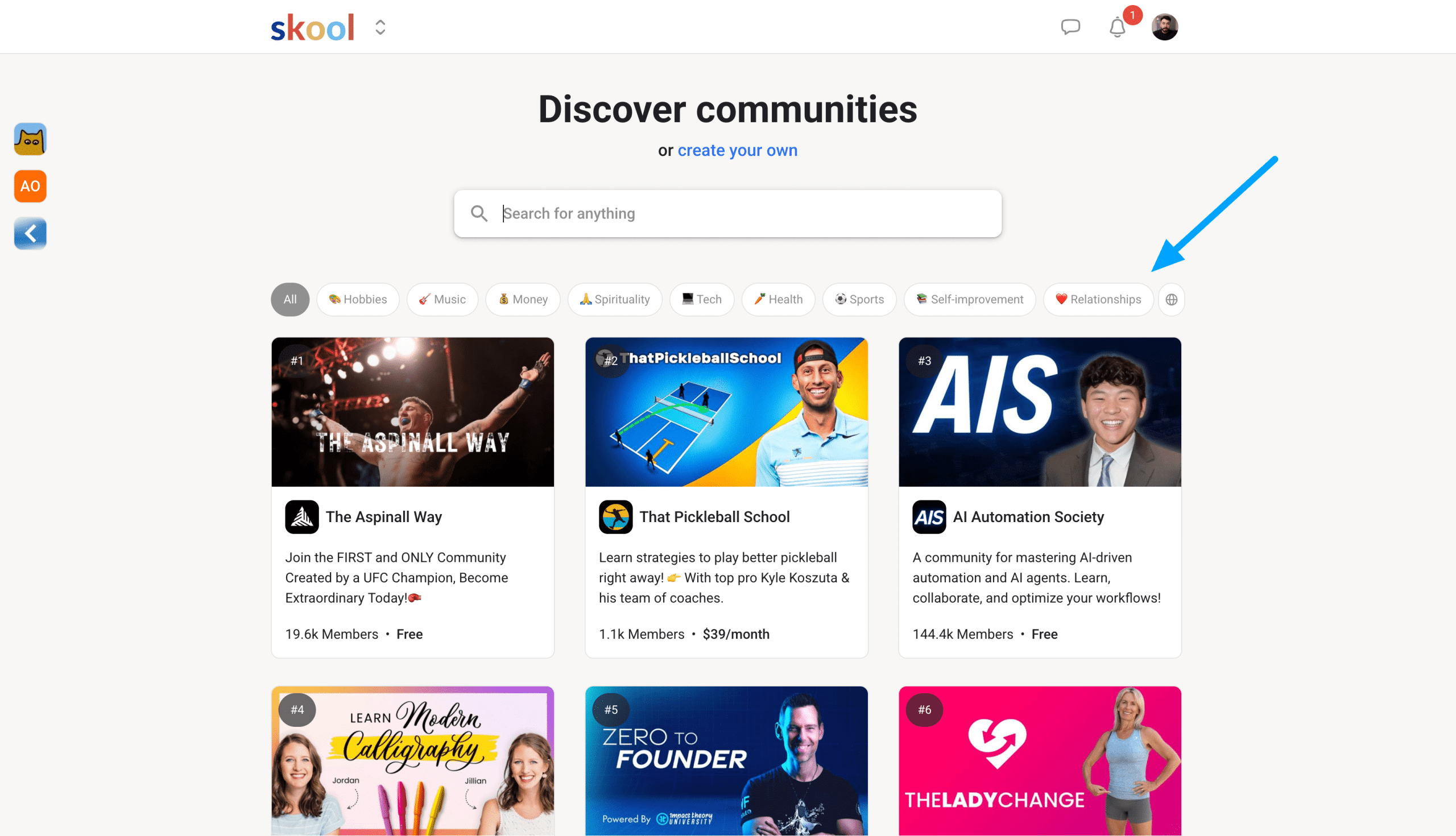
The Skool discovery page looks like a directory that allows other people on the platform to find and join new communities.
It works by ranking groups based on engagement and semantic SEO. So, by including specific keywords and ensuring your group is active, you will rank higher in Discover.
The cool thing is there is a discovery engine for different languages.
Alternatives To Skool
Okay, so here’s where I need to be honest.
I have tried various online community platforms like Kajabi, Circle, and Memberpress, each with different strengths based on user needs. For me, Skool stands out from all of them for several reasons.
Most importantly, it simplifies the process of making money online while keeping costs low and without hidden fees.
Anyone can learn to use Skool within a few hours and start building or joining communities. With the new $9 hobby plan, it offers a more affordable alternative to other membership platforms that charge high fees to grow a creator business.
How I Made Money With My Skool Group
After three years as an admin in a personal branding community on Skool, I learned how to help others leverage AI for audience building and offers.
Here's how I turned that knowledge into my own successful Skool community.
I built an email list first, creating a waitlist that attracted over 400 subscribers.
This validated demand before I invested time building anything. While nurturing the list with email sequences, I produced YouTube videos to build hype around the launch.
The Setup
Using Skool's 14-day free trial, I built out the complete community:
- About page and classroom content
- Member bonuses and community forum
- Stripe Express integration for payments
I priced it at $49/month or $397/year. After 30 days of preparation, I launched and gained:
- 40+ founding members
- $4,000+ revenue from my first launch
Anyone with expertise can build a legitimate business through Skool by combining their knowledge with strategic planning and genuine value creation.
Final Thoughts
Now, after starting my own community and leveraging the experience that I gained, I'm all in on Skool.
Are you?
FAQs
Who Created Skool?
Sam Ovens and Daniel Kong founded Skool. But with the recent partnership, Alex Hormozi has now become a co-founder as well, and has been one of the most prominent entrepreneur leaders who has invested in the platform.
What are The Skool Games?
The Skool Games is a quarterly internal competition. Winners receive a trip to the Skool office, including a full day of talks from Sam and Alex Hormozi plus other guests. Everything, including food and expenses, is covered. The only downside is you might have so much fun that you won't want to leave LA.
How much of a cut does Skool take?
Skool uses Stripe Express for payouts. The total transaction fee is 2.9% plus 30 cents. That's it. Everything else is yours to keep. Many other community-building platforms hide fees, but Skool is very transparent about what you receive and what they take.
Can Skool be integrated with other tools and platforms?
Yes, Skool can be connected with other tools and platforms such as ThriveCart, Zapier, and your CRM system, like HubSpot. I personally use Skool alongside my email marketing platform, ConvertKit.
Does Skool offer any trials?
Yes, Skool provides a 14-day free trial for both plans, allowing you to test the platform and accept payments during the trial period. After the trial ends, your account will automatically be billed Monthly.
Can I Use Skool For Free?
If you're not ready to start a Skool community, you can use Skool for free by joining groups run by other community owners. This makes it enjoyable and simple to learn the platform, observe how others participate, and see how admins manage their groups. It allows you to make an informed decision before launching your own membership.
