Author: Eddy Ballesteros

  • Skool Review 2025: Why It’s A Must For All Creators

    Skool Review 2025: Why It’s A Must For All Creators

    Managing online communities? Yeah, it’s honestly a pain.

    Between keeping members engaged, organizing content, and dealing with clunky platforms, it feels like you’re constantly putting out fires. Most community platforms either make you jump through hoops or are missing the features you actually need.

    Sure, Facebook groups are everywhere, but let’s be real, they’re not built for serious community builders who want to monetize their expertise.

    That’s where Skool comes in. This platform basically takes all the headaches out of running an online community and puts everything you need under one roof.

    In this Skool review, we’re diving deep into what makes it different from Facebook groups and other community software platforms, plus whether it’s actually worth making the switch for your community.

    Community

    5/5

    Skool

    Skool is an online platform for learning and community building. It offers courses, discussion forums, and collaboration tools, making it easy to learn and connect with others.

    Skool

    What is Skool?

    Skool is an all-in-one community platform that enables you to monetize your knowledge via courses and memberships without needing to manage multiple tools.
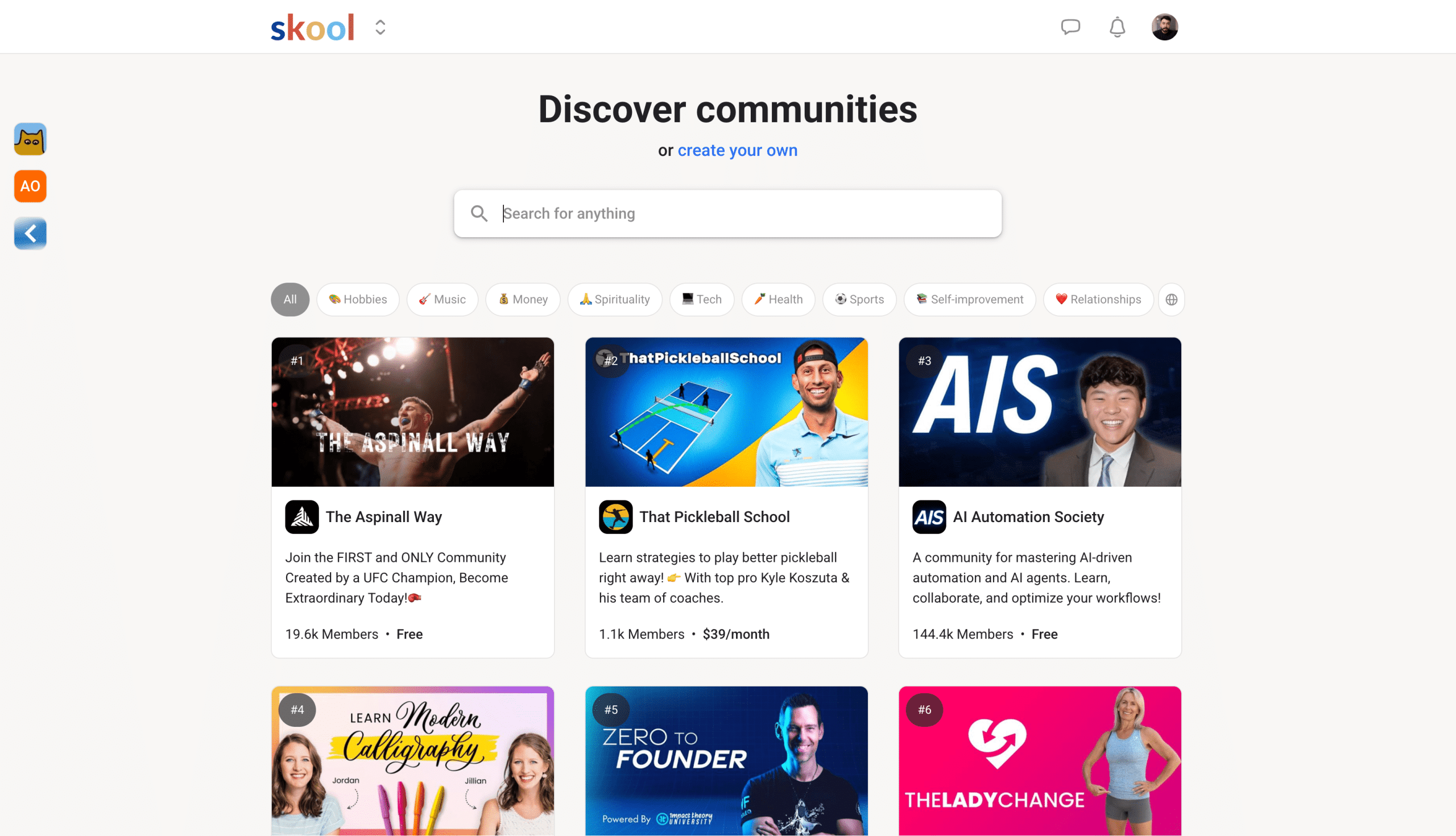
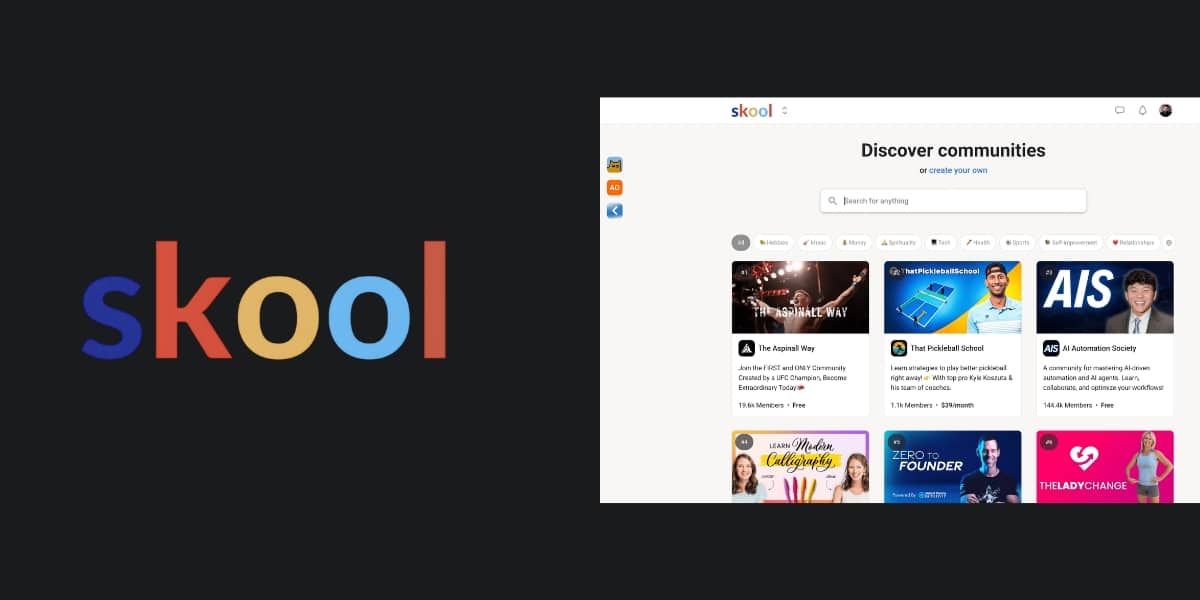
    Skool.com Discovery

    When you create a Skool community, you get the whole package: gamification features to keep members hooked, built-in payment processing, and hosting for all your digital content. You don’t need to put together different platforms.

    I know the feeling because I used to pay for:

    • Loom
    • Vimeo
    • Zoom Workspace
    • Third-party payment processor

    We’re talking livestreaming, unlimited courses, unlimited members, and even discovery through Skool’s algorithm. It’s designed to give creators and businesses a single hub where their members actually want to hang out.

    We’ll go through all the features Skool provides in this review, so stay with me.

    Pros

    • The ability to host live events and calls natively
    • Community engagement tools for gamification
    • Google and Apple pay for seamless transactions
    • Rank on Skool Discovery, which leads to free traffic
    • Powerful plugin integrations such as Hyros and Zapier

    Cons

    • The notification feature can be annoying if you don’t set it up properly
    • You can’t create order bumps or upsells after checkout, but can once they are in the group
    • The user interface is very simple, and you can’t change it
    • Advanced plugin features are only available on the Pro plan
    • No local language support, and you can embed HTML or JavaScript code

    My Experience With Skool.com

    In short, I was first introduced to Skool through the coaching program I worked for, where we transitioned from Facebook to a Skool group.

    We chose to switch after noticing Facebook’s algorithm was limiting our reach within our own group. Moving all our community members over made a significant difference for me as an admin.

    We could effortlessly host online courses, live calls, and our community all in one place, creating an ideal business model for our team.

    After four years, we still use Skool as our course platform, and I’ve gained enough knowledge to start my own community and assist others. 

    Skool Pricing

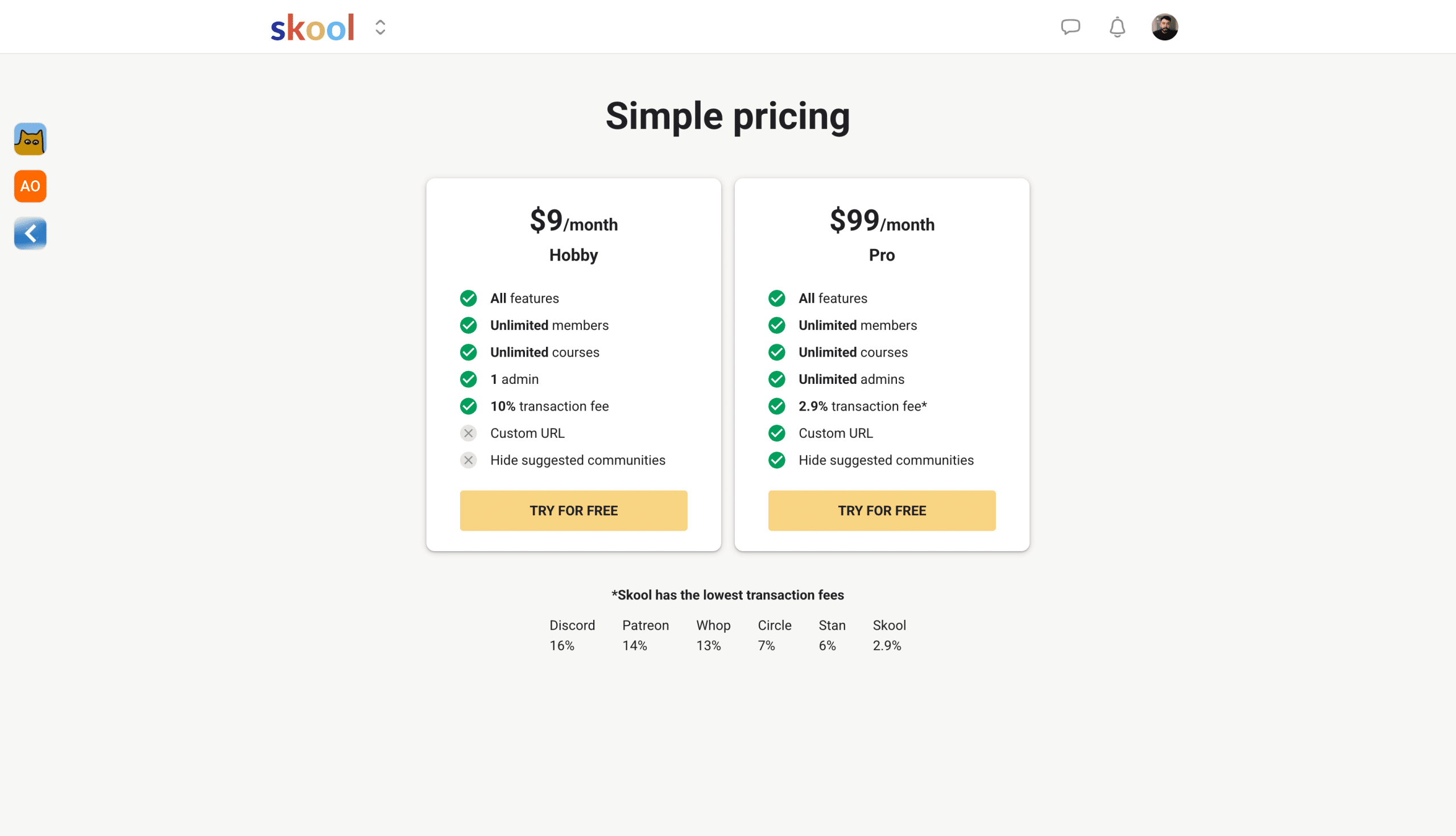
    Skool used to keep things simple with just one $99/month plan, but now they’ve got two options to choose from:

    1. One at the $99.99 Pro plan
    2. One at the $9.99 Hobby plan
    Skool Pricing

    The Hobby plan is perfect for getting started, but here’s what you’re trading off compared to Pro:

    • Higher transaction fees (still reasonable though)
    • No pro plugins (you get the core features)
    • Single admin only (no team management)
    • Slightly different interface (like recommended communities showing up in your sidebar)

    The Hobby plan is honestly a game-changer. For $ 9 per month, you get unlimited courses and unlimited members – try finding that anywhere else.

    Platforms like Teachable or Kajabi? You’re looking at way higher costs for similar features, and they usually cap your member count or course creation.

    Plus, you can upgrade or downgrade whenever you want. Start small on the Hobby plan, and when you’re ready to scale up, flip the switch to Pro.

    Want all the details? Check out the full breakdown at skool.com/pricing.

    Skool Features

    This is where we get to the good stuff on the Skool platform. There are many different things you can do, and we’ll go over that in more detail. 

    Gamification

    Skool’s gamification features make it fun and simple for your audience to engage proactively while the community levels up.

    By gamifying your group, members can unlock courses at a certain level for participating. To deter spammers, chats and community posts can be unlocked at levels 2 or 3.

    Points are earned when others like your posts, comments, and replies. 1 like = 1 point for the post or comment author.
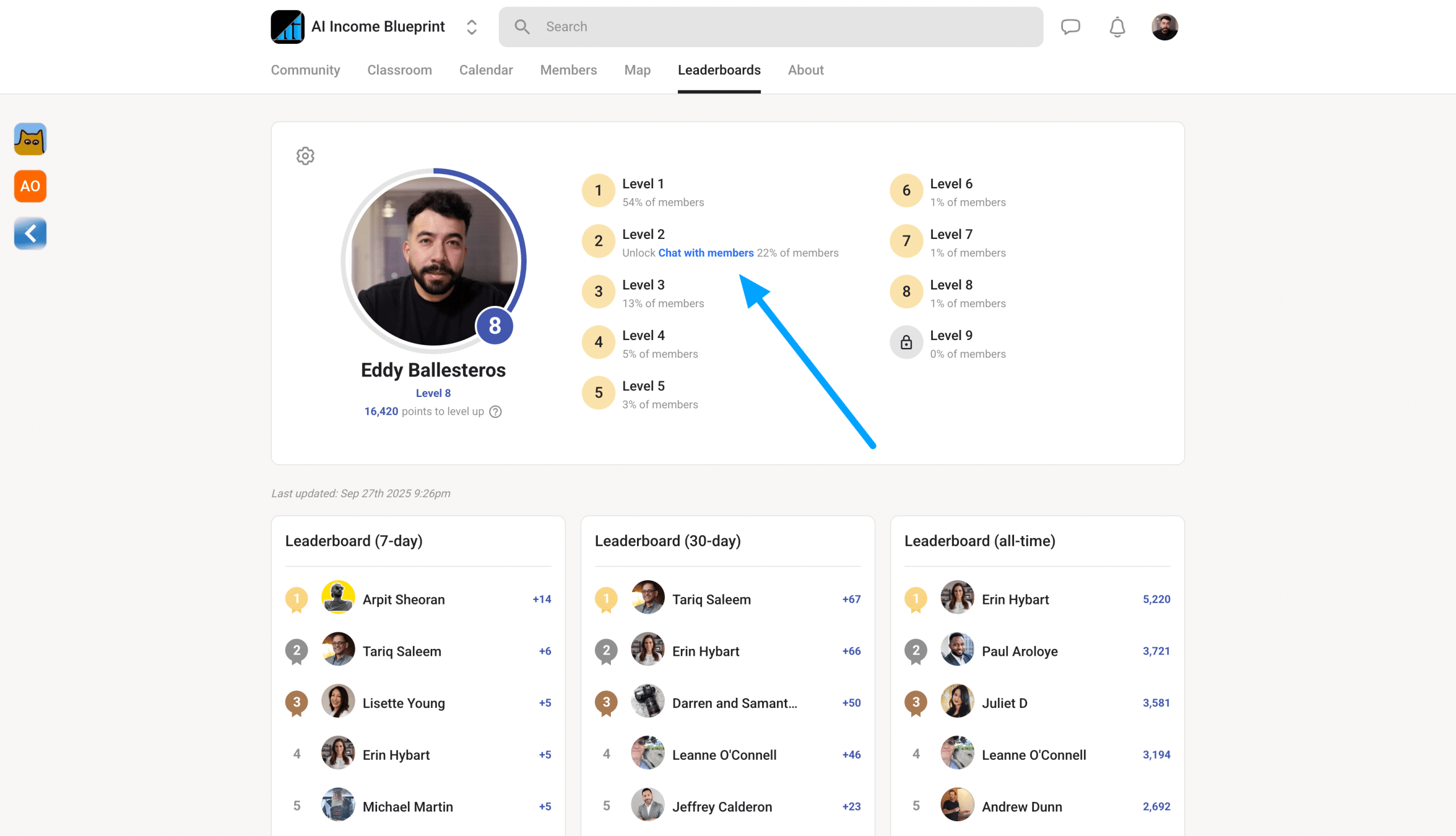
    Skool gamification

    For example, once a member levels up to a certain level, you can even offer them free merch or extra resources that aren’t available to the public.

    This encourages users to engage as much as possible, naturally prompting others to continue conversing within the group.

    Members can check their points and view other members’ profiles by navigating to the leaderboard tab. 

    All The Settings

    To keep it simple, Skool has multiple tabs within the settings navigation where you can:

    • Update your user profile
    • Change your payment method
    • Download your invoices
    • View the communities you’re in and pin important ones
    • View all of your payouts, whether you’re a community owner or an affiliate
    • Update your chat preferences for your notifications
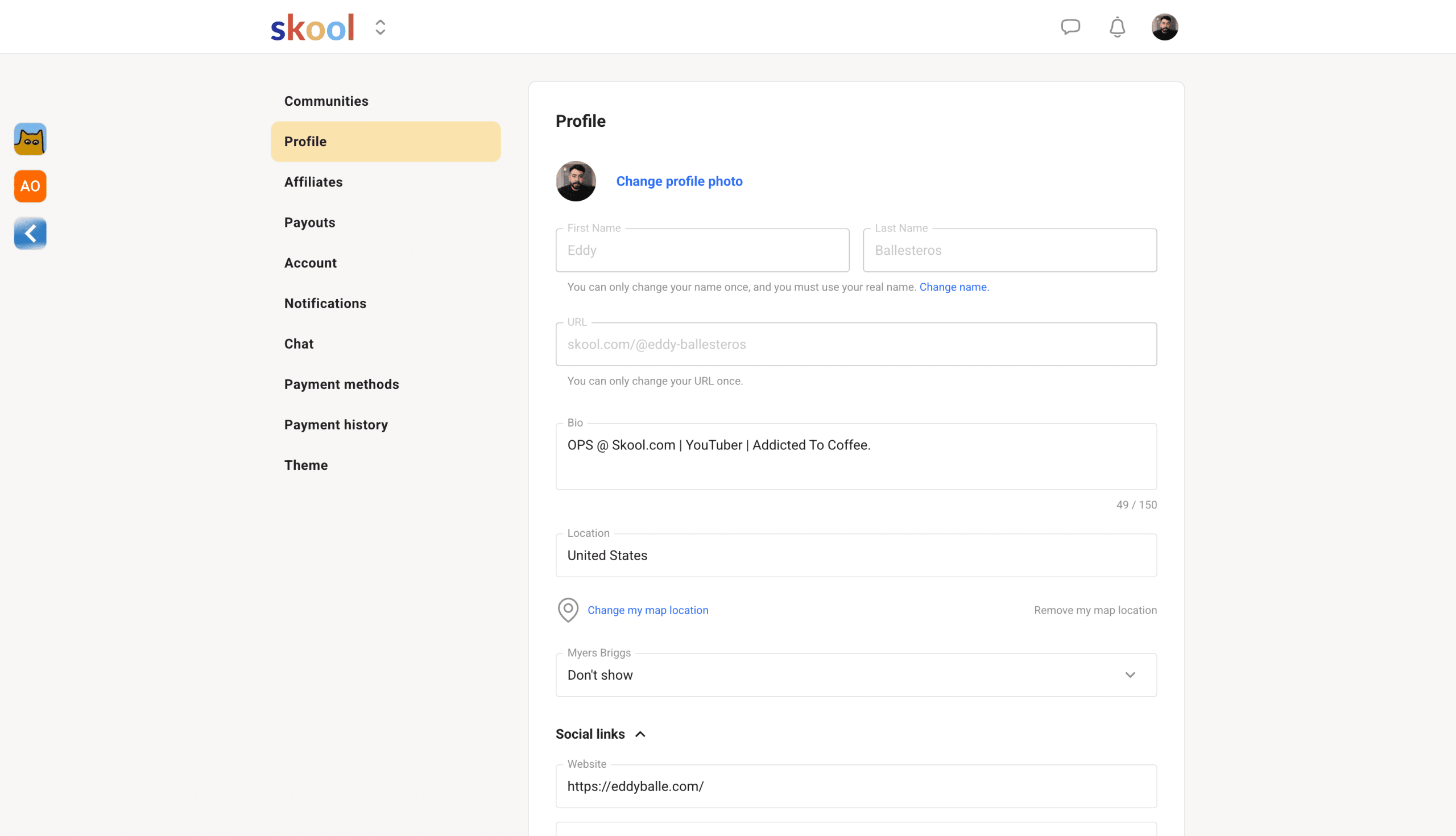
    Skool User Settings

    Once you understand the settings, your user experience will significantly improve. If you don’t want to receive direct messages from random people, you can toggle off the chat for that specific group. You can also manage this all through your mobile app

    Plugins

    Skool supports plug-ins, which integrate with specific tools.

    For example, you can connect Zapier, Meta Ads, or Google Ads to enhance your conversion rates when marketing to your school community.
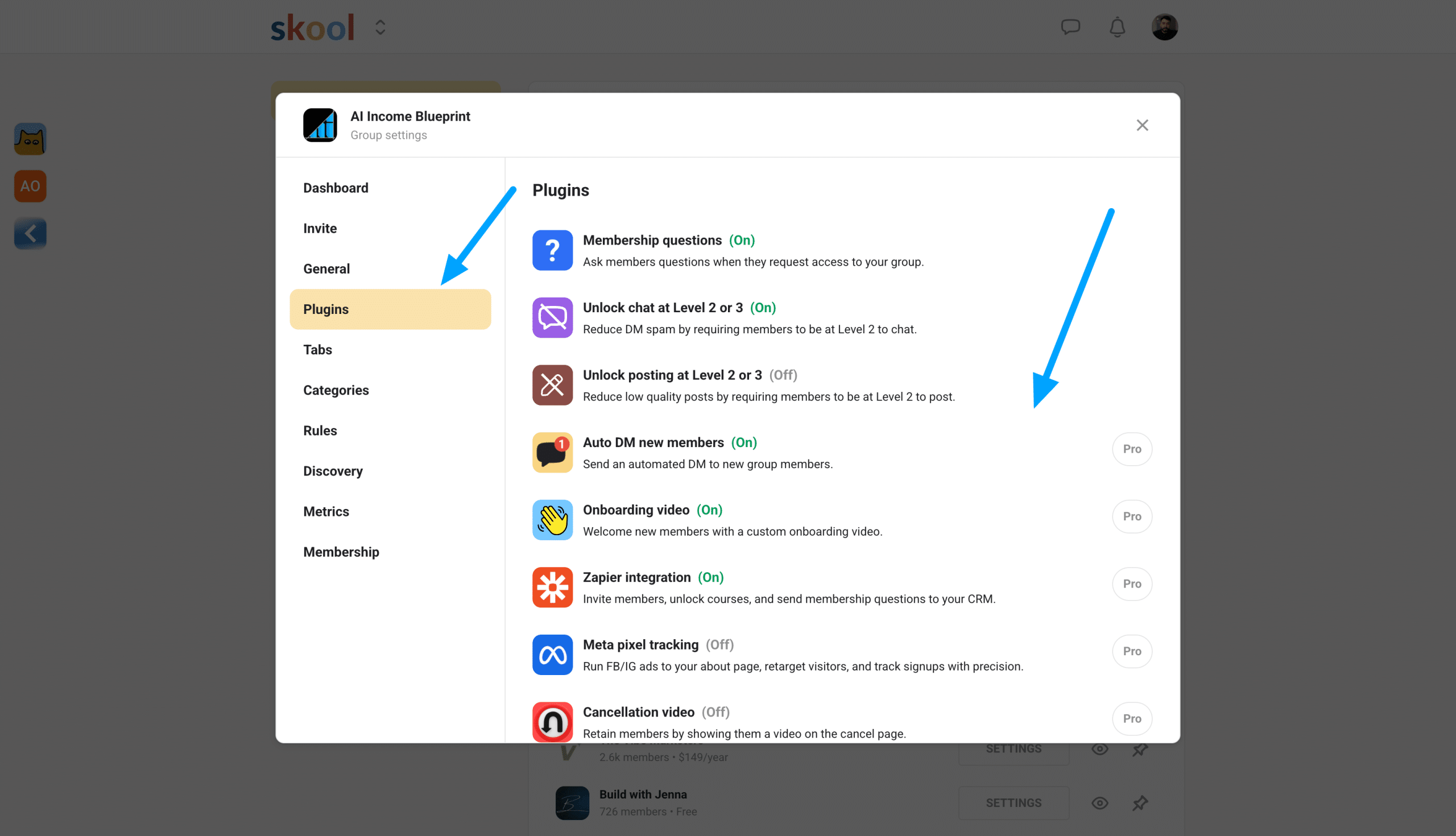
    Skool plugins

    Both plans also include free community-building tools, such as adding membership questions and enabling chats.

    The latest integration with Hyros significantly improves ad performance for group owners and enhances your retargeting ads. 

    Classroom

    The classroom area is a feature every course creator desires in a community software platform. Within the classroom tab, you can upload all your course videos and host content directly on the platform.

    This means you don’t need to pay extra for video hosting.

    This includes digital products, resource files, online courses, and more. Once members join your group, you can lock courses based on their membership level.
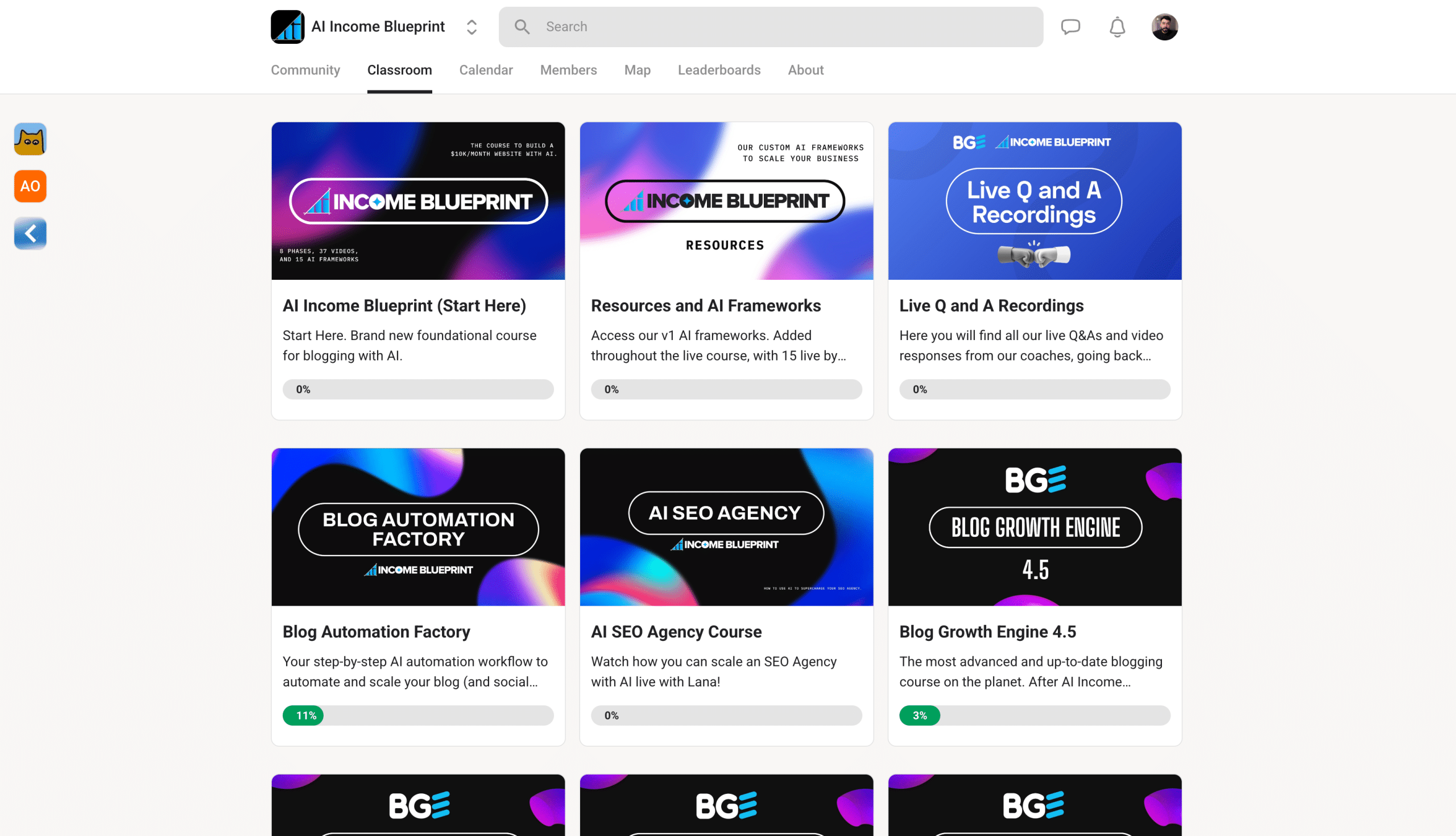
    Skool Classroom example

    You can also create upsells by selling additional access to specific courses. Additionally, enabling affiliates allows members to promote your community and its content, creating a win-win situation.

    Notes to consider:

    • You can add pages and folders within a classroom course.
    • Drag and drop lessons for easy organization.

    If you manage multiple communities, you can duplicate courses from one group to another using a course key, simplifying the process of sharing your content across groups.

    Live Calls

    You can also host live calls directly on the platform. You won’t need to use other tools such as Zoom or Google Meet.

    Even better, you can also receive the transcript directly on the platform, which saves you fees from using any AI note-taking apps.

    You can set up live calls directly in Skool in the calendar tab. Once you are all set up and have started your first live call, you can also record.

    Skool live call example

    All the material will upload directly onto the platform, so you don’t need to take too many steps trying to download it.

    Here’s me testing the live call feature. You can see that it’s very simple, straightforward, and easy to use. So if you’re a business coach or teaching a live lesson, this is going to be very helpful for you. 

    Member Analytics

    The members analytics dashboard is currently simple but sufficient for starting your Skool community.

    Right now, you can view your traffic over the past 7 days. It shows your conversion rate from visitors opting into your free or paid groups. If you have a paid group, you can also view your total subscription memberships.
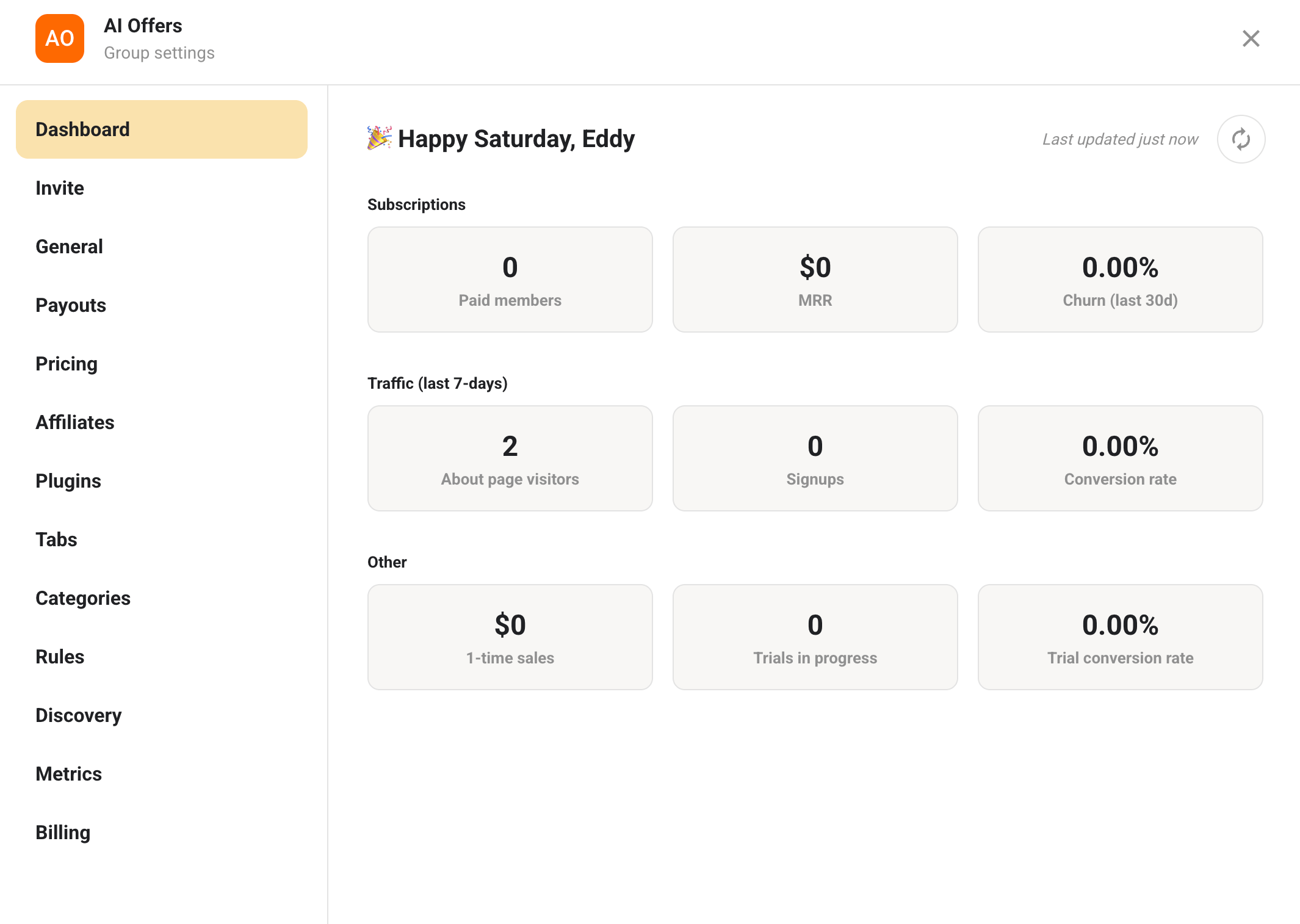
    Skool Member analytics

    If you’re selling one-time courses within your free community classroom, you can also track the number of sales made.

    Overall, the member analytics are quite functional, but for more in-depth data, consider integrating with Hyros, Meta, and Google Ads to gain a better understanding of your monetization performance.

    Easy Payout System

    Skool offers a straightforward payout process for group owners and affiliates via Stripe.

    The hype is real when it comes to the lowest transaction fees, as Stripe charges only 2.9% + 30¢ with no hidden costs.
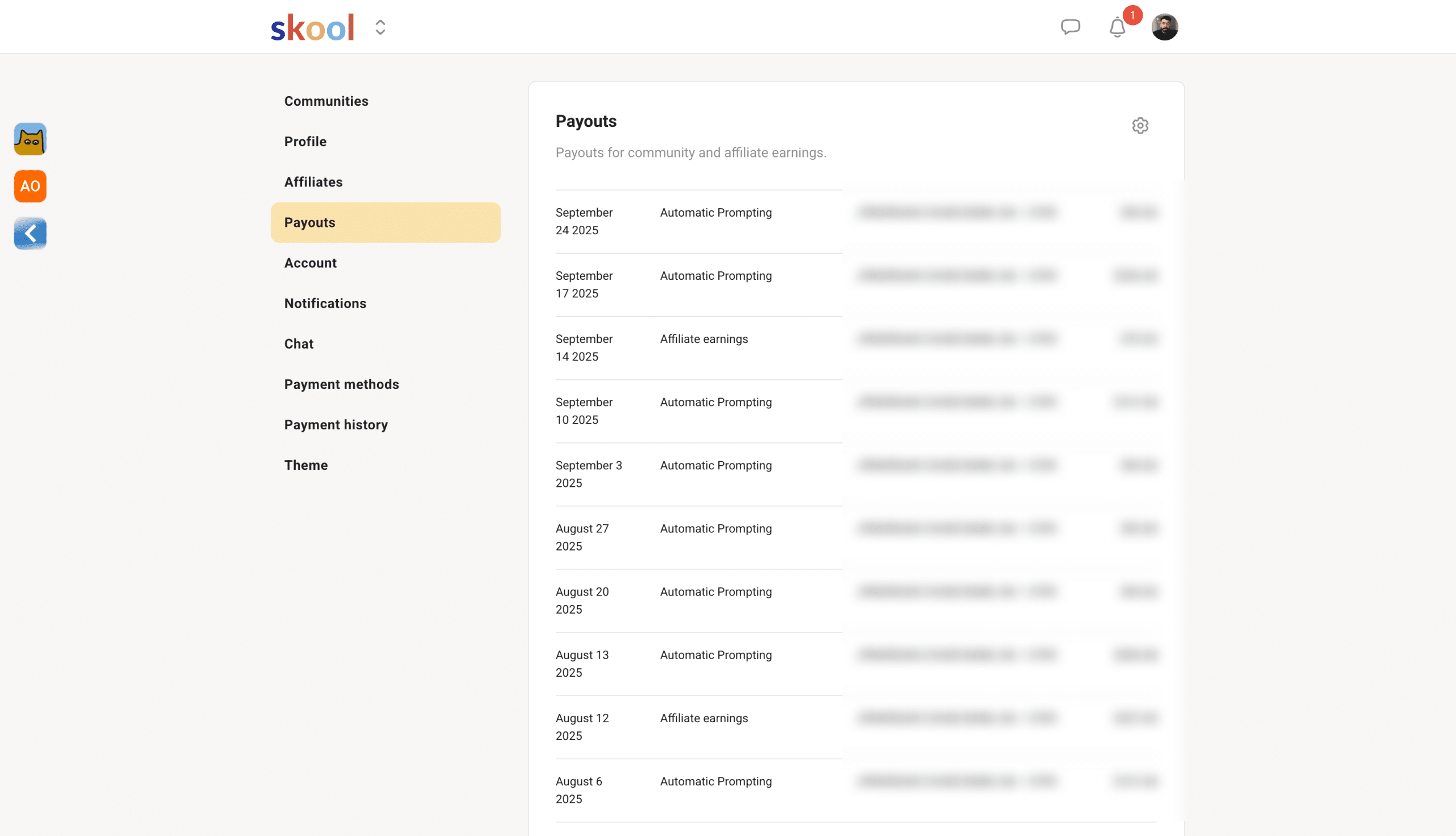
    skool payout example

    However, if you’re international, you might encounter additional foreign exchange fees depending on your location and bank.

    Overall, the payout setup is straightforward and easy to use. Skool enables both individuals and business owners to accept payments, but users should be mindful of subject restrictions, as some niches are not permitted.

    About Page

    Your about page replaces landing pages. Think of it as a place where you can host your video sales letter, images, and your sales copy.
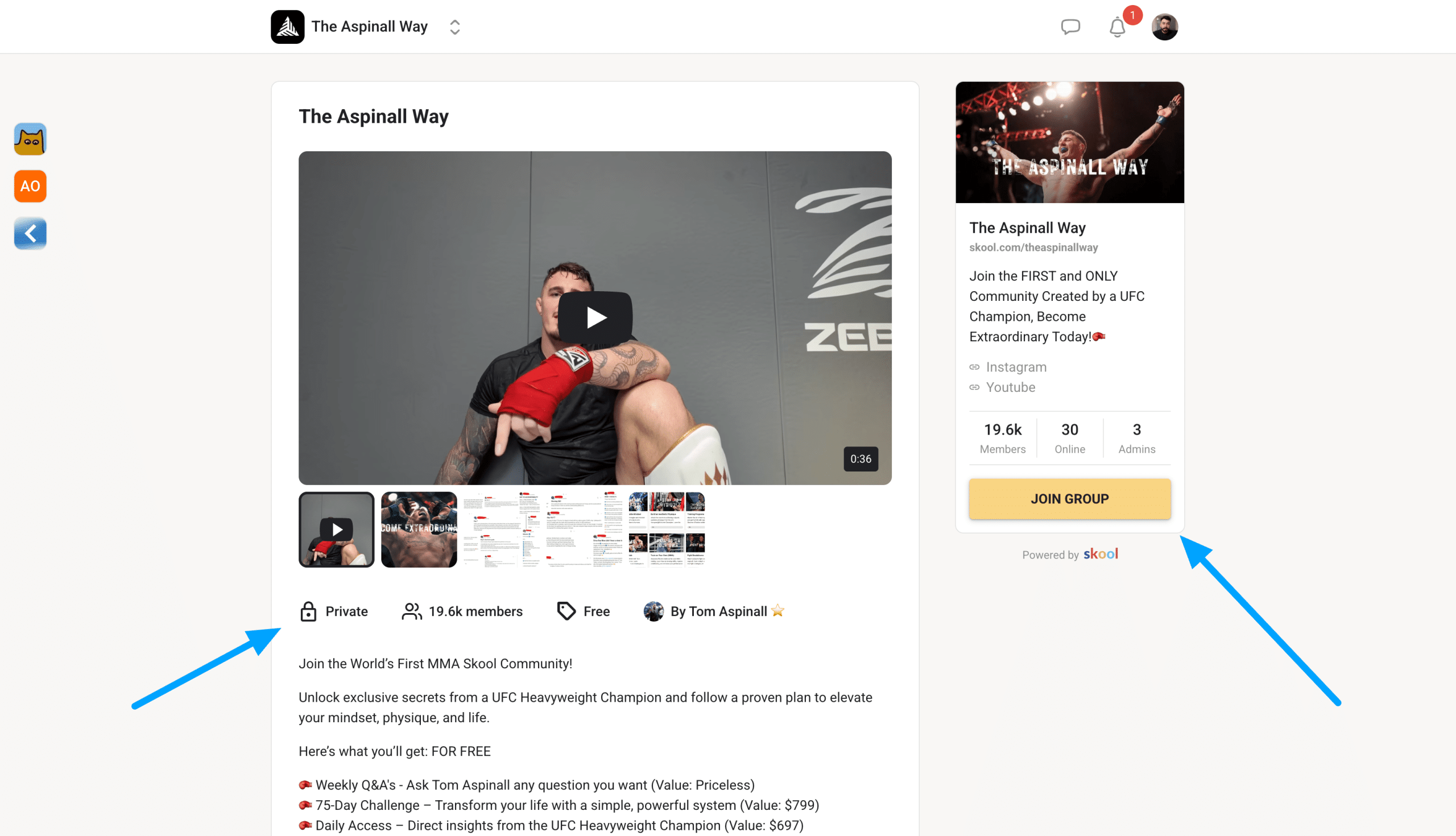
    Skool about page example

    Your Skool about page is where you’ll send people to sign up to your community if you’re charging on the platform.

    While you can’t edit the actual UI of your about page, you can add in all those sales elements. Anyone can sign up using their card, Google Pay, or Apple Pay.

    So, think of it as a sales page.

    Skool Discovery Page
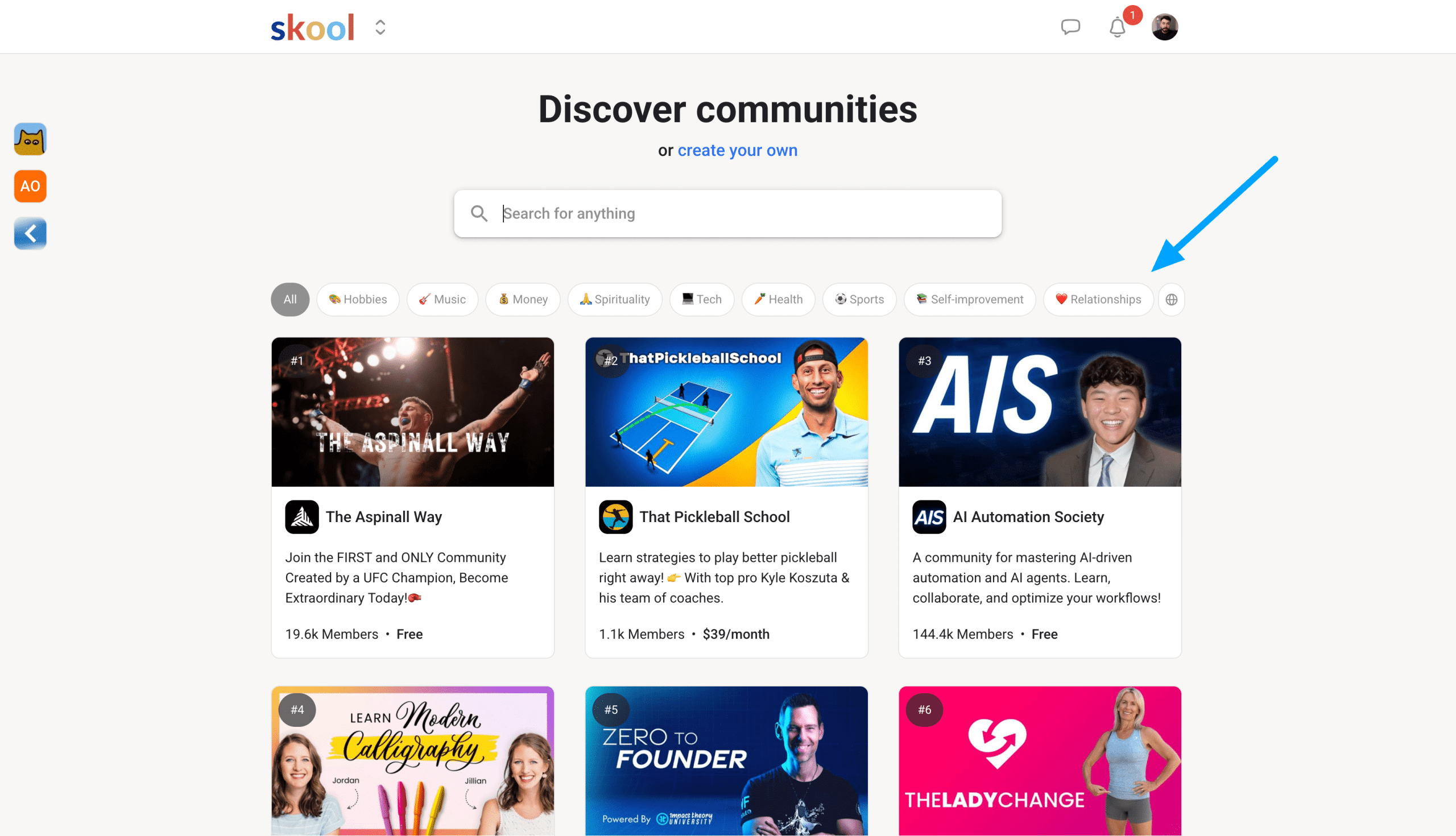
    Skool discovery

    The Skool discovery page looks like a directory that allows other people on the platform to find and join new communities.

    It works by ranking groups based on engagement and semantic SEO. So, by including specific keywords and ensuring your group is active, you will rank higher in Discover.

    The cool thing is there is a discovery engine for different languages. 

    Alternatives To Skool

    Okay, so here’s where I need to be honest.

    I have tried various online community platforms like Kajabi, Circle, and Memberpress, each with different strengths based on user needs. For me, Skool stands out from all of them for several reasons.

    Most importantly, it simplifies the process of making money online while keeping costs low and without hidden fees.

    Anyone can learn to use Skool within a few hours and start building or joining communities. With the new $9 hobby plan, it offers a more affordable alternative to other membership platforms that charge high fees to grow a creator business.

    How I Made Money With My Skool Group

    After three years as an admin in a personal branding community on Skool, I learned how to help others leverage AI for audience building and offers.

    Here’s how I turned that knowledge into my own successful Skool community.

    I built an email list first, creating a waitlist that attracted over 400 subscribers.

    This validated demand before I invested time building anything. While nurturing the list with email sequences, I produced YouTube videos to build hype around the launch.

    The Setup

    Using Skool‘s 14-day free trial, I built out the complete community:

    • About page and classroom content
    • Member bonuses and community forum
    • Stripe Express integration for payments

    I priced it at $49/month or $397/year. After 30 days of preparation, I launched and gained:

    • 40+ founding members
    • $4,000+ revenue from my first launch

    Anyone with expertise can build a legitimate business through Skool by combining their knowledge with strategic planning and genuine value creation.

    Final Thoughts

    Now, after starting my own community and leveraging the experience that I gained, I’m all in on Skool. 

    Are you? 

    FAQs

    Who Created Skool?

    Sam Ovens and Daniel Kong founded Skool. But with the recent partnership, Alex Hormozi has now become a co-founder as well, and has been one of the most prominent entrepreneur leaders who has invested in the platform.

    What are The Skool Games?

    The Skool Games is a quarterly internal competition. Winners receive a trip to the Skool office, including a full day of talks from Sam and Alex Hormozi plus other guests. Everything, including food and expenses, is covered. The only downside is you might have so much fun that you won’t want to leave LA.

    How much of a cut does Skool take?

    Skool uses Stripe Express for payouts. The total transaction fee is 2.9% plus 30 cents. That’s it. Everything else is yours to keep. Many other community-building platforms hide fees, but Skool is very transparent about what you receive and what they take.

    Can Skool be integrated with other tools and platforms?

    Yes, Skool can be connected with other tools and platforms such as ThriveCart, Zapier, and your CRM system, like HubSpot. I personally use Skool alongside my email marketing platform, ConvertKit.

    Does Skool offer any trials?

    Yes, Skool provides a 14-day free trial for both plans, allowing you to test the platform and accept payments during the trial period. After the trial ends, your account will automatically be billed Monthly.

    Can I Use Skool For Free?

    If you’re not ready to start a Skool community, you can use Skool for free by joining groups run by other community owners. This makes it enjoyable and simple to learn the platform, observe how others participate, and see how admins manage their groups. It allows you to make an informed decision before launching your own membership.

  • 9 Best Credit Repair Software That Automate Disputes [2025]

    9 Best Credit Repair Software That Automate Disputes [2025]

    Are you tired of having a bad credit score or not knowing how to send dispute letters for yourself or your clients?

    Reviewing your credit report for errors is important because over one-third of Americans have at least one error on their credit report.

    Most people struggle with credit repair, spending hours writing dispute letters and tracking responses from credit bureaus. But there’s a smarter way.

    I’ve spent years testing credit repair software to find tools that deliver results, not just empty promises. And yes, these platforms can remove inaccurate negative accounts for you and your paying clients.

    Credit repair software can successfully raise your credit score by helping you remove inaccurate negative items.

    The best part? Credit repair apps like these simplify generating dispute letters. This process can help boost your credit scores and send disputes.

    My Top Choice

    Best Overall

    Credit Repair Cloud

    Credit Repair Cloud dark logo

    After reviewing and ranking every credit repair software available, Credit Repair Cloud is the best platform for credit repair professionals and individuals. It provides automation, educational material, and amazing customer support.

    Automation:

    Yes

    Trustworthy:

    10/10

    Ease of Use:

    9/10

    Dispute Letters:

    Yes

    We earn a commission if you make a purchase, at no additional cost to you.

    What Is Credit Repair Software?

    Credit repair software helps people repair their credit by analyzing their reports and identifying errors or negative items that could damage their credit score.

    Once the software has pinpointed your negative items, it will draft dispute letters to be sent off for investigation.

    Credit repair software automates the entire dispute process from start to finish.

    So, while you don’t need to buy credit repair software, it allows you to manage multiple accounts, which is helpful for credit repair companies.

    With that said, credit repair tools usually offer personalized guidance for every round of dispute you send and will include templates that are proven to work.

    You may need to send many dispute letters to the credit bureaus to explain and challenge inaccurate items on your credit reports.

    If you are looking into a specific platform, it should be able to:

    • Analyze inaccurate items and fix them
    • With more clients, making onboarding seamless
    • Monitor changes in your account balances monthly by linking to a credit monitoring service
    • Allow you to create and send out letters to all three credit bureaus

    Also, confirm that the software is fully compatible with your operating system if you operate a credit repair business.

    What Is The Best Credit Repair Software?

    Here are my top recommendations for repairing credit for personal or business use.

    • Credit Repair Cloud
    • Client Dispute Manager
    • DisputeBee
    • CreditVersio
    • DisputeFox
    • ScoreCEO
    • Whitelabel CRO
    • Credit Letters Generator
    • DisputeSuite

    1. Credit Repair Cloud

    Best Credit Repair Software For Business

    Credit Repair Cloud

    Credit Repair Cloud is cloud-based software that helps you start a profitable credit repair business.

    It lets you manage and send out disputes for your paying clients. Managing disputes is important for a credit repair business.

    The software has an easy-to-use interface for tracking client accounts. Founded by Daniel Rosen, who struggled with his own credit repair, Credit Repair Cloud evolved from his successful Credit-Aid initiative.

    Credit Repair Cloud includes many integrations, including more ways to make money online, such as partnering with Credit Hero Score.

    Before you even start your credit repair business, their app allows you to test their tools by repairing your own credit score first.

    I know this because I’ve used Credit Repair Cloud for most of my clients. I’ve created multiple video tutorials using their platform.

    Here’s one example:

    Key Benefits:

    • Import online credit reports
    • Complete letter template library
    • Credit repair education
    • Generate credit audits easily
    • Credit repair automation
    • Easy client onboarding
    • Client and affiliate portal
    • Full CRM system included
    • Sync with multiple credit monitoring services
    • Unlimited storage
    • Dispute submissions to all three major credit bureaus
    • Self-hosted calendar for follow-ups

    Pricing Plans

    Credit Repair Cloud pricing starts at $179 monthly, with the highest plan at $599.

    • Start: $179/month
    • Grow: $299/month
    • Scale: $399/month
    • Enterprise: $599/month

    All plans offer a 30-day free trial, allowing you to explore the platform before committing.

    I appreciate how Credit Repair Cloud automates the onboarding process for clients.

    Each plan includes unlimited affiliates and storage and allows easy creation of a white-label client portal. You can capture affiliate referrals to attract more leads for your business.

    I’ve been using Credit Repair Cloud since 2019, which has allowed me to help friends, family, and referrals.

    2. Client Dispute Manager

    Best Runner-up credit repair software for professionals

    Credit-Repair-Software-Client-Dispute-Manager

    Client Dispute Manager is another powerful software for repairing credit for business or personal use.

    The software, which has a customizable white-label portal, handles dispute letters, credit report monitoring, billing, payment processing, CRM management, and client onboarding.

    Founded by Mark Claybourne, the software is promoted through YouTube and Facebook.

    Like Credit Repair Cloud, CDM offers credit repair training and websites for your new venture. 

    Key Benefits:

    • Create a 17-page credit audit for clients
    • Analyze inconsistencies on the credit file
    • Upload quick imports from credit monitoring services
    • Customers can sign up autonomously with automation
    • Integrate Zapier for more automations
    • Send text messages directly through CDM
    • Auto dispute sending
    • Create sign-up lead forms for prospects
    • Hundreds of dispute templates
    • Affiliate portal to monitor commissions

    Client Dispute Manager offers a wide range of features beneficial for entrepreneurs seeking complete credit repair software.

    Pricing Plans

    Client Dispute Manager is more affordable than Credit Repair Cloud, with plans ranging from $99 to $199 per month:

    • Starting: $99/month
    • Growing: $149/month
    • Enterprise: $199/month
    • Annual Enterprise: $1200/year

    Each plan includes free credit repair training covering lead generation, business, and dispute courses.

    3. DisputeBee

    Great Credit Repair Software For Personal & Business Use

    DisputeBee

    DisputeBee is a cloud-based software that offers affordable credit repair, whether you’re fixing credit errors or managing multiple client accounts.

    This powerful credit-disputing app can instantly mark negative items once you link your credit report and generate dispute letters with the click of a button.

    DisputeBee guides you through importing your client’s credit report, monitoring changes, and removing negative items like collections.

    Key Benefits:

    • Bulk print letters
    • Pre-written letter templates
    • Send mail via API
    • Import credit reports
    • Sign up affiliates
    • Easy-to-use dashboard
    • Monthly credit report status

    DisputeBee is ideal for beginners starting a credit repair business.

    Pricing Plans

    DisputeBee’s personal plan starts at $39 per month, and the business plan is $99 monthly.

    No free trial is available, but you can sign up to view the backend dashboard.

    4. CreditVersio

    Best Free Credit Repair Software

    Credit Versio

    CreditVersio is an AI credit repair tool that helps improve your credit score through simple steps.

    It assists with disputing accounts with Experian, Equifax, and TransUnion.

    You can link your credit report, and CreditVersio will automatically create dispute letters for you. They track the process and send reminders or alerts for credit score increases.

    Key Benefits:

    • Smart integration with SmartCredit
    • Unlimited disputes per month
    • Set follow-ups and reminders
    • Mobile-friendly
    • Video credit coaching calls
    • Free credit repair training

    Pricing Plans

    CreditVersio is free, but you must pay for the credit monitoring service, which, depending on the features, ranges from $24.95 to $29.95 per month.

    5. DisputeFox

    DisputeFox

    DisputeFox is advanced credit repair software for easy and efficient credit report restoration.

    Its simple interface requires no prior knowledge, and their Dispute System includes a CRM, Metro2 letters, apps, and more.

    Their AI credit repair automation makes them one of the best choices, which allows you to send emails and follow up with clients easily.

    The software can remove inaccurate information, customize dispute letters, track status updates, and find missing items not reported by other sources.

    Key Benefits:

    • Tablet & mobile view for flexibility
    • Complete CRM system for managing clients
    • Lead tracking and overview
    • Client communication management
    • Notes & tasks creation
    • Customer portal for document uploads
    • Automated client billing
    • Credit letter templates
    • Import credit monitoring services
    • Dispute management
    • Workflow automation
    • Advanced web forms

    Pricing Plan

    DisputeFox starts at $99 per month, with a highest plan at $499 per month, each including a setup and training call.

    • Starting Plan: $99/month
    • Growing Plan: $379/month
    • Scaling Plan: $499/month

    6. ScoreCEO

    scoreceo

    ScoreCEO is an all-in-one business software for credit repair companies, simplifying dispute processing, appointment scheduling, and follow-up conversations.

    How? Well Score CEO provides custom-built sales funnels that you can use to attract potential customers and stay compliant.

    It also offers in-house outsourcing so you can focus on what’s important…Marketing.

    Key Benefits:

    • Easy-to-use CRO wizard
    • Sales pipeline creation
    • Recurring or pay-per-delete payments
    • Branded campaigns
    • Social referral integration
    • E-document signatures
    • Google Analytics integration
    • Integrations with popular credit monitoring services

    Pricing Plans

    ScoreCEO offers a forever-free trial. Pricing starts at $129 per month, with the highest plan at $299 per month.

    • Kickstart: $149/month
    • Essential: $199/month
    • Advanced: $299/month

    7. CreditReport DIY

    Credit Report DIY

    CreditReport DIY is a privately branded credit repair software for professionals managing their clientele independently.

    The software is customizable and claims to offer faster disputing and more features than competitors.

    They give you a few different options for building a credit repair business. 

    First, you sell CreditReport DIY as a DIY or DFY service. This gives you the flexibility without charging hefty fees to your customers.

    Key Benefits:

    • Privately white-label your software
    • Smart automation processes
    • Batch dispute letter generation
    • Zapier support
    • Payment reminders and email drips
    • All-in-one communication tools
    • Instant credit report and score import
    • Pay-per-delete option

    Pricing Plans

    CreditReport DIY costs nothing to use, as you can charge your customers.

    8. Credit Letters Generator

    Credit-Letters-Software

    Credit Letters Generator is affordable credit repair software with a free trial. It includes letters for all major credit bureaus and allows for easy customization.

    You can use it for yourself or for your paying clients. Credit Letters Generator also includes a variety of tools that help you remove any inaccurate negative items.

    Key Benefits:

    • Automate credit dispute flow
    • Generate complex letters like Metro 2
    • Fast credit report imports
    • Advanced affiliate and client portals
    • CROA compliant
    • SMS or VM broadcasts
    • Free mobile app for clients

    Pricing Plan

    Credit Letters Generator offers three pricing plans: $27, $47, and $89 per month, with a 15-day free trial.

    9. DisputeSuite

    disputesuite

    DisputeSuite is a secure web-based credit repair software accessible from any device.

    It provides dispute letters and a fulfillment team for outsourcing.

    Key Benefits:

    • Customer and affiliate portals
    • Complete private label solution
    • Electronic credit repair agreements
    • Dispute automation
    • Full dispute management

    Pricing Plans

    DisputeSuite is the most expensive option, starting at $300 per month and with a custom website as part of the highest plan, which costs $800 per month.

    How Much Is Credit Repair Software?

    Credit repair software ranges from $29 to $179 monthly, often including unlimited disputing and automated follow-ups.

    Do You Need Credit Repair Software?

    You do not need credit repair software, but it simplifies the disputing process and helps monitor progress. It should include features for generating dispute letters, monitoring reports, and addressing various.

    Final Thoughts

    This article overviews reputable credit repair software options to suit your needs.

    The credit repair process can take several months to a year to see significant improvements to your credit score.

    FAQs

    What is the best free AI credit repair software?

    The best free AI credit repair software options include Credit repair cloud, CreditVersio, and Experian Boost. These AI tools offer automated credit monitoring and basic dispute recommendations, making the credit repair process easier.

    Is paying someone to fix your credit worth it?

    Paying for a credit repair service can be worth it if you have complex issues, limited time, or lack expertise. Professional services typically charge $79-150 monthly and may achieve faster results by efficiently managing the credit repair process and tracking disputes systematically.

    Is Credit Repair Software Worth It?

    Credit repair software is worth it for DIY-minded consumers who want to save money while maintaining control over their credit repair process. Quality software provides dispute letter templates, credit analysis tools, and helps track disputes, often costing less than hiring a service. If you’re a business looking to automate your client disputes, then it’s definitely worth it.

  • 5 Best AI Prompt Generators In 2025 [I Tested Them All]

    5 Best AI Prompt Generators In 2025 [I Tested Them All]

    I spent the last few months testing the best AI prompt generators, and what I discovered shocked me.

    The AI prompt generators that consistently deliver the best results aren’t the ones everyone’s talking about. And you won’t need to learn prompt engineering to use them.

    If you’re using AI tools like ChatGPT, Claude, or AI coding apps, you’ve probably run into these three massive problems:

    • Your prompts take forever to write and refine
    • You’re getting inconsistent results that waste your time
    • You’re never quite sure if you’re using the right approach

    I get it. When I first started using AI, I spent more time trying to write an initial prompt than actually creating and building.

    However, after testing several prompt generators on the market, I found some clear winners that can transform your workflow.

    What Is An AI Prompt Generator?

    An AI prompt generator is designed to help you generate prompts that get the best results from AI platforms like ChatGPT, Midjourney, and even no-code tools like N8n.

    Rather than struggling with basic instructions, these tools create optimized, structured prompts based on your goal.

    They help you generate new ideas by suggesting creative approaches and providing detailed instructions that AI models can better understand.

    It works best when creating content, generating images, or solving complex problems.

    So, the best tools to generate AI prompts save time by eliminating the learning curve of proper prompt engineering.

    What Are The Best AI Prompt Generators?

    From a single prompt to complex ones, here are the top choices:

    1. Anthropic Console AI Prompt Generator

    Anthropic Console

    Anthropic’s prompt generator is a huge time-saver for anyone tired of writing AI prompts from scratch.

    Built directly into the Anthropic Console and powered by Claude 3.5 Sonnet, this tool is especially beneficial for developers, letting them tell it what they need, and it will generate an optimized, production-ready prompt template.

    From this tutorial I recorded how easy it can be to write AI prompts with Anthropic Console.

    The system uses advanced prompt engineering techniques, such as chain-of-thought reasoning, to create and improve an initial draft with each iteration.

    You don’t have to learn complex prompt engineering skills yourself.

    What makes this tool stand out is how it includes variables in your prompts using double brace syntax ({{variable}}), often wrapped in XML tags for clarity.

    These variables make your prompts reusable and scalable, perfect for testing across different inputs and edge cases.

    The prompt generator doesn’t just create static templates but builds dynamic prompts you can adapt for countless scenarios. It also includes a built-in prompt optimizer feature.

    Key Benefits:

    • Reduces prompt engineering time by up to 80%
    • Creates structured prompts with clear variable handling
    • Automatically implements best practices like chain-of-thought reasoning
    • Allows real-time testing with sample inputs
    • Helps you learn prompt engineering through examples
    • Works alongside Anthropic’s evaluation tools for prompt optimization

    2. Taskade AI Prompt Generator

    Taskade

    Taskade is an AI agent platform offering one of the best free AI prompt generators.

    What I like most about their tool is that you can add custom knowledge, if needed, to the prompt so it can integrate directly with your apps.

    But if that isn’t something you need, you can provide context and have it create effective AI prompts for you in seconds.

    For example, you can have it create AI prompts for emails, blog posts, and even data analysis.

    Key Benefits:

    • 100% customizable AI prompts
    • You can generate the prompts and use them for any AI platform
    • Integrate your AI prompt with different tools
    • The UI is simple and easy to use.

    3. Feedough AI Prompt Generator

    Feedough

    Feedough offers one of the best free AI prompt generators without requiring login credentials.

    This tool stands out because it enhances the prompts you craft in your own words, making them as detailed as possible to elicit the best responses from AI systems.

    The tool assists users who struggle with creativity by providing structured prompts for different types of content, whether you need text, images, videos, or logical reasoning assistance.

    It uses advanced systems with curated phrases and keywords to create meaningful prompts that AI generators can accurately interpret.

    Key Benefits:

    • Compatible with multiple AI platforms, including ChatGPT, Claude, Gemini, and Copilot
    • Features specialized generators for different AI tools (ChatGPT, Midjourney, Stable Diffusion)
    • Transforms ideas into clear, effective prompts, allowing you to spend less time refining descriptions
    • Excels at capturing finer details when you have a specific idea in mind
    • Includes an array of ready-made prompts that you can use if they align with your goals

    4. PromptPerfect

    PromptPerfect

    PromptPerfect by Jina AI is a standout free AI prompt generator with a user-friendly interface that takes the headache out of prompt engineering.

    It automatically optimizes prompts for all major AI tools, turning basic ideas into engaging prompts that deliver dramatically better results. 

    This chatgpt prompt generator optimizes user interactions with various AI models, ensuring natural-sounding responses and precise instructions.

    It doesn’t just generate prompts but actively refines them through advanced machine-learning techniques.

    I love how quickly it works (generating optimized prompts in just a few seconds) and its flexibility across different AI models.

    Whether creating content, generating images, or building AI applications, PromptPerfect helps you craft precise instructions that get exactly what you want from AI tools without the frustrating trial and error.

    Key Benefits:

    • Works with multiple AI models (ChatGPT, Midjourney, Stable Diffusion)
    • Generates results in seconds with minimal learning curve
    • Includes free tier with 20 credits to test before buying
    • Offers batch processing for multiple prompts
    • Features unique prompt reverse-engineering for images
    • Provides interactive chat-based optimization

    5. Originality

    AI-Prompt-Generator Originalit

    Originality.ai offers one of the best free AI prompt generators.

    Many of us know them as an AI content detector, but what sets it apart is how it uses artificial intelligence to generate creative prompts you might never think of yourself.

    The interface prioritizes simplicity. Just specify your needs, click generate, and review the results.

    The prompt generator is compatible with multiple AI platforms, including ChatGPT, Claude, and Gemini, making it adaptable for various purposes.

    Key Benefits:

    • Completely free to use with no registration required
    • Generates results in seconds with a minimal learning curve
    • Works with all major AI writing platforms
    • Helps overcome creative blocks with unexpected ideas
    • Part of a comprehensive suite of free content tools
    • Designed specifically for content creators and marketers

    6. Prompt Folder

    midjourney prompt generator

    Prompt Folder is a Midjourney prompt generator that is perfect for anyone who wants to generate images.

    All you need to do is type in the concept of the image along with the parameters so you can easily create perfect AI images.

    But beyond just creating prompts, Prompt folder is also a place to store and manage your new prompts.

    This saves you time copying and pasting your prompts using various AI models.

    Key benefits:

    • Create AI prompts that are optimized for Midjourney
    • Save and store your inputs using their management system
    • Offers a trending tab where you can view other users prompts

    7. Docs Bot AI

    DocsBotAI Prompt Generator

    DocsBot AI gives you a completely free prompt generator with no login required. In seconds, you’ll get effective prompts for any AI platform, including ChatGPT, Claude, and Gemini.

    I love that it covers every use case from social media posts to educational content to business analysis.

    Docs Bot AI’s prompt generator when you need context-specific prompts that drive engagement across different platforms.

    One thing to know upfront: your prompts will become public in their prompt library. This is actually a cool feature because you can browse thousands of existing prompts for inspiration.

    The tool works incredibly well for social media content planning, helping you create engaging posts that connect with your audience.

    It also does well with generating educational prompts that encourage critical thinking and writing prompts that overcome creative blocks.

    Key Benefits:

    • Completely free with no registration needed
    • Works with all major AI models
    • Specializes in social media content creation
    • Offers prompts for educators and students
    • Includes a huge library of public prompts to browse
    • Optimizes prompts for better AI responses
    • Generates results instantly with no learning curve

    8. God of Prompt

    God of prompt ai prompt generator

    God of Prompt offers a custom AI prompt generator that feels more like a premium service than a free tool. You get one test prompt for free, and after that, it’s $1 per prompt.

    Their whole pitch is built around creating structured “mega-prompts” for all the major AI platforms: ChatGPT, Claude, Midjourney, and Gemini.

    The process is pretty straightforward. Describe what you need, pick your AI tool, and within about a minute, they email you a custom prompt and a PDF guide explaining how to use it effectively.

    They’ve designed their system around customizable variables so you can tweak the prompts for different scenarios.

    What’s interesting is their focus on format rather than just content.

    Each prompt follows its specific structure, which helps get more consistent results across different AI platforms.

    The first response is important as it sets the stage for an engaging and productive interaction with AI, making it easier to refine prompts collaboratively.

    Is it worth the dollar per prompt? It depends on how much you value your time versus perfecting prompts yourself.

    Key Benefits:

    • Works with all major AI platforms
    • Delivers prompts to your email in about 60 seconds
    • Includes a PDF guide with each prompt
    • Uses customizable variables for flexibility
    • Structured approach with consistent formatting
    • One free test prompt before paid options
    • $1 per prompt pricing model

    9. Neural Writer

    NeuralWriter AI prompt generator

    Neural Writer takes a simple approach to prompt generation. Nothing fancy here. Their free tool is built around enhancing your basic ChatGPT prompts.

    Drop in your initial idea, and it’ll be rewritten to get better results from any GPT model. It works perfectly for any chatgpt models.

    It’s pretty basic compared to the other options we’ve covered.

    Their prompt generator is a text enhancer that tweaks your wording rather than adding complex structures or variables.

    The interface is super straightforward, but you’re limited to basic prompt writing tasks. It’s a good starter option if you’re just getting into AI.

    Key Benefits:

    • Totally free with no limits
    • Works with up to 10,000 characters
    • Super simple interface for beginners
    • Supports 27+ languages
    • Enhances existing prompts rather than creating them
    • No account is required to use it
    • Perfect for quick prompt tweaks

    Choosing the Right AI Prompt Generator

    Picking the right AI prompt generator doesn’t have to be overwhelming, even with all the choices.

    To make a smart choice, think about what kind of content you want to create, how much you want to customize things, and how much you’re willing to spend.

    Keep this in mind when choosing an AI prompt generator:

    1. Purpose: Define the purpose of the AI prompt generator. Are you looking to generate writing, image, or code prompts? Different generators specialize in other prompts, so knowing your primary use case is important.
    2. Customization: Consider the level of customization you need. Do you want to be able to fine-tune the prompts to fit your specific needs, or are you looking for a more general-purpose generator? The best AI prompt generators provide options to adjust style, complexity, and tone.
    3. Ease of Use: Evaluate the user interface and ease of use. Is the generator user-friendly, or does it require technical expertise? A user-friendly interface can save valuable time and improve productivity.
    4. Integration: Consider the integration options. Can the generator be integrated with other tools and platforms you use? Seamless integration with your existing workflow can enhance efficiency.
    5. Cost: Evaluate the cost of the generator. Are any free options available, or are you willing to pay for a premium service? Balancing cost with the features and benefits provided is key to making a smart investment.

    Free AI Prompt Generator Options

    While many AI prompt generators offer premium services, there are also several free options out there that are perfect for getting started.

    Check out these popular free AI prompt generators:

    1. Originality.ai: This tool offers a free AI prompt generator that can create writing prompts, image prompts, and code prompts. It’s designed to help content creators overcome writer’s block and generate fresh ideas effortlessly.
    2. PromptPerfect: Provides a free version of its AI prompt generator, which includes features like prompt optimization and image creation. It’s a versatile tool works with multiple AI models, making it a valuable resource for various content creation needs.
    3. ChatGPT: Offers a free AI prompt generator that can generate text prompts, image prompts, and code prompts. This is the most mainstream, and you can easily create AI prompts within chatgpt.
    4. PromptStorm: A free Chrome extension that adds a toolbar to AI chatbots, helping generate high-quality prompts.

    While free AI prompt generators can be a great starting point, they often have limitations, such as limited customization options or restricted access to premium features.

    However, they can still provide significant value and help you get started with AI-generated prompts.

    What To Look For

    Now that we’ve got a handle on what these tools can do, let’s dive into what truly sets the exceptional ones apart from the good ones. It’s all about how they tailor those generated prompts to perfectly fit the unique needs of your target audience.

    After testing dozens of AI prompts, I’ve identified five critical features that actually impact your results:

    1. Customization Options: The best tools let you adjust your prompts’ style, complexity, and tone so you get exactly what you need.
    2. Model-Specific Optimization: Different AI models require different prompt styles. Top generators optimize specifically for ChatGPT, Claude, Midjourney, or whatever tool you use.
    3. Integration Capabilities: This is huge as the tool should integrate directly with your workflow, or does it create extra steps?
    4. Template Libraries: Access to proven, tested prompts saves enormous time and prevents reinventing the wheel.

    FAQs

    What Are The Benefits of AI Prompt Generators?

    One major upside is the massive time savings. Instead of spending countless hours tweaking prompts through guesswork, these tools handle the heavy lifting.

    They guide you in writing effective prompts, enhance creativity by refining your creative process, and consistently yield impressive AI results.

    This translates to quicker project turnarounds with even better results for content creators and marketers.

    How To Use An AI Prompt Generator?

    You’ll want to use a prompt generator and describe exactly what you want to achieve by framing your query as a specific request, and it will provide you with an AI prompt.

    From there, you can go into any LLM and use that prompt. It’s that simple. Just input your goal, get a structured prompt, and see dramatically better results than if you’d crafted the prompt yourself.

    What’s the secret to writing prompts that work?

    Be super specific, include key details, and don’t overcomplicate things. I always specify who the AI should be and what format I need the output in.

    This helps generate a tailored response based on user-defined prompts, ensuring the replies are specific and desirable.

  • 13+ Best AI Text Generators [Updated For 2025]

    13+ Best AI Text Generators [Updated For 2025]

    You’ve tested every AI text and message generator, but still can’t seem to generate sentences that bring out the best results.

    Or have you tried several “best” AI text generators that don’t match your creative writing or marketing copy?

    Don’t worry, you’re not alone.

    Many writers and SEOs struggle to produce content that matches the quality they are looking for. This can become worse when they use the wrong AI tool.

    But here’s the good news: An AI text generator can help you create viral content and write coherent text across your brand.


    My Top Picks

    AI Text Generator Comparison
    Top Choice

    Poppy AI

    ★★★★★
    Best for Visual Creators: Generate human-like text for any niche
    • Generate human-like text for any niche and map it all together
    • Add multiple sources of information to create high-quality content
    • Drop voice notes and turn them into content

    Koala Writer

    ★★★★½
    Best for SEOs and Bloggers – Write articles that convert
    • Great for blog outlines
    • Write affiliate articles that convert while avoiding plagiarism
    • Offers custom outlines, internal linking, and generates people-first content

    WriteSonic

    ★★★★½
    Best for Businesses – Large volume content creation
    • Produce large volumes of content with one-click article generation
    • Save time with keyword bulk publishing
    • Passes AI text detection

    I’ve been there myself, trust me.

    I know how frustrating it can be to try to write when you’re feeling stuck or uninspired. But I’ve found that artificial intelligence + proper training data can seriously up your writing game.

    AI Text can be frustrated without the right context

    It will feel like you have your own AI writing assistant and sentence generator that never clocks out.

    And that’s why I’m here to share the best of the best and how AI text generators work.

    Disclaimer: This post has affiliate links at no cost to you.


    What Is An AI Text Generator?

    An AI text generator is software that automatically creates written content using artificial intelligence technology. Most AI writing tools rely on similar large language models (LLMs) for text generation.

    It produces paragraphs, sentences, and SEO-friendly material by analyzing language patterns from existing texts.

    These AI content-writing tools help you create unique content without spending hours writing.

    I made a YouTube video showing how I use AI to write faster:

    These AI content generators have been trained from many books, articles, and websites to model how we talk and write.

    Think of it this way: you give the AI a few words with context, and it uses its knowledge to create text that makes sense and fits your needs. Many AI text generators allow users to adjust the tone and style of the outputs.

    It will be able to match your writing style, brand voice, and reading level. Many AI writing tools produce high-quality text that resonates with audiences and maintains brand voice.

    It’s like having your own personal writing assistant who’s always ready to help you brainstorm, write faster, or even make your writing sound more polished.

    The best part is that these LLMs are getting better and better at understanding how we use language.

    So, an AI text generator can save you time, whether you’re a blogger who needs fresh ideas, a student writing an essay, or a marketer trying to write catchy copy.

    Here Are The Best AI Text Generators

    Producing AI-generated text that is plagiarism-free content is not easy.

    But with the right paragraph generator, you can quickly generate the correct words for your written content.

    Here is a quick overview of all the best AI text generators, whether you are a blogger, content marketer, or writer.

    1. Poppy AI

    Poppy AI

    Use code [EDDY] to get $25

    Poppy AI is the ultimate AI text generator, combining ChatGPT and Claude’s power with an intuitive canvas-style interface.

    Unlike traditional AI writing tools that force you into linear conversations, Poppy AI lets you think and create naturally.

    You can drop YouTube videos, PDFs, images, and voice notes into your workspace, allowing the AI to analyze everything simultaneously.

    Poppy AI YouTube Script Writing

    From there, you can have it create:

    • YouTube scripts
    • Content ideas
    • Blog posts
    • Sentences
    • Emails
    • And more

    I recently wrote a YouTube script with the help of Poppy AI and my audience loved it.

    What makes Poppy AI unique is its ability to process multiple types of content while maintaining a visual connection between your ideas.

    Think of it as a mind-mapping tool powered by advanced AI.

    For content creators, marketers, and researchers, this means no more switching between 20 browser tabs or losing track of your research.

    The was specifically designed for neurodivergent thinkers but works amazingly well for anyone who needs to process large amounts of information efficiently.

    Key Benefits

    • Visual workspace that matches your natural thought process
    • Simultaneous analysis of videos, PDFs, images, and voice notes
    • Access to both ChatGPT and Claude’s AI models
    • Instant YouTube video analysis and summarization
    • Perfect for creating content that maintains your authentic voice
    • Saves hundreds of hours on research and content creation
    • Powerful mind-mapping capabilities with AI assistance
    • Passes AI content detection tools
    • Excellent for team collaboration and project planning
    • The text generation algorithms are constantly being improved to generate even better sentences.
    • Generative AI can instantly write, brainstorm, rewrite, and reply with relevant content based on your prompts.

    Pricing

    • Standard Plan: $349/year (Most Popular)
    • VIP Support Plan: $552/year (Includes live dedicated support)
    • Lifetime Access: $997 (One-time payment, includes 1:1 coaching with founder)

    My Personal Take

    After testing hundreds of AI tools, Poppy AI genuinely changes how we interact with AI word generators.

    As someone who creates content across multiple platforms, the visual workspace has saved me countless hours on research and content creation.

    ChatGPT is free and used as a basis for many other AI writing tools.

    The ability to analyze entire YouTube videos instantly and generate content that maintains my authentic voice is game-changing.

    While the investment might seem high upfront, it actually saves money by replacing multiple AI subscriptions (ChatGPT Plus, Claude, etc.) while offering superior functionality.

    Poppy AI isn’t just another AI writer for serious content creators and digital marketers.

    It’s the perfect asset for scaling your content production while maintaining quality.

    My Rating: 5/5

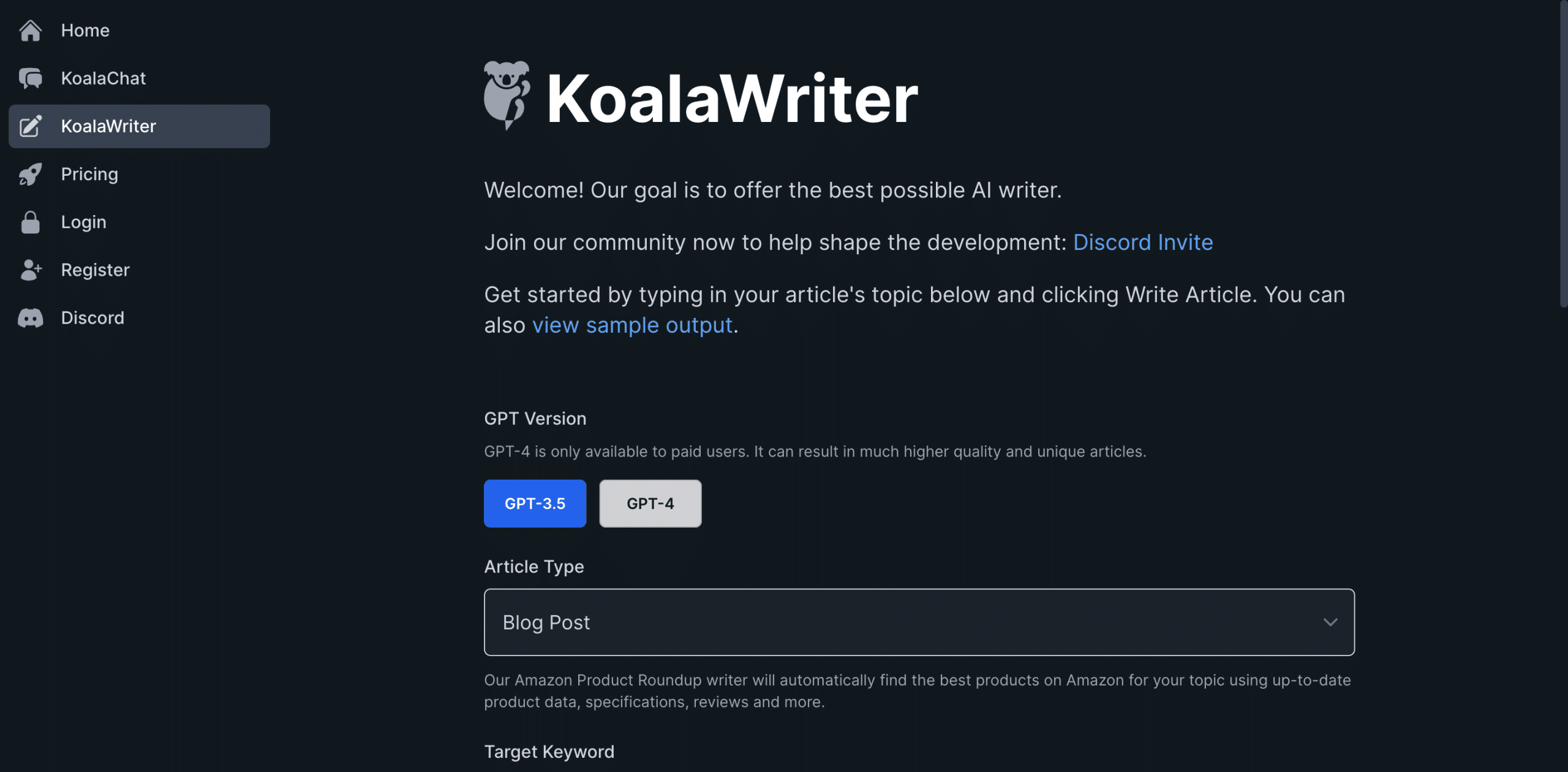
    2. Koala Writer

    KoalaWriter

    Koala Writer is a powerful AI text generator that uses machine learning algorithms like ChatGPT to improve your writing and prioritize people-first content.

    This AI tool can write content around your entire blog post outline and keywords.

    If you pair this with a content optimization tool like Surfer SEO and an experienced human writer, you can expect your content to have a more consistent tone and flow from start to finish.

    Showing an example of my blog post on the first page of Google using Surfer AI

    What makes this AI text editor even better is that it uses data from today by reading what is ranking on the first page of Google.

    So, as you provide the main keyword you want to rank for and the blog post outline, the AI will automatically work to write content that is more likely to rank higher on Google for that keyword.

    With its automated editing function, this tool makes your writing process faster and easier.

    Koala Writer also includes a chatbot feature that makes conversations with AI much easier and helps you generate content.

    Key Benefits

    • It provides you with an outline editor so you can improve the overall structure of your articles
    • Scans the web to create factual and relevant content
    • Create images and lead magnets with AI
    • Analyzes Google and optimizes your articles.
    • Offers lightning-fast AI-generated text
    • Edit the text after it’s been generated
    • Make adjustments and rewrite if you didn’t like the output

    Pricing

    Pricing starting at $9 per month, which gives you access to all of their AI tools.

    My Take

    Koala Writer offers features that only a few other AI writing apps provide.

    It can produce SEO-friendly content and even run a SERP analysis for the best-ranking pages.

    Then, it uses that data to create high-quality content for Google and other search engines.

    I’ve been using this article writer to generate my informational posts. It works really well as long as you edit the content it spits out.

    My Rating: 4.7/5

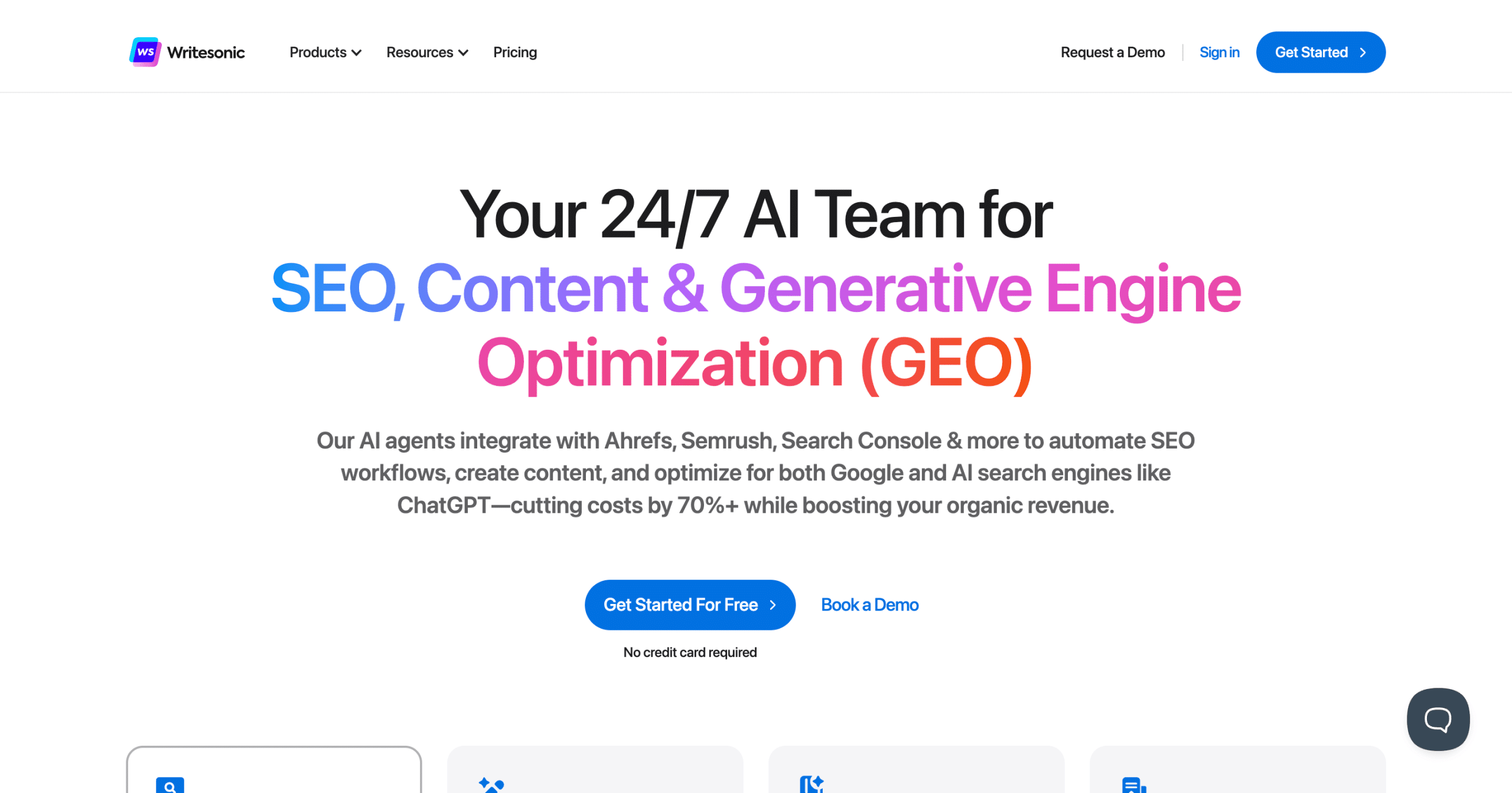
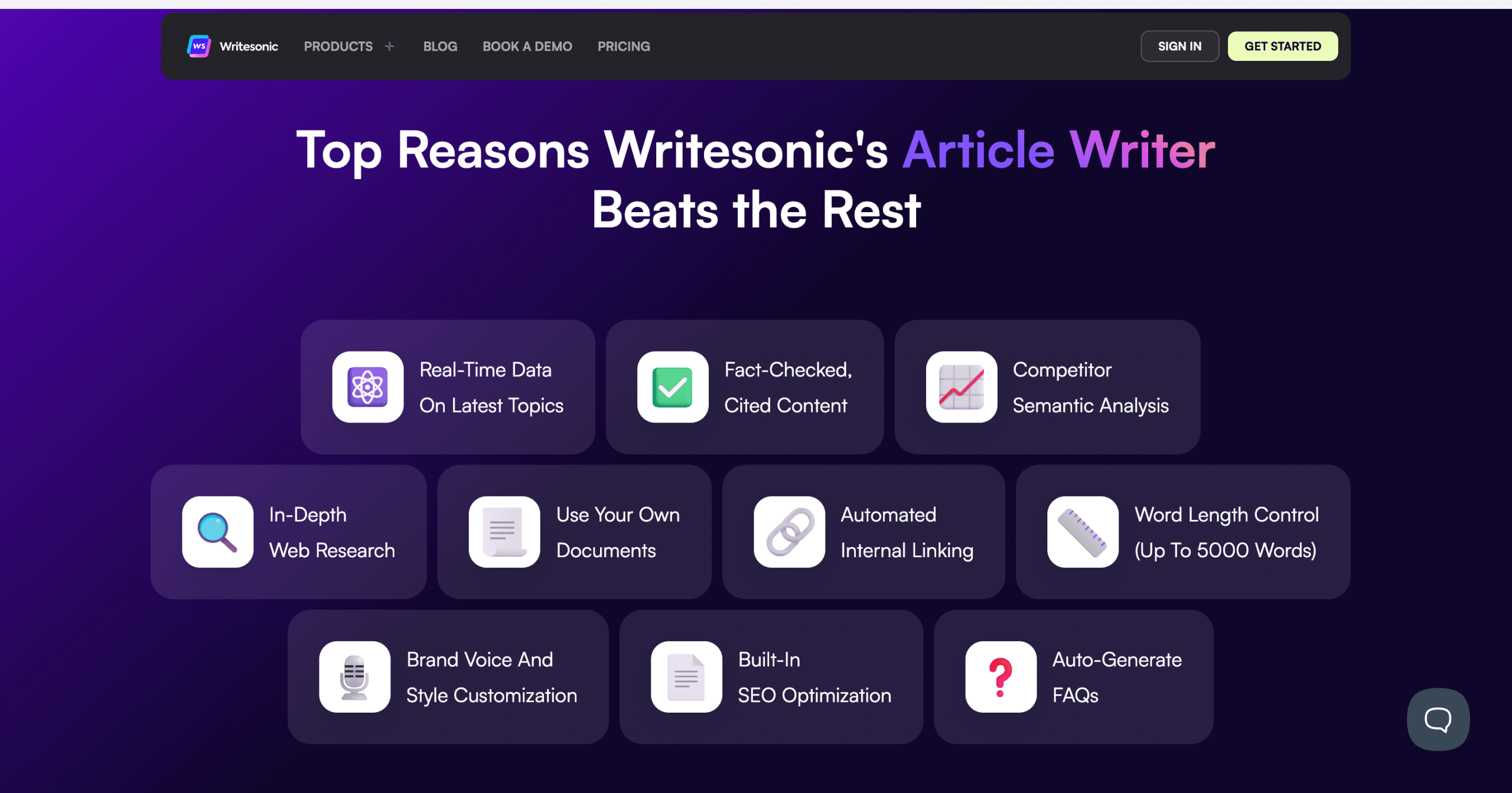
    3. WriteSonic

    WriteSonic AI Agent

    Writesonic is another AI tool for producing text that can generate blog content, essays, and YouTube scripts.

    The AI text generation tool can generate well-written pieces that are completely unique and engaging using different tools.

    With a simple interface and easy-to-use content-writing templates, WriteSonic can help you create content in minutes.

    I even like that they built their own AI SEO tools. This can help you if you want to rank on Google and need more optimization features.

    Writesonic content

    So, anyone who wants to increase their affiliate marketing success can pair Writesonic’s text features with on-page SEO.

    Not only that, but their document editor is not clunky and works great for blogging beginners.

    Key Benefits

    • Rich text editor that is easy to work with
    • Integrates with other AI platforms
    • Offers integration with ChatGPT
    • Use their write-for-me feature to get more text output
    • Multiple copywriting templates to use from
    • Instantly paraphrase your text
    • Write high-converting ad copy
    • Powerful article summarizes

    Pricing

    WriteSonic offers a variety of pricing plans to suit different needs and budgets.

    The free plan includes 25 credits for Chatsonic and Standard Content Templates, while the paid plans start at $16 per month and offer more credits, features, and team members.

    My Personal Take

    Writesonic is great for anyone who wants to start a blogging business and publish more content online.

    It is a great Jasper AI competitor, and while its UI still needs some work, it is a great text-generation platform.

    My Rating: 4/5

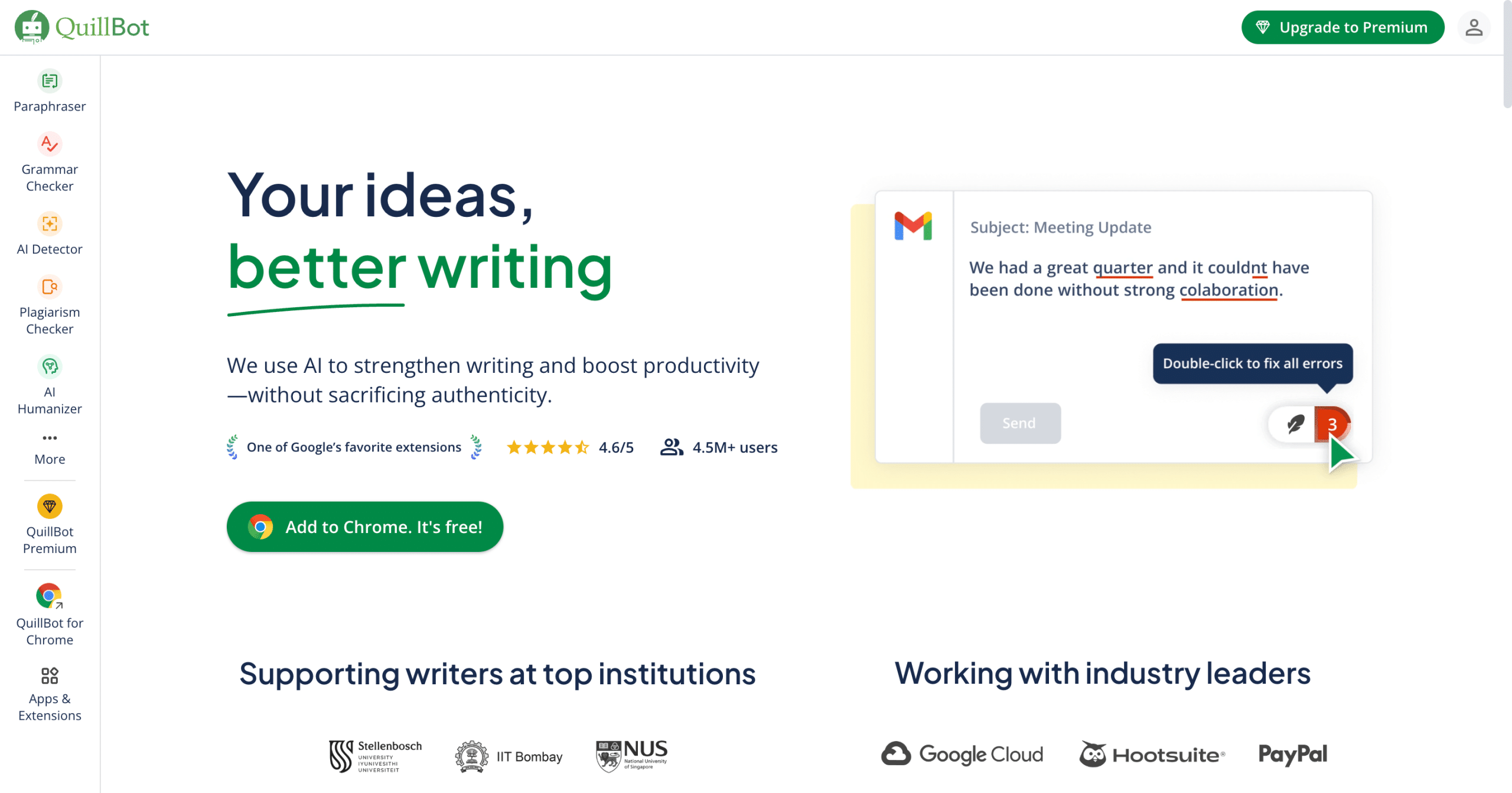
    4. Quillbot

    QuillBot

    Quillbot is a known AI text-summarizing tool that can rewrite, spell-check, and improve your existing content.

    It uses a deep learning algorithm and natural language processing technology to understand the context of your writing and can generate great results.

    So, whether you need to condense essays, resumes, blog articles, or reports, Quillbot is an excellent tool.

    It offers a free and paid subscription plan, depending on your needs.

    Since the tool can improve and change AI-generated content, it works great for search engines.

    It offers multiple features, but you can choose from two algorithms if we are talking about text generation tools.

    The first type can show you what you should rewrite, while the other can help you summarize the output from another AI writer.

    Key Benefits

    • Citation generator
    • Can help you with spelling errors
    • Rephrase written content
    • Offers an AI writing tool that large language models power
    • Start to paraphrase content
    • The plagiarism checker works wonders
    • They offer a Chrome and Word doc extension
    • Text generation is consistently working its magic

    Pricing

    Quillbot is known for its free AI writing tools, but it offers a paid plan that gives you all the bells and whistles.

    • Free plan: 125 words in the Paraphraser
    • Premium plan: Unlimited words + more resources

    My Personal Take

    Quillbot is good when pairing AI text generator tools for your content writing business or agency.

    I use it whenever I write with an AI blog writer or text generation tool. It helps me keep my content original and free from plagiarism.

    My Rating: 4.3/5

    5. Magic Write

    Magic Write Canva

    Magic Write is one of the top AI text generators that Canva created, and you can even write an entire blog post using this tool.

    Did I say you can also create full-on documents using their AI tool?

    Magic Write can do everything from asking it to writing a blog outline to crafting the perfect social media post.

    The text generation output is 100% high-quality, which should help remove writer’s block.

    You can customize the results to fit your needs and ensure they match your content’s tone of voice.

    To get started, you only need to go into your Canva docs and ask the tool the right words to generate the perfect output.

    You don’t need to pay for additional queries if you are a paid Canva user.

    Key Benefits

    • Canva understands any of the AI prompts you to give it
    • The Canva docs are easy to work with
    • Develop content ideas for your future posts
    • Everything can be done within the document editor for Canva
    • The text output is impressive even for copywriters
    • It works on any device, including your mobile phone
    • Set projects and have your team write the text for you
    • Have it continue writing where you left off
    • Includes a powerful paragraph generator and AI writer
    • Brainstorm ideas
    • Use it for any part of the content marketing process

    Pricing

    If you have the free Canva plan, you can generate up to 25 queries, while the paid plan allows you up to 250 per month.

    My Personal Take

    Magic Write is helpful for content creators or anyone needing text for their graphic design projects.

    It is also great for SEOs and bloggers who want to produce text quickly.

    It is especially helpful because I can quickly generate ideas for my blog posts, even if I run short on time.

    Magic Write’s AI capabilities are impressive, and the output quality is excellent.

    Plus, it’s affordable for the number of additional queries you get on the paid plan.

    My Rating: 4.1/5

    6. WordAi

    wordai

    WordAI is an artificial intelligence text rewriter that can help you rank higher on Google or even write better articles.

    You can even restructure sentences, split paragraphs, and describe the same ideas differently.

    This powerful text-generation platform can help you with your content ideas.

    I’ve always talked about making money with Google, and WordAI’s AI text generator tools can quickly help you do this.

    WordAI even helps you make your content sound more human, so you can pass AI content detection tools without worrying about the output you get from this copywriting tool.

    Since it’s made for Google rankings, you can pair this with an SEO audit tool and optimize your content for search engines.

    Key Benefits

    • Never get duplicate content
    • Passes AI content detectors
    • Rewrite sentences without losing their meaning
    • Offers an API feature that can integrate with your workflow
    • You can update and rewrite the existing text
    • Rewrites pass Copyscape

    Pricing

    WordAI offers three different pricing plans, the most affordable for anyone with affiliate sites or content writing services.

    So, if you need more content, check out WordAI’s plans.

    • Basic: $57/month
    • Yearly: Discounted rate
    • Enterprise: Contact WordAI’s team

    My Personal Take

    The fact that WordAI can pass Copyscape’s detection tool and even rewrite content without losing its meaning is powerful in itself.

    After testing the AI writer, it can create high-quality text for anyone who needs to.

    My Rating: 4.1/5

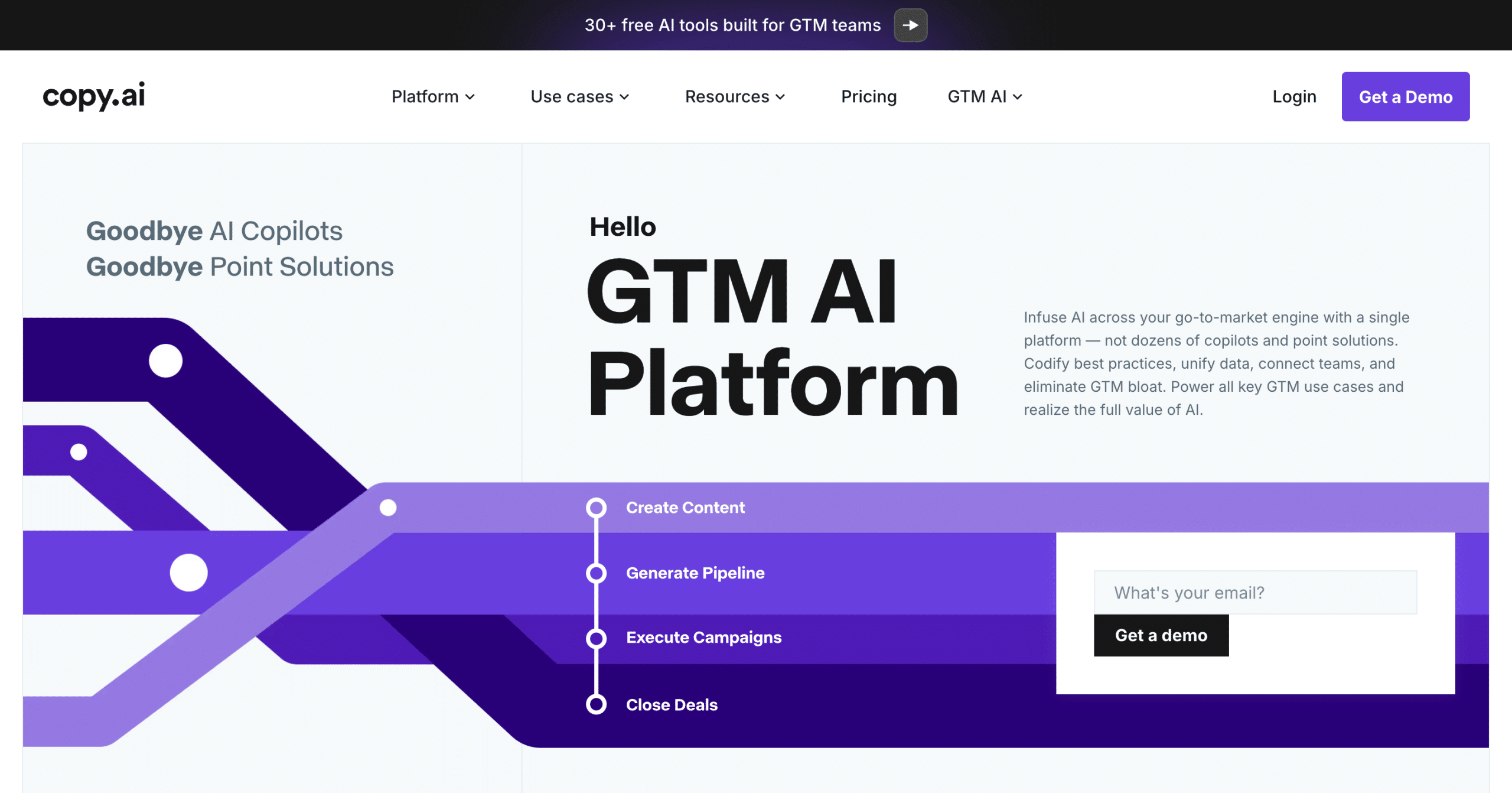
    7. Copy AI

    Copy AI

    Copy AI is an AI text generator that assists marketing and sales teams with various content creation tasks.

    It offers an all-in-one marketing solution named AI Marketing OS and an end-to-end solution for sales teams called AI Sales OS.

    This allows you to create workflow automation within your business, which handles large tasks.

    Imagine creating 100 content briefs in a few days or scraping a list of leads to generate completely personalized email copy.

    They offer several features to help with content creation workflows, including SEO content creation, thought leadership content, content localization and translation, event execution, ad creation, and more.

    What I also love about Copy AI is that it offers practical applications for so many different content types.

    Some benefits of using Copy.ai include increased efficiency in SEO research and content outlining, high-quality content production, and content aligned with Google’s best practices.

    Copy.ai also allows users to generate content that reflects their brand’s unique voice.

    Key Benefits

    • Write content from the first draft to complete articles.
    • Use automation workflows
    • Create content for your landing pages, articles, and social media channels.
    • They integrate with ChatGPT to read the internet for current events.
    • The text generation output is impressive.
    • 90+ copywriting tools
    • Weekly Demos
    • Product text in 25 different languages
    • They make content creation easier for anyone

    Pricing

    Copy.ai offers two pricing options, including a powerful free plan. With this plan, you can see how well the AI-generated text works for you before upgrading.

    • Free: $0 for up to 2,000 words per month
    • Pro plan: 49$ for unlimited words
    • Advanced: Everything in pro + 2000+ AI workflow credits

    My Personal Take

    Copy AI is one of the top AI text generators. It can help you overcome writer’s block without ruining the quality of your content.

    Copy AI can write text for you, from blog posts to social media bio captions.

    If you want to leverage AI models that can do 90% of the work for you, then Copy AI might be your next favorite tool.

    My Rating: 4.5/5

    8. TweetHunter

    Tweet Hunter IO

    TweetHunter is an AI tweet generator that produces text for your next viral tweet.

    So, if you want to create text that will hook your audience on Twitter, Tweet Hunter is the right text generator for you.

    Not only does it offer AI writing tools, but it is entirely dedicated to growing your Twitter following.

    It’s one of my favorite AI Twitter tools for just about any case because of its speed and creativity.

    They have also integrated an AI chatbot tool to help you write text and develop ideas for your next thread. Once you have generated all your content, you can schedule it for the future.

    Key Benefits

    • AI writing tool that can help you generate viral tweets
    • The text output is high-quality
    • You can schedule your future tweets
    • Perfect for anyone who needs text summarizers for Twitter
    • Write marketing copy that hooks your audience
    • A swipe file list for generating ideas

    Pricing

    Tweet Hunter offers some great plans. You must start with their free trial before upgrading to the needed plan.

    After that, you can select from monthly or yearly packages depending on what type of content you are looking for.

    The plans range in price and features, so choosing carefully is important.

    My Personal Take

    Tweet Hunter is an amazing AI tool for text generation if you want to grow a Twitter following.

    I’ve used this AI writer to generate viral tweets and retweet other posts. So, I highly recommend this tool or social media.

    My Rating: 4/5

    9. Grammarly

    Grammarly

    Grammarly is a powerful generative AI tool that can help you rewrite, compose, and personalize your AI-generated text.

    This AI grammar checker can help you with spelling errors, and the AI Chrome extension Allows you to proofread as you type.

    Grammarly can also help you create more effective sentences and ensure your text is free of grammar and punctuation errors.

    I also use it to check for plagiarism, especially if you are using AI text generators.

    So, if you pair this with other AI text generators, you can use Grammarly to help you create high-quality content.

    Key Benefits

    • Sentence rephrasing
    • Change the tone of your text
    • Highlights any errors you have
    • The Chrome extension follows you everywhere
    • It can help you with your emails
    • Works with Google Docs

    Pricing

    Grammarly offers a free plan that most people would need, but consider the premium plan for anyone writing content in bulk.

    The premium plan usually offers yearly discounts and features like vocabulary enhancements, advanced checks for plagiarism, and an AI-based writing assistant.

    My Personal Take

    Grammarly is needed when I use it for blog posts and other longer pieces of content.

    It’s one of the AI tools that helps me perfect my writing, especially when I want to express many different ideas in one article.

    It’s also great for double-checking emails or other written communication before sending it off.

    What Are The Best Free AI Text Generator Tools?

    After testing multiple paid text generators, my readers want free options that can still produce perfect sentences.

    So, let’s discuss some free AI text generators you can use for your business so you don’t break the bank.

    10. ChatGPT

    ChatGPT

    ChatGPT is a conversational AI text generator that OpenAI owns.

    Many other ChatGPT alternatives exist, but OpenAI was first introduced and opened publicly.

    It offers a wide range of AI-generated text options and is easy to use.

    The free plan uses one of the best AI models, enabling businesses to generate content using simple prompts.

    ChatGPT offers many use cases for anyone who wants to code, write content, or automate some of their tasks.

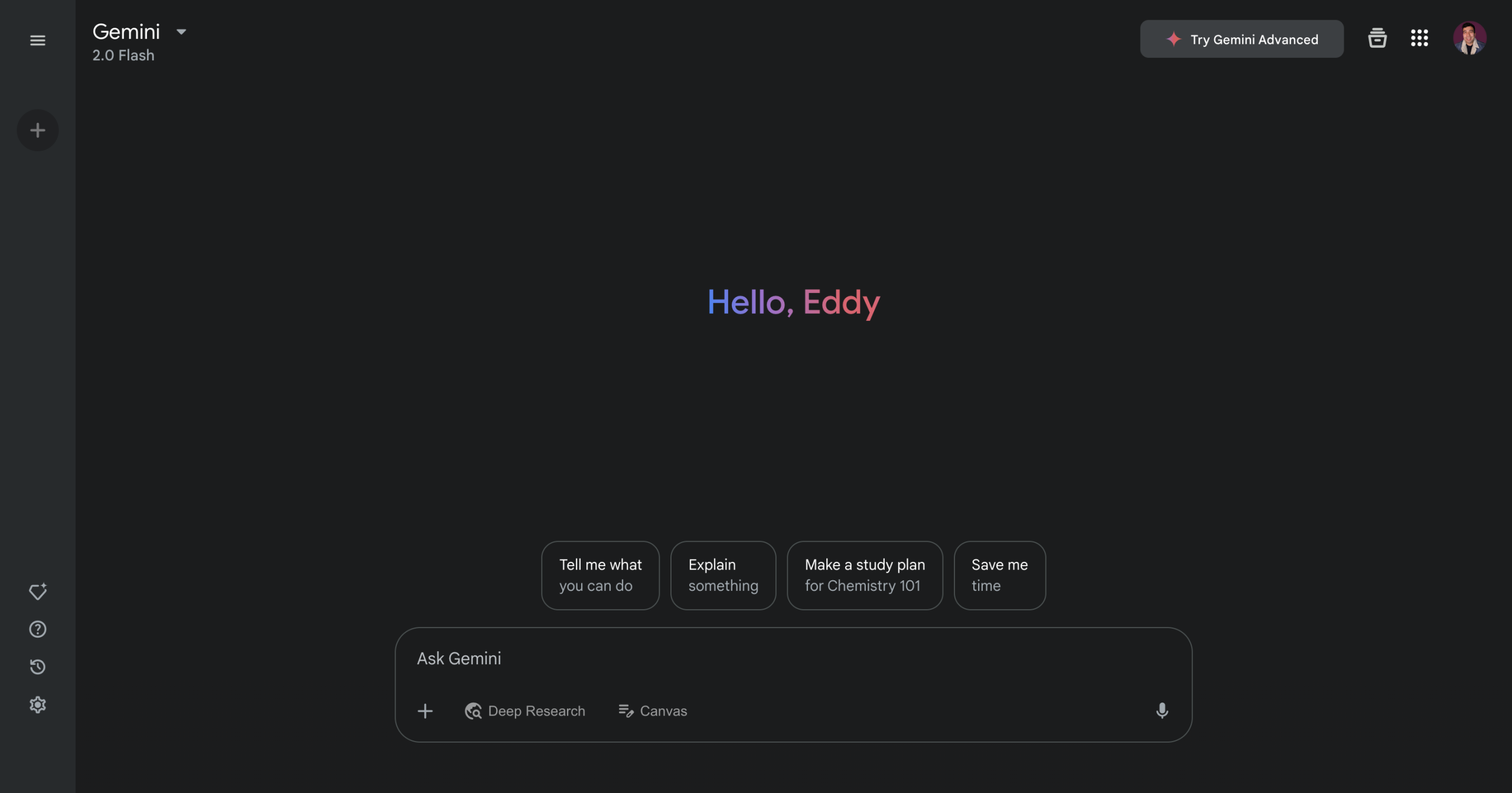
    11. Google Gemini

    Google Gemini

    Google Gemini is another large language model that uses text generation to complete natural language tasks.

    It’s a great option for bloggers and content creators who want to quickly create content or automate their workflows.

    Not only can you write blog articles, but you can also use it for research by crawling the web.

    This makes Gemini perfect when you need to get current data.

    12. Claude

    Claude By Anthropic

    Claude is a free AI text generator that uses machine learning and natural language processing to form sentences.

    The free version of Claude still provides an amazing output that sounds natural and better than most AI tools like ChatGPT.

    You can also use their AI writer tool to create blog posts, marketing materials, or any text you want to generate.

    13. Perplexity

    Perplexity

    Perplexity is another all-in-one AI text generator you can use for your business.

    This is so powerful because you can use it to scrape the web while generating factual AI content.

    Of course, you’ll want to fact-check Perplexity’s output, but it will also provide you with sources.

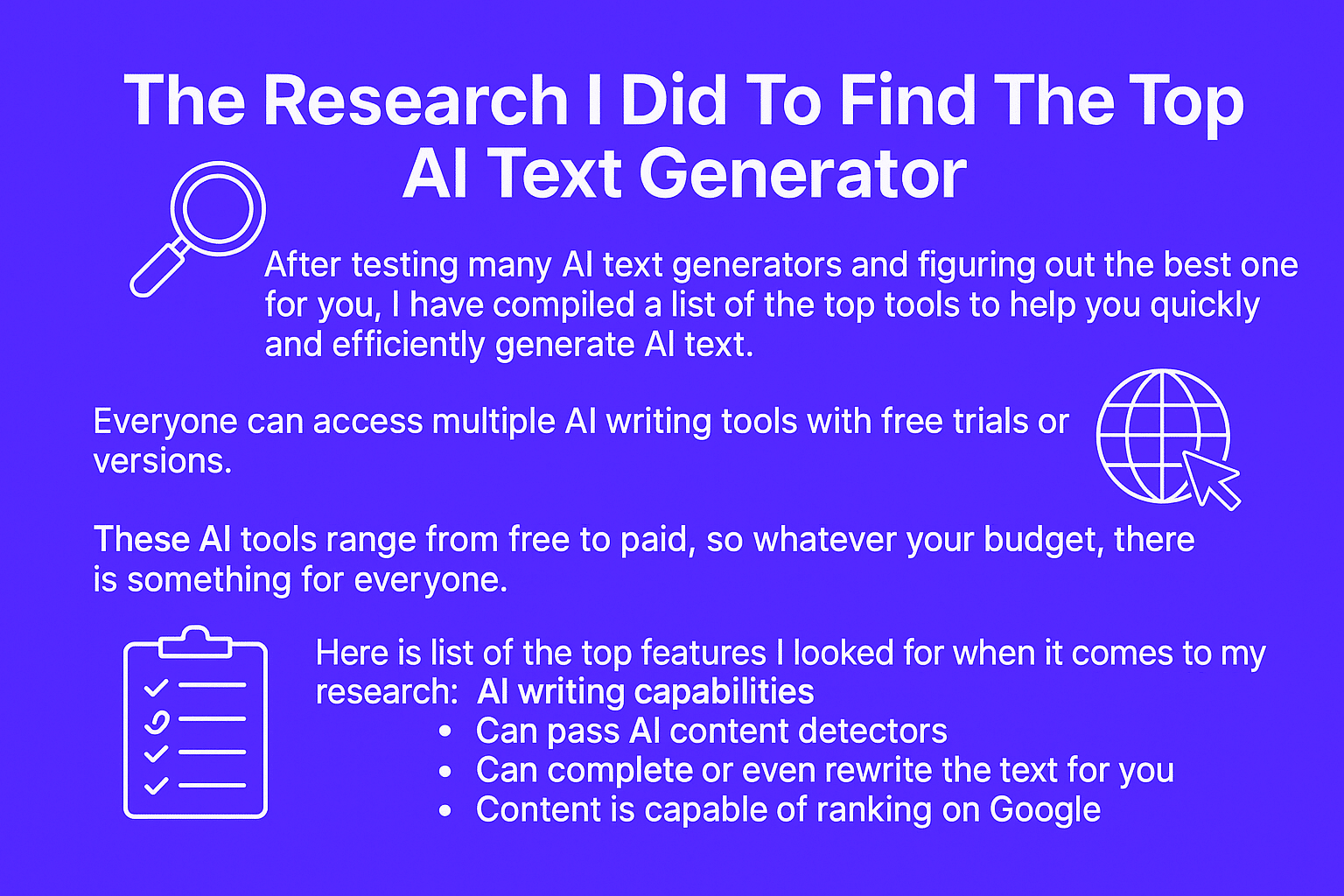
    The Research I Did To Find The Top AI Text Generator

    After testing many AI text generators and figuring out the best one for you, I have compiled a list of the top tools to help you quickly and efficiently generate AI text.

    Everyone can access multiple AI writing tools with free trials or versions.

    These AI tools range from free to paid, so whatever your budget, there is something for everyone.

    ai text generators features

    Here is a list of the top features I looked for when it comes to my research:

    • AI writing capabilities
    • Can pass AI content detectors
    • Can complete or even rewrite the text for you
    • The pricing plan is affordable for anyone
    • Content is capable of ranking on Google

    And, of course, I’m just making sure that the tools are actually backed by legit startups and not some shady scam.

    Final Thoughts

    Now that you know the best AI text generators and I’ve gone over the pros and cons of each one, what are you waiting for?

    Choose a tool and start generating your own AI text today. You can quickly and easily create SEO-friendly and engaging content with the right tool.

    And if you want to rank affiliate content online, you can also read more about my affiliate marketing tips.

    Don’t miss this opportunity to optimize your website’s content and increase its ranking potential. Good luck.

    FAQs

    How do you generate text using AI?

    To generate text using AI, you must choose a tool that provides natural language processing capabilities.

    This will enable the AI software to interpret and understand your text generation. Once you’ve selected a tool, input your source text and let the AI generate content.

    You can then customize the generated output to fit your SEO strategy or desired style.

    Does AI Text Generation Work For Content Writing?

    Yes, AI content works great for writing tasks.

    AI text generation can provide you with countless ideas for content and help you create engaging, keyword-rich content optimized for SEO performance.

    AI-powered tools can also suggest ways to optimize existing content and ensure it meets your goals.

    Can You Trust AI Text Output?

    Not entirely, but we are closer than ever before.

    AI-driven text engines are becoming more advanced. They can analyze a body of text using prompt engineering and algorithms and make meaningful suggestions to improve it.

    It is essential to review any output generated by these tools and ensure that it aligns with your brand’s voice and meets SEO.

  • How To Write AI Prompts Better Than Your Competitors (I Tested What Works)

    How To Write AI Prompts Better Than Your Competitors (I Tested What Works)

    What if I told you the difference between AI slop and good output is how you talk to large language models?

    Today, I’m breaking down the exact prompting methods that Google’s engineers recommend for getting the most out of any AI system.

    Once you learn how to write AI prompts, you can create amazing blog posts, images, videos, and more.

    What Is AI Prompting?

    AI prompting is the process of creating clear, simple instructions for AI tools, no-code builders, and applications.

    A good prompt provides the context that directs the AI to produce your desired output.

    When you give an AI vague instructions, you’ll receive generic, unhelpful responses, but detailed, thoughtful prompts consistently deliver better results.

    AI prompts garbage in and garbage out

    You know the saying, Garbage in, garbage out. It works the exact same way when trying to use AI tools.

    So by improving your prompt engineering skills, you can get way better output from any AI model.

    The more context you provide in your prompt, the more valuable the AI’s response will be.

    What Makes A Good AI Prompt

    To move beyond “garbage in” and get the best possible output from AI-generated content, focus on these key elements:

    • Be Specific: The more specific you are, the better the AI can understand your needs. Instead of asking “Write something about AI,” try “Write a 100-word summary of the latest advancements in natural language processing.”
    • Provide Context: Give the AI the necessary background information. This helps it respond to your specific situation. For example, instead of “Write a marketing email,” try “You are a marketing expert writing an email to small business owners about the benefits of AI in social media marketing.”
    • Define Format: Specify how you want the output to be presented. Do you need a bulleted list, a table, a report, or a creative story? Clearly stating your desired format helps the AI deliver the information in a usable way.
    • Use Keywords: Incorporate relevant keywords to guide the AI and ensure the output is focused on the right topic. This is especially important for tasks like content creation or research.
    • Set Tone: Specify the desired tone of the output. Do you want it to be formal, informal, friendly, persuasive, or humorous? This helps the AI adjust its writing style accordingly.
    • Provide Examples: If you have a specific style or format in mind, provide the AI with an example. This can be incredibly helpful in guiding the AI towards the desired output.
    What makes good ai prompts

    How To Write Effective AI Prompts

    Creating powerful AI prompts doesn’t require technical expertise, just a clear method.

    Start with clarity: define exactly what you need instead of using vague requests. Be specific about format, length, and style requirements.

    Provide context about your audience and purpose. This helps the AI understand what you want and why you need it.

    Break down difficult requests into numbered steps or bullet points. This organization helps the AI process your instructions step by step.

    When results fall short, don’t start from scratch. Refine your existing prompt by adding details or examples that guide the AI toward your desired outcome.

    This is called meta-prompting and I talk about it in this video:

    Use An AI Prompt Generator

    Not sure how to phrase your request? AI prompt generators can create effective prompts for you.

    ChatGPT and Claude have built-in tools to help you write prompts from scratch. Just sign up to create or improve existing prompts for your specific needs.

    ai prompt generators

    These generators work especially well with deep thinking models and understand how different AI models respond to deliver better results.

    Even experienced users rely on prompt generators when tackling unfamiliar topics or needing consistent, high-quality responses from their AI tools.

    The Types of AI Prompts You’ll Use

    Zero-Shot Prompting

    Direct instructions without examples

    Best Used For:

    Simple, common tasks

    Real-world example:

    “Write a professional email declining a job offer while maintaining a positive relationship with the company for future opportunities.”

    Few-Shot Prompting

    Instructions with examples to follow

    Best Used For:

    Pattern-based tasks, specific formats

    Real-world example:

    “Transform these marketing concepts into engaging YouTube video titles:

    Concept: ‘Email list segmentation strategies’ → Title: ‘5 Email Segmentation Tricks That Doubled My Open Rates Overnight’

    Concept: ‘Social media content calendar planning’ → Title: ‘How I Plan a Month of Viral Content in Just 2 Hours (Content Calendar Hack)’

    Now transform this marketing concept: ‘Customer retention tactics for e-commerce'”

    Chain-of-Thought

    Step-by-step reasoning process

    Best Used For:

    Complex problems, math, logic

    Real-world example:

    “I need to determine if my marketing campaign is profitable. My customer acquisition cost is $30. The average customer makes a $45 purchase with a 30% profit margin and has a 20% chance of making a second purchase within 6 months. Walk through the calculation step by step to determine if this campaign is profitable in the long run.”

    Role Prompting

    Assigning a specific persona to the AI

    Best Used For:

    Domain-specific expertise

    Real-world example:

    “As an experienced UX researcher, analyze these three user complaints about our mobile app’s checkout process. Identify the underlying usability issues, prioritize them by potential impact on conversion rates, and suggest evidence-based solutions that could be implemented within two weeks.”

    Self-Consistency

    Multiple reasoning paths for one answer

    Best Used For:

    Complex decisions, verification

    Real-world example:

    “I need to decide whether to invest in expanding my small business or paying down business debt. Current situation: $50,000 available cash, $120,000 in business loans at 7% interest, and potential expansion that could increase revenue by 25% with 60% probability. Analyze this decision from three different financial perspectives (cash flow, risk management, and opportunity cost) and determine the most financially sound approach.”

    Tree of Thoughts

    Exploring multiple reasoning branches

    Best Used For:

    Strategic planning, evaluating options

    Real-world example:

    “I’m designing a new onboarding process for our SaaS product. Let’s explore three different approaches:
    1. Guided tour approach: Explore the benefits, drawbacks, and implementation requirements
    2. Progressive disclosure approach: Explore the benefits, drawbacks, and implementation requirements
    3. Templates-first approach: Explore the benefits, drawbacks, and implementation requirements

    After analyzing each approach, recommend which would work best for a technical B2B product with a 14-day free trial.”

    ReAct Prompting

    Combining reasoning with specific actions

    Best Used For:

    Multi-stage projects, complex planning

    Real-world example:

    “Help me create a comprehensive content strategy for launching my new productivity app:
    1. First, reason about the target audience demographics and pain points
    2. Based on those insights, identify 3-5 content pillars that would resonate with this audience
    3. For each pillar, suggest specific content formats (blog, video, social) that would be most effective
    4. Develop a 3-month content calendar with specific topics
    5. Finally, recommend KPIs to track the effectiveness of this strategy”

    Multimodal Prompting

    Combining text with images or code

    Best Used For:

    Visual analysis, data interpretation

    Real-world example:

    “I’ve attached a screenshot of my website analytics dashboard. Based on the traffic patterns and conversion data shown:
    1. Identify the three most significant trends or anomalies
    2. Explain possible causes for each
    3. Recommend specific actions I should take to improve performance
    4. Suggest which additional metrics I should monitor closely in the next 30 days”

    Format Specification

    Requesting specific output formats

    Best Used For:

    Structured information, tables, lists

    Real-world example:

    “Create a comprehensive project plan for developing a mobile app. Format your response as a table with these columns:
    1. Phase (Discovery, Design, Development, Testing, Launch)
    2. Key Tasks
    3. Deliverables
    4. Timeline (in weeks)
    5. Required Resources
    6. Potential Risks
    7. Mitigation Strategies

    Include all critical tasks from initial concept to post-launch monitoring.”

    System and User Prompts

    Setting context and specific requests

    Best Used For:

    Consistent AI persona, specialized assistance

    Real-world example:

    “System: You are an expert financial advisor specializing in retirement planning for self-employed professionals. You focus on practical, actionable advice that balances tax efficiency, growth potential, and risk management.

    User: I’m a 42-year-old freelance graphic designer making approximately $85,000 annually with inconsistent monthly income. I have $30,000 in an emergency fund, $65,000 in a SEP IRA, and $15,000 in a Roth IRA. I’m concerned I’m behind on retirement savings and unsure how to optimize my contributions given my variable income. What retirement strategy would you recommend?”

    Prompt Chaining

    Sequential prompts that build on each other

    Best Used For:

    Complex projects with logical progression

    Real-world example:

    “First, analyze the current competitive landscape for direct-to-consumer fitness equipment brands, identifying the top 5 players and their key differentiators.

    [After receiving response]

    Now, based on these competitive insights, develop a unique value proposition and positioning strategy for a new premium yoga equipment brand entering this market.

    [After receiving response]

    Finally, create a go-to-market strategy for this yoga brand, including channel strategy, pricing approach, and key marketing initiatives for the first 6 months.”

    RAG

    Enhancing prompts with specific data

    Best Used For:

    Data-based analysis, specific information needs

    Real-world example:

    “Using the following quarterly sales data for our product lines:

    Electronics: Q1: $245K, Q2: $310K, Q3: $285K, Q4: $390K
    Home Goods: Q1: $180K, Q2: $165K, Q3: $195K, Q4: $250K
    Apparel: Q1: $120K, Q2: $95K, Q3: $105K, Q4: $175K

    Create a comprehensive sales analysis that identifies:
    1. Year-over-year growth rates by product line
    2. Seasonal patterns and their potential causes
    3. Which product lines should receive increased marketing investment
    4. Specific recommendations for Q1 sales strategy based on historical performance”

    Iterative Refinement

    Multiple rounds of feedback

    Best Used For:

    Important content requiring polish

    Real-world example:

    “Draft a persuasive investor pitch for my sustainable packaging startup that highlights our proprietary technology, market opportunity, and early traction.

    [After receiving response]

    Now enhance this pitch by adding specific metrics around market size, competitive advantages, and projected financials. Also, strengthen the call to action for a seed round of $750,000.

    [After receiving response]

    Finally, condense this into a compelling 2-minute elevator pitch that maintains the key selling points while creating urgency around our limited-time opportunity.”

    Self-Reflection

    AI evaluates and improves its response

    Best Used For:

    Polished output with fewer iterations

    Real-world example:

    “Create a comprehensive employee onboarding plan for a remote-first software company. After providing your plan, critically evaluate it for potential gaps or weaknesses in addressing remote worker engagement, technical setup challenges, and cultural integration. Then improve your plan to address these issues.”

    Constrained Prompting

    Setting specific limitations

    Best Used For:

    Content with strict requirements

    Real-world example:

    “Develop a crisis communication strategy for a company facing a data breach. Your strategy must:
    1. Include only actions that can be implemented within the first 24 hours
    2. Comply with GDPR and CCPA notification requirements
    3. Address three distinct audiences: affected customers, employees, and media
    4. Not exceed 1,000 words total
    5. Avoid technical jargon while still conveying the severity of the situation
    6. Include template messaging for each communication channel”

    Persona-Based Refinement

    Adapting content for different audiences

    Best Used For:

    Multi-audience communications

    Real-world example:

    “I’ve created a technical white paper explaining our new machine learning fraud detection system. Adapt this content for three different audiences:

    1. For C-suite executives: Focus on ROI, competitive advantage, and strategic implications in a 1-page executive summary
    2. For the marketing team: Highlight customer benefits and differentiating features they can use in campaigns
    3. For potential enterprise clients’ IT departments: Address implementation requirements, security protocols, and integration capabilities”

    Meta-prompting

    Asking the AI to help create or improve your prompts

    Best Used For:

    Complex prompt structuring, improving mediocre results, specialized technical topics

    Real-world example:

    “I need to create a comprehensive content strategy for my SaaS startup, but I’m not sure how to structure my prompt. Please help me with prompt engineering by creating a better prompt that would generate a detailed, actionable content strategy. Include specific questions the AI should answer and what format the response should take.”

    What To Avoid When Creating AI Prompts

    When writing prompts for AI tools, these common mistakes can lead to disappointing results:

    • Being too vague. Instead of “Write about marketing,” try “Write a 500-word guide about email marketing strategies for small businesses.”
    • Overloading with requirements. Too many instructions in one prompt confuses the AI. Break complex requests into separate prompts or use numbered steps.
    • Using technical jargon unnecessarily. Use natural language when telling AI what you need. Write as if you’re explaining the task to a colleague.
    • Assuming AI understands context. AI doesn’t know your business or situation unless you explain it. Be clear about your expectations, audience, and purpose.
    • Forgetting format specifications. Always mention your desired format and length. This ensures the AI delivers content in exactly the structure you need.

    The best prompts are clear, specific, and provide just enough context without overwhelming the AI with information.

    Final Thoughts

    Mastering AI prompts changes average outputs into exceptional results.

    Like learning any language, practice makes perfect. Your digital assistant needs clear instructions.

    Now go create something amazing with your new prompting superpowers!

    FAQs

    What are the key elements of an effective AI prompt?

    Effective AI prompts include clear instructions, specific details, and contextual information.

    When writing prompts for generative AI tools, focus on your desired output, provide relevant context, and specify the format you need.

    This way of prompting helps the AI model produce more useful outputs.

    How do I write AI prompts that generate better content?

    To write good prompts that generate quality AI content, be specific about your requirements, provide examples when possible, and use natural language.

    The writing process should include tone, audience, and purpose details to help the generative AI tool understand your intent and produce relevant content.

    Can I use AI prompts to generate images?

    Yes, you can write prompts to generate images with AI models designed for any use case. 

    High-quality AI art prompts include detailed descriptions of what you want to see, style references, and specific artistic elements. 

    The more contextual information you provide, the closer the generated images will match your vision.

    What Are The Benefits of Prompt Engineering

    Learning how to prompt offers a lot benefits:

    • Save Time and Effort: Effective prompts can significantly reduce the time you spend refining AI-generated content.
    • Achieve More Accurate and Relevant Results: By providing clear instructions, you can ensure the AI delivers information that directly addresses your needs.
    • Unlock the Full Potential of AI Tools: Good prompting allows you to tap into AI’s advanced capabilities and achieve results that would otherwise be impossible.
    • Improve Efficiency: Streamline your workflows and automate tasks more effectively with well-crafted prompts.

    What’s the difference between zero-shot and few-shot prompting?

    Zero-shot prompting gives instructions without examples, relying on the AI model’s existing knowledge.

    Few-shot prompting provides examples of desired outputs before your request.

    Few-shot prompting typically produces more consistent results when the AI needs to follow specific patterns or formats.

    How Can I Write Better Prompts?

    If your first prompt doesn’t generate good content, refine it by adding context, being more specific about your desired outcomes, or providing examples.

    The writing process often requires iteration of the initial AI content as a starting point and guiding the model with more detailed instructions.

    What types of tasks can AI prompts help with?

    AI prompts can help quickly generate articles, emails, marketing copy, creative writing, code, conversation starters, and new ideas.

    When given clear instructions about the specific task and desired output style, generative AI tools excel at producing content across different formats.

    Should I use technical language in my AI prompts?

    Use natural language rather than technical terms unless necessary for your specific task.

    Write prompts as if you’re explaining the task to a person.

    This approach improves intent recognition and helps the AI model better understand what you’re asking for, resulting in more useful outputs.

    How do I prompt AI to write in a specific style or tone?

    To get AI content in a specific style, you need to mention the desired tone (professional, casual, humorous) and provide examples if possible. This is known as a brand voice.

    You can also assign a persona to the AI, such as “Write as a personal trainer explaining workout routines,” to naturally influence the writing style.

    What’s the best way for a beginner to start using AI prompts?

    Begin with simple, clear prompts for basic tasks, then slowly experiment with more complex requests. Start by asking the AI to generate ideas or short pieces of content. As you become familiar with how the model responds, incorporate more specific details and contextual information in your prompts.

  • 6 Best AI UGC Generators In 2025 (Here’s What Works)

    6 Best AI UGC Generators In 2025 (Here’s What Works)

    Want to create authentic-looking UGC ads without spending hundreds on creators or basic static images?

    In 2025, AI UGC generators will change the game for marketers and brands looking to scale their video content.

    However, finding the right AI UGC video generator that actually delivers quality results can be tricky.

    I’ve tested dozens of AI UGC tools and will show you exactly which ones are worth your time and money.

    Hey, I’m Eddy, and I’ve helped brands leverage AI marketing tools to create converting video ads.

    Let me walk you through the best options available right now.


    My Top AI Tools For UGC Videos

    makeugc white

    1. MakeUGC: Best AI UGC Platform

    • Generate high-quality UGC videos in minutes
    • Access to 100+ natural-looking AI avatars
    • Available in 29 languages for global reach
    • Perfect for testing multiple ad variations
    • Starting at $49/month with free trial
    Arcads AI logo

    2. Arcads AI: Best for Emotional Ad Content

    • Superior avatar expressions
    • Bulk creation capabilities
    • Perfect for TikTok ads
    • Natural speech patterns
    UGC Ads AI logo

    3. UGC Ads AI: Best Budget-Friendly Option

    • Create ads for just $5 per video
    • 500+ AI actors available
    • Quick 15-minute generation time
    • Viral script templates included
    • Plans start at $99.99/month

    What Is AI UGC?

    AI UGC uses artificial intelligence to create videos that look and feel like authentic user-generated content. Instead of hiring creators or filming yourself, these tools let you:

    • Generate realistic AI avatars that can showcase your products
    • Create natural-sounding scripts that convert
    • Produce videos in multiple languages
    • Scale your content production at a fraction of the cost

    AI is changing UGC beyond supporting creators and increasingly replacing them. AI UGC platforms allow brands to produce content faster and on a larger scale by using AI avatars instead of human creatives.

    Here Are The Best AI UGC Generators

    After testing dozens of tools, I’ve narrowed down the top AI UGC makers that actually deliver professional-looking, converting video ads.

    1. MakeUGC AI

    MakeUGC

    With its AI-powered platform, MakeUGC is changing how brands create UGC video ads. 

    Unlike traditional UGC, which costs $100–200 per video, MakeUGC lets you generate professional-looking content for under $10 per video.

    I recently tested MakeUGC for my own marketing campaigns, and what impressed me most was how realistic their AI actors look.

    The AI UGC platform offers over 100 different avatars across various demographics, and you can even create custom ones to match your brand identity.

    makeugc ai custom avatars

    What makes MakeUGC stand out is its focus on conversion-driven content.

    Their AI understands what makes UGC ads perform well, from natural transitions to engaging hooks.

    You can generate videos in 29 different languages, perfect for testing international markets or scaling your marketing strategy globally.

    The AI UGC Generator also includes features like:

    • Custom background scenes and settings
    • Voice customization options
    • Multiple aspect ratios for different platforms
    • Built-in script templates that convert
    • Quick rendering (usually under 15 minutes)
    • Raw footage export for custom editing

    Here’s a quick video tutorial on MakeUGC:

    Their video quality is consistently good compared to other AI tools I’ve tested.

    While some AI generators produce robotic or unnatural results, MakeUGC’s videos actually look and feel authentic.

    Which is important for maintaining good ad performance.

    Key Benefits

    • Generate videos with AI avatars in under 15 minutes
    • Access to 29 different languages for global marketing strategy
    • Create custom avatars that match your brand’s style
    • Produce multiple video variations to test different hooks
    • Built-in script templates for better conversion rates

    Pros

    • Intuitive interface that’s easy to navigate
    • High-quality video output that looks authentic
    • Fully customizable AI ads
    • Affordable pricing compared to traditional UGC creators
    • Excellent customer support team
    • Regular platform updates with new features
    • Perfect for testing different marketing angles

    Cons

    • Monthly credits expire if unused
    • Some advanced features are only available in higher tiers
    • Limited background scene options
    • Occasional delays during peak rendering times

    My Take

    After testing MakeUGC, I can say it’s the best AI UGC Generator for anyone starting with AI-generated ads.

    The quality is consistently good, and the pricing makes sense for most businesses.

    2. Arcads AI

    Arcads AI

    Arcads AI is crushing it as an AI UGC generator for ads and affiliates, especially for brands wanting to create emotional, realistic AI-generated content.

    Recent case studies show that some advertisers make $130,000+ monthly using their AI-generated videos on TikTok.

    What makes Arcads AI different and actually useful? They focus on making ads generated by AI look super natural.

    Many alternatives have terrible lip-syncing of zero movement from the AI avatar.

    After testing their platform, I noticed their realistic avatars show real emotions, which most other AI tools struggle with.

    The platform is built for performance marketers. You can create hundreds of video variations from a single script, perfect for testing different hooks and angles.

    One cool feature is their bulk creation tool, which lets you generate dozens of videos simultaneously for quick testing.

    Here’s what sets them apart:

    • Customizable AI actor movements
    • Natural speech patterns and expressions
    • Multiple background settings
    • Commercial rights for all videos
    • Quick rendering (usually seconds)

    Here’s a quick Arcads AI tutorial from someone using it to generate facebook ads:

    Key Benefits

    • Create emotional, high-converting ads
    • Reach global audiences in multiple languages
    • Generate hundreds of variations quickly
    • Built-in performance testing tools
    • Natural-looking AI ads

    Pros

    • Superior emotional expression in avatars
    • Fast bulk video generation
    • Great for affiliate marketers
    • Strong performance on TikTok
    • Regular feature updates
    • Clean, simple interface

    Cons

    • Higher price point than basic tools
    • Learning curve for advanced features
    • Limited background customization
    • Sometimes slow during peak hours

    My Take

    After testing Arcads AI for UGC video ads, I’m impressed by how natural their videos look.

    While it’s pricier than some alternatives, the quality of their realistic avatars makes it worth considering, especially if you’re running high-budget ad campaigns.

    Their AI ad creation seems particularly effective for TikTok ads, where authenticity is important for success.

    3. Influee

    Influee AI

    Influee takes a unique approach to AI video generation by combining traditional UGC creators with AI technology.

    What makes this AI UGC platform special is its massive network of 80,000+ real creators whose content they can transform into AI avatars, giving you the best of both worlds.

    What caught my attention was their ability to turn any successful UGC creator into an AI avatar that can speak multiple languages.

    Imagine taking your best-performing creator and having them instantly create realistic AI UGC videos in German, Spanish, or French without additional filming.

    Compared to most AI UGC Generators, this goes beyond basic talking heads.

    You can create diverse content like product demonstrations, testimonials, and lifestyle shots.

    I’ve tested their platform for various social media posts, and the quality is impressive, especially their lip-syncing technology, which makes translations look natural.

    One standout feature is their “Magic Edit” system.

    Instead of just getting raw footage, their AI automatically adds engaging hooks, calls-to-action, subtitles, and even B-roll footage.

    This saves hours of post-production work and helps maintain consistent branding across all videos.

    The platform includes:

    • Real-time SERP analysis for script optimization
    • Custom knowledge base integration for accurate product information
    • Multiple video variations from a single script
    • Instant hook testing capabilities
    • Seamless mashup ads feature for diverse perspectives
    • Built-in performance analytics

    Key Benefits

    • Transform existing UGC creators into AI avatars
    • Generate videos in multiple languages instantly
    • Automatic post-production with Magic Edit
    • Access to 80,000+ vetted creator styles
    • Enterprise-level customization options

    Pros

    • Superior lip-syncing technology for translations
    • Ability to maintain the creator’s authentic style
    • Flexible editing and customization options
    • Strong focus on brand consistency
    • Excellent for scaling international campaigns
    • Raw footage export available for custom editing

    Cons

    • Higher learning curve than simpler platforms
    • Pricing not publicly displayed (requires consultation)
    • Some features limited to enterprise plans
    • May require initial creator video for best results

    My Take

    Influee shines when it comes to creating AI-generated UGC style ads.

    While it might be overkill for small businesses, it’s perfect for larger brands or agencies needing to produce high-volume, localized content.

    It combines real actors with powerful AI models, making it a perfect digital marketing campaign.

    4. UGC Ads AI

    ugc ads ai

    UGC Ads AI is making waves as an AI UGC video generator that lets you create ads in seconds.

    What makes them different? They focus purely on creating UGC-style videos for social media platforms like TikTok, Instagram, and Facebook.

    I tested their platform and was impressed by how simple the process is. You just paste your product URL, pick a script template, and choose from their 500+ AI actors.

    Within 15 minutes, you can have a video ready for your ad campaigns. Their pricing model is the real power.

    While traditional UGC creators charge $150+ per video, UGC Ads AI lets you create videos for as low as $5 each on their higher plans.

    This makes AI advertising much more accessible for testing different angles and finding winning ads.

    Their platform includes some clever features:

    • One-click URL-to-video conversion
    • Viral script templates that convert
    • Multiple aspect ratios for different platforms
    • 29 language options for global reach
    • Commercial usage rights included

    Key Benefits

    • Create videos in under 15 minutes
    • Access to 500+ natural-looking AI actors
    • Generate ads in 29 different languages
    • Built-in viral script templates
    • Flexible aspect ratios for all platforms

    Pros

    • Super simple interface anyone can use
    • Extremely cost-effective for testing ai-generated content
    • Fast video generation time
    • Good variety of AI actors
    • Regular platform updates
    • Perfect for quick ad testing

    Cons

    • Monthly credits expire if unused
    • Limited editing options after generation
    • Can’t create custom AI avatars
    • Basic background options only

    My Take

    After testing UGC Ads AI, I’ve found it’s perfect for brands that need to test many ad variations quickly for all social platforms.

    While it might not have all the fancy features of more expensive tools, it delivers exactly what most advertisers need: quick, effective UGC-style videos that convert.

    The price point makes it a no-brainer for testing different hooks and angles in your ad campaigns.

    5. Creatify

    Creatify

    Creatify changes the game by creating relatable content with AI.

    According to their case studies, brands using their platform see up to a 130% increase in CTR and a 96% reduction in content creation costs.

    What caught my attention was their Creative Insights feature. Most AI UGC video generators pump out generic content. Creatify analyzes top-performing ads to help you create videos that actually convert.

    They’ve studied thousands of successful UGC ads to understand what makes content go viral.

    The content creation process is super straightforward.

    Just paste your product URL, and their AI analyzes everything, from product features to target audience, to generate video ads that resonate.

    Here’s what makes them unique:

    • URL-to-video automation
    • AI avatar library with natural expressions
    • Custom avatar creation option
    • Text-to-speech in multiple languages
    • Batch mode for multiple variations

    Key Benefits

    • Generate videos in minutes from any URL
    • Access to 170+ standard avatars (500+ for Pro)
    • Create content in 29 languages
    • AI script generation
    • Multiple aspect ratios (9:16, 16:9, 1:1)

    Pros

    • Natural-looking avatar expressions
    • Strong focus on conversion optimization
    • Regular platform improvements
    • Excellent customer support
    • Great for scaling international campaigns

    Cons

    • Free plan has watermarks
    • Credits expire if unused
    • Higher tiers needed for best features
    • Can be overwhelming for beginners

    My Take

    Creatify is an amazing AI tool for UGC video ads. Their combination of AI analysis and natural-looking avatars helps produce content that feels authentic rather than robotic.

    While it’s not the cheapest option, the quality and features make it worth considering for serious marketers looking to scale their video content.

    6. HeyGen

    HeyGen AI

    HeyGen is making waves as an AI video generator that goes beyond basic UGC creation.

    What makes them unique is that they’ve built an AI-driven platform that focuses on creating professional-looking AI UGC videos with incredible lip-syncing technology.

    After testing their platform, I was impressed by their avatar customization options. Using a webcam recording, you can use their pre-made AI avatars or create your own.

    This is perfect for brands wanting to maintain consistency across their content.

    What really stands out is their video translation feature.

    You can translate any existing video into 175 languages while maintaining perfect lip-sync.

    This is game-changing for brands wanting to reach international markets without recreating content from scratch.

    Here’s what sets them apart:

    • Create custom AI avatars from webcam footage
    • Professional-grade lip-syncing technology
    • Interactive avatar features for live demos
    • Built-in ChatGPT for script generation
    • Multiple video styles and backgrounds

    Key Benefits

    • Generate videos in 175 languages
    • Create personalized videos at scale
    • Access to premium AI avatars
    • Commercial usage rights included
    • Enterprise-level customization

    Pros

    • Superior lip-syncing quality
    • Easy custom avatar creation
    • Strong focus on a professional look
    • Regular feature updates
    • Excellent for corporate content
    • SOC 2 Type 2 compliant

    Cons

    • Higher price point than competitors
    • Learning curve for advanced features
    • Some features require higher tiers
    • Rendering can take longer than others

    My Take

    After testing HeyGen, I found that the AI avatar feature is perfect. The only con is that you need to essentially become the creator of the UGC content. 


    AI UGC Generator Summary

    Tool Key Features Rating
    MakeUGC Generate videos with AI avatars in under 15 minutes, 29 different languages support, bulk creation tool for multiple videos simultaneously ★★★★★
    Arcads AI Natural-looking videos with realistic avatars, particularly effective for TikTok ads, high-quality results for high-budget campaigns ★★★★☆
    Influee Combines traditional UGC creators with AI, network of 80,000+ real creators transformed into AI avatars, multi-language capabilities ★★★★☆
    Creatify Product URL analysis for targeted content, natural-looking avatars, comprehensive AI analysis for authentic-feeling content ★★★★★
    HeyGen Professional-looking AI UGC videos, incredible lip-syncing technology, avatar customization options, create your own AI avatar from webcam recording ★★★★☆

    What Makes A Good AI UGC Video Generator?

    When it comes to creating user-generated content with AI, not all tools are created equally.

    The best platforms help digital product and e-commerce businesses create videos that look so natural that you can barely tell the difference from real creator content.

    Here’s what to look for:

    • High-quality AI avatars that show real emotions
    • Natural speech patterns and lip-syncing
    • Multiple video styles and backgrounds
    • Cost efficiency compared to human creators
    • Quick rendering times (under 15 minutes)
    • Customization options for branding
    • Commercial usage rights
    • Multi-language support
    • Easy-to-use interface
    • Regular platform updates

    What you need to do is find a balance between quality and scalability.

    While cheaper options exist, investing in a platform that delivers consistent, authentic-looking content will improve ad performance.

    Final Thoughts

    AI UGC video generators are changing how brands create video content.

    While they won’t completely replace human creators, they’re perfect for testing and scaling ads quickly.

    If you’re new, start with Arcads AI or UGC Ads AI, or consider Influee and HeyGen for enterprise-level needs. The future of video marketing is here.

    FAQs


    How does AI UGC differ from traditional UGC?

    AI UGC is created using artificial intelligence rather than real people, offering faster production times and lower costs.

    While it may not completely replace traditional UGC, it’s an excellent tool for scaling content creation and testing different approaches.

    Are AI UGC Ads Worth It?

    Absolutely. With costs as low as $5–10 per video (compared to $150+ for human creators), AI UGC tools let you test more variations and find winning ads faster.

    Just make sure to choose a platform that matches your quality standards and budget.

    What’s good about using AI for ads?

    AI-powered tools save time and money by offering customizable templates for quick video creation.

    You can make multiple versions of ads in minutes instead of waiting days for creators.

    Are AI UGC generators legal to use?

    Yes, AI UGC generators are legal to use, but there are important ethical and regulatory considerations. The key legal requirements include:

    Proper disclosure:

    The FTC requires that you disclose when content is AI-generated rather than from actual customers

    Avoiding false claims:

    You cannot make product claims through AI UGC that wouldn’t be permissible in regular advertising

    Copyright compliance:

    Ensure your AI tool doesn’t copy existing content verbatim

    This is exactly how I approach it: I always include clear labels like “AI-generated content” or “Simulated testimonial” when using these tools for marketing purposes.

  • How To Make AI Text Undetectable Every Time [2025]

    How To Make AI Text Undetectable Every Time [2025]

    AI content detection has become a major headache for content creators.

    Trust me, I get it. You want to leverage AI writing tools to scale your content and save time without adding AI slop to the internet.

    But here’s what most people get wrong: it’s not just about gaming the system.

    I’ve spent countless hours testing different methods to create AI-generated text that reads naturally.

    What I’ve discovered might surprise you. The secret isn’t Google and other search algorithms. It’s about turning AI output into genuinely valuable content that serves your readers.

    Let me show you exactly how to make your content undetectable while making it better. 

    Working on humanizing ai content

    When you follow the right process, avoiding AI detection and creating amazing articles go hand in hand.

    The algorithms are looking for patterns, but we will break them by infusing your content with authentic value.

    The best part? By the end of this guide, you’ll know how to make AI text undetectable and truly connect with your audience.

    How Is AI-Generated Content Detected?

    AI detection isn’t as mysterious as many think.

    Large language models create content in predictable ways, leaving behind patterns that detectors can spot.

    Think of it like a digital fingerprint.

    While these tools are great at catching spammy content, they sometimes flag even high-quality AI writing simply because of how systematically it’s structured.

    I discovered this firsthand when testing my own content.

    The key is understanding what these detectors look for so we can focus on creating genuinely valuable content that flows naturally.

    Remember: AI detectors aren’t perfect. Even human-written content can trigger false positives. Focus on quality content that serves your readers, rather than chasing detection scores.

    How To Make AI Text Undetectable

    Making AI content undetectable requires a strategic approach that goes beyond surface-level editing. Let’s break down the exact steps you need to take.

    Step 1: Look For Common AI Writing Patterns

    If you’ve used AI writing tools, you’ve probably noticed certain patterns emerge. AI-written content often follows predictable structures that make it stand out from human writing.

    I spent months analyzing content from different AI tools, and the patterns became clear.

    You’ll spot repetitive sentence lengths, overused transitions, and almost too-perfect paragraph structure that lacks natural flow.

    AI patterns

    Think about how you actually write. You might start a sentence with “But” sometimes. You might use fragments for emphasis. Real writing has personality quirks.

    Here are the most common AI patterns to watch for:

    • Overly formal language when explaining simple concepts
    • Perfect paragraph structures that never vary in length
    • Repetitive sentence starters and transitions
    • Generic examples that lack specific details
    • Too many passive voice constructions

    Understanding these patterns is your first step to breaking them. In my own content creation process, identifying these telltale signs helped me transform robotic-sounding drafts into engaging content that connects with readers.

    Want to test this yourself? Take an AI-generated piece and read it out loud. You’ll instantly notice where it doesn’t sound quite human.

    Step 2: Creating Your Unique Brand Voice

    Creating a unique brand voice isn’t just about bypassing AI detection. It’s about crafting high-quality content that stands out.

    I developed this method through testing: train AI on your best-performing content to capture your authentic style.

    Here’s What My Brand Voice Looks Like:

    Eddy Ballesteros's Humanized voice profile

    Start by analyzing your original writing for patterns. Create a voice profile that maps your reading level, content structure, and signature phrases.

    Understanding these elements allows you to transform AI-generated content to match your voice perfectly.

    I’ve seen content teams triple their output while maintaining a consistent brand voice using this approach.

    The key? Your voice profile becomes your content’s fingerprint.

    Creating a voice profile is the next critical step. Here’s exactly what to analyze:

    • Reading level and sentence complexity
    • Content structure patterns that work for your audience
    • Linguistic features unique to your style
    • Common phrases that make your writing recognizable

    Remember – your brand voice should evolve naturally. Keep tracking what resonates with your audience and refine your voice profile accordingly.

    This isn’t about copying yourself but amplifying your authentic voice through AI assistance.

    Step 3: Adding Personal Writing Style

    Adding your personal style transforms generic blog content into something uniquely yours. Start by infusing your real experiences and insights into each piece, instantly boosting user experience.

    I mix in my struggles, successes, and actual results when writing about topics. These details become powerful hooks that keep readers engaged.

    Try including specific tools you’ve tested, metrics you’ve achieved, or challenges you’ve overcome.

    Your personal style emerges naturally when you write about what you know. Share those behind-the-scenes moments that make your content authentic and relatable.

    Step 4: Editing for Natural Language Flow

    When editing AI content, focus on making it sound like natural language processing never touched it. Start by reading your content aloud, instantly revealing where the flow feels robotic or stiff.

    I’ve found that fixing grammar issues isn’t enough. Human content has rhythm. Break up those perfectly structured paragraphs. Add some shorter sentences. Throw in a fragment here and there.

    Pay attention to transitions. Humans don’t connect every paragraph with “however” or “moreover.” Sometimes we just jump right in. Sometimes we circle back to earlier points. Mix it up.

    Try this trick: Record yourself explaining the topic, then compare it to your written content. The gaps between natural speech and your draft will show you exactly what needs fixing.

    Step 5: Implementing Context and Examples

    When implementing examples, focus on information gain from your experience – not generic scenarios that content detectors easily flag. I’ve learned this lesson the hard way.

    Take my recent client project. Instead of writing “YouTube views increased,” I shared specific numbers: “YouTube reach jumped from 2,000 to 15,000 in three weeks using this strategy.” These real details make content impossible to replicate.

    Add context that only comes from hands-on experience:

    • Tools you actually tested and their results
    • Unexpected challenges you faced
    • Specific metrics from your campaigns
    • Solutions you discovered through trial and error

    This approach doesn’t just dodge AI detection – it makes your content genuinely valuable to readers.

    Step 6: Quality Assurance Review

    Before hitting publish, your quality assurance process can make the difference between obvious and undetectable AI content.

    A thorough review adds that essential human touch while catching any lingering issues.

    I’ve developed a pre-publishing checklist that works:

    • Run a copyedit pass focusing on voice consistency
    • Check for bad grammar and awkward phrasing
    • Verify all statistics and examples
    • Test your content in multiple AI detection tools
    • Review your original AI prompts for accuracy

    Consider using AI humanizer tools as a final step, but don’t rely on them completely. I always do a manual review because automated tools can miss subtle nuances.

    Pro tip: Create a separate document with your successful AI prompts. Track which ones produce the most natural results, and refine them over time. This builds a valuable resource for future content creation.

    Remember, quality assurance isn’t just about catching errors – it’s about ensuring your content delivers real value while maintaining its natural flow.

    Advanced AI Detector Techniques

    Creating truly human-like content requires more than basic editing. I’ve found that combining advanced AI prompting with strategic tools takes your content to the next level.

    Start by using your brand voice to customize prompts. Then, layer in specialized tools:

    • AI humanizers to refine sentence structure
    • Plagiarism checkers to ensure originality
    • Paraphrasing tools to vary the expression
    • Fact-checking AI to verify claims

    Here’s what’s really powerful: Use AI to research and validate other AI-generated content. I cross-reference multiple sources, letting AI help identify discrepancies or outdated information. This process helps you bypass AI detection while maintaining accuracy.

    Remember to run everything through your brand voice filter – it’s your secret weapon for consistent, engaging content.

    What Undetectable AI Writers Can I Use?

    Finding the right undetectable AI tools can dramatically change how you write blog posts faster. After testing dozens of options, I’ve narrowed down the top performers consistently delivering.

    Koala Writer stands out for its voice modeling capabilities. I use it to analyze my best-performing content and create custom outlines that match my style perfectly. What makes it special? Learning from your existing content and replicating your natural writing patterns.

    SEOwriting AI takes a similar approach but adds another layer of customization. Their voice modeling feature helps maintain consistency across all your content. Plus, their outline generator understands your writing style, making the content feel authentically yours.

    For a different approach, Poppy AI’s visual whiteboard has been a game-changer. Having ChatGPT and Claude integrated into a visual interface makes generating and refining AI text feel more intuitive. I use it to see how different pieces of content flow together.

    Pro tip: Don’t rely solely on one AI writing tool. Combining these tools creates the most natural results. Use Koala Writer or SEOwriting AI for the initial draft, then refine it using Poppy AI’s visual approach.

    Remember: These tools work best when you’ve already defined your brand voice and content strategy. They’re powerful assistants, not replacements for your unique perspective.

    My Own Example Ranking AI Content

    Here’s my real experience using AI-generated writing to create SEO-friendly content that actually ranks. And I’m not just talking theory. I’ve got the results to prove it.

    Let me break down a specific win: I managed to get my Medium article on the first page of Google using AI with a hint of personal touch. But here’s what most people miss – it wasn’t just about letting AI write content and hitting publish.

    My process for creating content that ranks:

    • Start with AI to generate a solid foundation
    • Fact-check every single claim and statistic
    • Add personal insights from my own testing and results
    • Apply proven SEO best practices (not just keywords)
    • Include specific examples from my experience
    • Edit thoroughly for natural flow and engagement

    The results? My content competes with major websites because it delivers real value. I write with AI as a partner, not a replacement for human expertise.

    What made the difference was combining AI’s efficiency with my own insights and rigorous editing. Every piece goes through multiple rounds of refinement before publishing.

    This isn’t about cutting corners. It’s about creating better content faster.

    Want proof? My Medium articles consistently outrank larger sites because they offer something AI alone can’t: genuine expertise and tested strategies.

    Final Thoughts

    Creating undetectable AI content isn’t just about passing detection tools and building a sustainable content strategy.

    Whether you’re offering humanizing services to other businesses or scaling your own company blog, the opportunity is real.

    I’ve seen freelancers build entire businesses around transforming AI content into engaging, valuable pieces.

    The key? Focus on adding genuine value, not just making content pass detectors. Your expertise and AI’s efficiency can be a powerful revenue generator.

    The future belongs to those who master this balance.

    Frequently Asked Questions


    How Do AI Detectors Actually Work?

    AI detectors analyze text patterns using sophisticated algorithms.

    They look for consistent sentence structures, repetitive phrases, and statistical patterns that differ from human writing styles.

    These tools compare content against massive databases of AI-generated and human-written texts.

    What Are Common AI Writing Patterns to Avoid?

    Common AI writing patterns include overly perfect grammar, repetitive sentence structure, lack of personal examples, excessive use of transitional phrases, and formal language in casual contexts.

    These patterns create an unnatural digital footprint that detectors can spot.

    How Do I remove AI detection from text?

    To remove AI detection, edit for natural language flow, add personal experiences, vary sentence structures, include specific examples, and use industry-specific insights.

    Focus on making content valuable rather than just undetectable.

    How can I tell if my writing sounds like AI?

    Read your content aloud. If it sounds stiff or robotic, it likely needs editing.

    Look for repetitive sentence starts overly formal language, generic examples, and perfect paragraph structures. Natural human writing has variety and personality.

    Is there a way to check if text is AI-generated?

    Yes, you can use content detection tools like Originality AI, Undetectable AI, or Content at Scale to check your text. 

    However, remember these AI content detection tools can produce false positives and shouldn’t be your only quality measure.

  • Poppy AI Review: An AI Tool That Thinks Like Your Brain Does

    Poppy AI Review: An AI Tool That Thinks Like Your Brain Does

    Have you ever stared at ChatGPT’s blank interface, feeling creatively trapped? I get it. 

    As someone who’s tested hundreds of AI marketing tools, I know the frustration of organizing your thoughts in a linear chat format.

    Here’s the thing: Your brain doesn’t think in straight lines.

    It jumps between ideas, connects random dots, and creates spiderwebs of creativity. 

    But traditional AI tools force you into a rigid, top-to-bottom conversation that kills your creative flow and wastes precious research time.

    That’s why this Poppy AI review is different. 

    AI Tool For Visual Creators

    Poppy AI small

    Poppy AI

    • Replaces ChatGPT, Claude, & Miro
    • Acts as a second brain
    • Create content easily

    After spending weeks testing this new AI visual workspace, I can confidently say it’s revolutionizing creators’ interactions with AI.

    No more switching between 20 browser tabs. No more losing track of your research. 

    And definitely, I no longer feel constrained by linear chat interfaces.

    Here’s the quick outcome: Poppy AI is the first tool that matches how creative minds work without the need to write AI prompts. But it’s not for everyone (more on that below).

    What is Poppy AI?

    Poppy AI

    Poppy AI is a visual workspace that combines multiple AI models (including ChatGPT and Claude) with the ability to analyze videos, PDFs, images, and voice notes in one canvas-style interface.

    Think of it as a mind-mapping tool powered by AI.

    You can drag and drop different types of content, connect them, and let AI help you generate content ideas and insights from everything at once.

    The tool was created by Qazi, who built it specifically for neurodivergent thinkers (like himself) who struggle with traditional linear AI tools. 

    As someone with ADHD, he wanted a tool that could match his chaotic thought process while still producing organized, valuable output.

    What makes Poppy AI unique is its ability to:

    • Process multiple types of content simultaneously
    • Visualize connections between different pieces of information
    • Generate insights from your entire research collection
    • Save hours of research time by analyzing videos and documents instantly

    Unlike ChatGPT or Claude, which can only handle text conversations, Poppy AI creates a workspace where you can literally see all your research, ideas, and AI interactions in one place. 

    It’s like having a digital whiteboard where everything is connected and searchable.

    The best part? You’re not limited to just one AI model. 

    Poppy AI gives you access to ChatGPT and Claude’s capabilities, letting you leverage each other’s strengths for different types of content creation.

    It’s the mother of all AI tools for YouTube creators.

    Pros

    • Visual workspace beats linear chat tools 
    • Analyzes entire YouTube videos instantly 
    • Access to multiple AI models 
    • Saves hours of research time 
    • Perfect for messy thinkers 
    • Handles images, audio, and PDFs

    Cons

    • They do not offer a monthly payment
    • Learning curve for new users 
    • No mobile app yet 
    • Can feel overwhelming at first 

    Personal Experience Using Poppy AI

    When I first opened Poppy AI, I’ll admit, I was overwhelmed.

    The canvas-style interface felt like looking at a blank art board. But after 15 minutes of playing around, something clicked.

    The Game-Changing Moment: I recently needed to create a YouTube video about AI tools. Instead of spending days researching and writing, I:

    1. Dropped my voice profile into Poppy AI
    2. Added my previous YouTube scripts
    3. Included my content notes and style guide
    4. Connected relevant YouTube videos for research

    The result? Poppy AI generated a script that sounded exactly like me. It’s not that generic AI voice we all hate, but my actual writing style, complete with my signature phrases and tone.

    Poppy AI YouTube Script Writing

    I published this video on my channel. Guess what? My audience couldn’t tell the difference. The video performed just as well as my manually written content, but took 80% less time to create.

    My Results:

    • Script writing time: 30 mins (vs 4 hours) 
    • Research time: 15 mins (vs 2 hours)
    •  Maintained authentic voice 
    • Engagement stayed consistent 
    • Freed up time for other projects

    Who Should Use Poppy AI?

    While mind mapping with AI sounds cool, not everyone needs this powerful tool. 

    But for certain creators, Poppy AI isn’t just nice to have, it helps you work smarter and actually save money on multiple AI subscriptions.

    You’ll love Poppy AI if you’re:

    Content Creators & YouTubers

    Imagine dropping 5 competitor videos into Poppy AI and getting instant insights about their hooks, storytelling patterns, and engagement triggers.

    Example:

    If you’re a YouTuber, you can upload your top competitors’ videos and get instant analysis of their hooks, patterns, and unique angles. Then, use these insights to create content that stands out in your niche.

    Digital Marketers & Strategists

    Connect customer feedback from Reddit, YouTube comments, and product reviews in one visual map. Let AI identify patterns and generate campaign ideas based on real user pain points.

    Example:

    If you’re a marketing agency, you can simultaneously analyze hundreds of customer reviews, spot hidden patterns, and create campaigns based on real pain points your competitors missed.

    Researchers & Students

    Transform dense academic papers and lecture videos into visual knowledge maps. Connect concepts across different sources and let AI help you spot patterns and relationships.

    Example:

    If you’re a researcher, you can process multiple academic papers at once, create visual concept maps, and identify research gaps in minutes instead of hours.

    Business Owners

    Turn chaotic business ideas into organized action plans. Create SOPs by recording voice notes and letting AI transform them into structured documents.

    Example:

    Example:

    If you’re a business owner, you can turn team meetings into detailed process documents instantly. Record voice notes, and let Poppy AI transform them into structured SOPs.

    Not Ideal For:

    Casual AI Users Example: If you only need help writing basic emails or social posts, stick with ChatGPT’s free version.

    Linear Thinkers Example: Poppy AI might feel unnecessarily complex if you prefer working directly in Google Docs with simple, text-based tools.

    Occasional Users Example: If you only create content once a month, the investment might not make sense for your limited needs.

    Pro Tip: 

    List your weekly content and research tasks before investing. Poppy AI could be a game-changer for your workflow if you spend more than 5 hours weekly on these activities.

    Top Benefits of Poppy AI

    After testing Poppy AI for my YouTube scripts, emails, and blog posts, here’s what I liked the most.

    Poppy AI Benefits

    Visual Workspace That Matches Your Brain: You won’t feel trapped in linear conversations anymore. The canvas-style interface lets your ideas flow naturally, connecting thoughts like your brain.

    Everything in One Place: Are you tired of juggling multiple tools? Poppy AI handles text, video, audio, and images simultaneously. Drop a YouTube video, a PDF document, and a voice note into your workspace, and let AI analyze it all at once.

    Double the AI Power: Why choose ChatGPT and Claude when you can have both? Poppy AI gives you access to both models, saving you $40+ monthly on separate subscriptions.

    Research on Steroids: What used to take hours now takes minutes. Analyze entire YouTube videos instantly, extract key points from PDFs, and generate insights from your complete research collection.

    Organization That Makes Sense: Finally, an AI writing tool that keeps your content research organized without feeling rigid. Create mind maps, connect related ideas, and never lose track of your research again.

    Poppy AI Pricing

    Poppy AI currently costs $300/year (about $25/month), making it cheaper than subscribing to ChatGPT Plus and Claude separately.

    Use my coupon code “EDDY” to get $25 off, bringing it down to $22.90/month.

    For what you’re getting – a visual workspace, multiple AI models, and powerful research tools – it’s a solid investment for serious creators.

    Poppy AI Promo Code: EDDY

    Poppy AI’s Best Features

    As you know, Poppy AI is like ChatGPT, Claude, and Miro fused to create the most amazing product.

    Visual Mind Mapping

    Transform your scattered thoughts into organized visual maps.

    Unlike traditional AI tools, Poppy AI lets you create interconnected information nodes, linking different pieces of content together.

    Drag and drop elements, draw connections, and let AI help you discover relationships between ideas.

    This tool is perfect for brainstorming sessions, content planning, or mapping complex projects. The visual interface makes it easy to spot patterns and gaps in your research.

    YouTube Video Analysis

    Stop watching hours of YouTube videos at 2x speed. Poppy AI can analyze entire videos instantly, extracting key points, timestamps, and insights.

    You can ask specific questions about any part of the video, get summaries of key segments, or compare multiple videos simultaneously.

    It’s like having a research assistant who watches everything for you and takes perfect notes.

    PDF Document Analysis

    Say goodbye to manual document scanning.

    Upload any PDF, and Poppy AI will analyze the entire document, making every piece of information searchable and actionable.

    Ask questions about specific sections, compare multiple documents, or extract key insights. Perfect for research papers, reports, or any text-heavy document you need to process quickly.

    Voice Note Processing

    Turn your spoken thoughts into organized content.

    Record voice notes directly in Poppy AI or import existing recordings; the tool will transcribe and analyze them automatically.

    Perfect for capturing ideas on the go, processing interviews, or converting spoken content into written form.

    The AI can even help you identify key themes and patterns.

    Image Understanding

    Don’t just store images. Understand them.

    Poppy AI can analyze images, extract text, identify objects, and even understand context.

    Drop screenshots, diagrams, or photos into your workspace, and the AI will help you make sense of visual information.

    Great for analyzing charts, processing screenshots, or organizing visual research.

    Multiple AI Model Access

    With access to ChatGPT and Claude, you can get the best of both worlds. Depending on your needs, you can switch between models or let them work together.

    Each model has its strengths, and Poppy AI lets you leverage them all without switching between different tools or paying for multiple subscriptions.

    Related Reads: 13 Best AI Text Generators

    Real-time Collaboration

    Work together seamlessly with your team.

    Share workspaces, collaborate on research, and let everyone contribute to the same visual canvas.

    Perfect for team brainstorming, group research projects, or collaborative content creation.

    The AI helps keep everything organized and accessible to all team members.

    Poppy AI Alternatives

    ChatGPT ($20/month):

    • Text-only conversations
    • No visual workspace
    • Can’t analyze videos or PDFs
    • Limited to one AI model

    Claude ($20/month):

    • Longer context window
    • Better technical analysis
    • Still linear conversations
    • No multimedia support

    NotebookLM (Free):

    • Google’s research tool
    • Basic document analysis
    • Uses weaker Gemini model
    • No video or audio support

    Final Thoughts

    As someone who’s spent thousands on AI tools and courses, I can say that Poppy AI is the first tool that actually delivers on the promise of being “all-in-one.” 

    Yes, it’s $300/year, but it replaces 3-4 different subscriptions and saves countless hours.

    Think about it: If it saves you just 2 hours per week (it saves me way more), that’s over 100 hours yearly. At $300, you’re paying less than $3 per hour saved. That’s insane value for any serious creator or marketer.

    If you create content, do research, or make money online, Poppy AI isn’t just another expense. It’s an investment in working smarter. 

    Use code EDDY to save $25 and try it out. With the 30-day guarantee, you’ve got nothing to lose.

    Poppy AI FAQs

    Is Poppy AI worth the money?

    For content creators and researchers, absolutely.

    At $22.90/month (with code EDDY), you’re getting a visual AI workspace that replaces multiple tools.

    I’ve saved countless hours on content research and creation, making the ROI a no-brainer for serious creators.

    How does Poppy AI compare to ChatGPT?

    Think of ChatGPT as a basic calculator and Poppy AI as a graphing calculator with AI superpowers.

    While ChatGPT handles text conversations, Poppy AI processes videos, PDFs, images, and voice notes in a visual workspace. Plus, you get both ChatGPT and Claude models.

    Can Poppy AI replace other AI tools?

    For content creation and research, yes. It replaces ChatGPT Plus, Claude, transcription tools, and basic mind-mapping software. However, you might still need specialized image generation or code development tools.

    Is there a free trial?

    No free trial currently, but they offer a 30-day money-back guarantee. This gives you plenty of time to test the visual workspace, content analysis features, and AI capabilities risk-free.

    Is PoppyAI Hard To Use?

    Expect about 15-30 minutes to get comfortable with the visual interface. If you’ve ever used mind mapping tools or Notion, you’ll feel at home quickly. The AI assistant helps guide you through features, smoothing the learning process.

  • 12 Best AI Tools for YouTube Creators [Updated 2025]

    12 Best AI Tools for YouTube Creators [Updated 2025]

    Are you looking to take your YouTube channel to the next level with AI?

    I’ve found some amazing AI tools for YouTubers to help with each step of the publishing process. 

    From picking a viral video topic to quickly summarizing your footage. This can make editing way faster. 

    I checked for pricing, quality, and even the community of the companies.


    My Top Picks

    As a YouTube creator, I want to give you the best tools upfront to make it easier for you to choose.

    My Top Choice

    Poppy AI small

    Poppy AI

    Create viral scripts and ads using Poppy AI


    Favorite AI Tool For YouTube Outliers

    1of10 logo box

    1of10

    Find outlier videos that can skyrocket your channel growth.


    When researching these tools, I considered their cost, how well they worked after I tested them myself, and even what other creators said about the companies.

    As AI keeps improving, more and more awesome tools are being made just for YouTubers like you.


    What Are The Best AI Tools For YouTubers?

    After testing and using these products, I realized that these are the AI tools I’ll use as a YouTuber.

    My Top Choice

    Poppy AI

    Best For Research And Scriptwriting: Create viral scripts and analyze competitor videos with Poppy AI’s visual workspace that maintains your authentic voice while cutting content planning time by up to 70%.

    4.5
    ★★★★½

    1of10

    Best For Finding Breakout Videos: Discover viral opportunities and outlier videos to skyrocket your channel growth with keyword filtering, competitor analysis, and performance monitoring tools.

    4.3
    ★★★★☆

    VidIQ

    Best For Channel Growth Analytics: Get AI-powered video optimization, keyword research, and competitor analysis to enhance your video SEO and maximize visibility for your content.

    4.2
    ★★★★☆

    Canva Magic Studio

    Best for Graphic Design: Create eye-catching thumbnails, channel art, and video graphics with AI-powered design tools that make professional-looking visuals accessible to creators of all skill levels.

    4.4
    ★★★★½

    Taja AI

    Best for Optimizing Your Uploads: Generate SEO-optimized titles, descriptions, and tags that help your videos rank higher in search results and attract more viewers to your channel.

    4.0
    ★★★★☆

    Capcut

    Best for AI Video Editing: Edit your videos with AI-powered tools that automate tedious tasks like removing silences, enhancing audio quality, and adding captions to streamline your post-production workflow.

    4.1
    ★★★★☆

    Repurpose.io

    Best for Multi-Platform Content Syndication: Automatically transform your YouTube videos into formats optimized for other social platforms to maximize reach and engagement across multiple channels.

    4.2
    ★★★★☆

    Google Gemini

    Best for AI Text Generation And Research: Generate script ideas, research topics, and create outlines to streamline your content planning process and develop more engaging video concepts.

    4.3
    ★★★★☆

    Exploding Topics

    Best for Trend Discovery: Identify emerging topics and trends before they go mainstream to create timely content that capitalizes on growing search interest and viewer demand.

    4.1
    ★★★★☆

    Tella.tv

    Best for Collaborative Video Projects: Create professional videos collaboratively with team members using AI-enhanced recording, editing, and sharing tools designed for seamless teamwork.

    4.0
    ★★★★☆

    OpusClip

    Best for AI-Assisted Video Clipping: Automatically identify and extract the most engaging parts of your long-form videos to create compelling clips for shorts, reels, and promotional content.

    4.2
    ★★★★☆

    Invideo AI

    Best AI Video Generator For YouTube Creators: Transform text into ready-to-publish videos with AI-generated scenes, voiceovers, and visuals that match your brand style and content needs.

    4.1
    ★★★★☆

    Now that you’ve seen the overview, let’s jump into each of my favorites in detail.

    1. Poppy AI

    Poppy AI

    Poppy AI is changing how YouTube creators research, plan, and create content.

    Unlike traditional BORING AI tools that generate scripts, Poppy AI provides a visual workspace where you can analyze competitor videos, track content trends, and create scripts that actually sound like you.

    If you drop any YouTube video into your workspace, the AI instantly breaks down its structure, hooks, and key talking points.

    Poppy AI Canvas

    What makes Poppy AI unique for YouTubers is its ability to analyze multiple videos simultaneously while maintaining a visual connection between different content ideas.

    Think of it as your YouTube research assistant on steroids.

    For content creators struggling with video planning and script writing, this means no more watching hours of competitor videos or struggling with generic AI-generated scripts.

    The tool was specifically designed to help creators maintain their authentic voice while scaling their content production.

    With Poppy AI, you can instantly analyze competitor videos and identify content trends that are working in your niche.

    The tool helps you generate video scripts that perfectly match your speaking style, ensuring your content remains authentic even as you scale.

    You can create compelling hooks and detailed video outlines in minutes, not hours.

    Pros:

    • Saves 70% of research time
    • Maintains your authentic voice
    • Analyzes entire YouTube videos instantly
    • Perfect for content batching
    • Helps identify unique angles
    • Great for niche research

    Cons:

    • Higher upfront investment
    • Learning curve for new users
    • No mobile app yet
    • Can feel overwhelming initially

    My Personal Experience With Poppy

    As a YouTube creator myself, Poppy AI has changed how I approach YouTube.

    The ability to analyze competitor videos instantly and generate scripts that actually sound like me has cut my content planning time by 70%.

    While tools like ChatGPT can help with basic scripting, Poppy AI’s visual workspace and video analysis features make it specifically valuable for serious YouTubers.

    Yes, the investment is kinda high, but considering it replaces multiple tools and saves countless hours, it’s worth every penny for creators looking to scale their channel while maintaining quality.

    Poppy AI Pricing:

    • Standard Plan: $349/year (Most Popular)
    • VIP Support Plan: $552/year (Includes live dedicated support)
    • Lifetime Access: $997 (One-time payment, includes 1:1 coaching with founder)

    2. 1of10

    1of10

    1 of 10 is an AI research tool created for YouTube video topics.

    From filtering outliers and getting thumbnail design ideas, 1 of 10 will make finding YouTube video topics easy.

    You can type a specific keyword around your niche or use their categories. This will find video content on YouTube that is going viral or has a good opportunity to record.

    This AI tool uses many metrics to find an outlier, but the easiest way to explain it is to look for channels in your niche with a low subscriber rate and a high volume of views.

    This is a good example of a video you could create, and it can blow up like your competition.

    Greg Isenberg YouTube Outliers

    Their AI Chrome extension also amazes when doing competitor analysis, as you can view the top-performing videos on their channel. 

    So, if you want a powerful AI tool to spot viral video topics, 1 of 10 is your best bet.

    Pros

    • You can easily bookmark video topics and also use them for thumbnail inspiration.
    • If you get stuck at any point, their video tutorials are very easy to follow.
    • Easily search your competitors’ top videos using the Chrome extension.
    • You can easily track outliers and monitor the performance.

    Cons

    • The tool can become glitchy or sometimes not just the proper filters, so you need to submit more than once.
    • Using the tool can feel overwhelming. They offer one–on–one coaching, but it is paid.
    • The UI isn’t the best, but it works.

    Pricing: $49/month or $349/yearly

    Personal Experience With 1 Of 10

    I started using 1of10, and after finding a viral YouTube video idea, the video blew up.

    The topic was AI blogging, and I created this video because I found it by using 1 of 10.

    So, I have had an amazing experience with this tool and recommend it to anyone who hasn’t been able to grow their YouTube channel yet.

    3. VidIQ

    vidiq

    VidIQ is a YouTube SEO tool offering AI video optimization and keyword research tools for YouTube that work. 

    The video optimization can do the following:

    • Analyze audience behavior
    • It will tell you when the best time to post is
    • The AI browser extension will give you title and video description suggestions

    VidIQ’s AI content generator feature is a helpful tool for YouTube creators, making the process of creating video ideas and descriptions less stressful.

    Built upon YouTube’s platform, their machine learning algorithms simplify finding and collecting perfect ideas.

    VidIQ for creators

    Not only that, but their free AI Chrome extension allows you to view a YouTube channel’s top content when you are reviewing their account.

    This can help you understand what high-quality videos you should create before wasting time.

    Pros

    • VidIQ’s AI content generator is a powerful tool for YouTubers, making creating compelling titles and descriptive tags more efficient.
    • Engaging video descriptions are easily crafted, thanks to the generator’s trending data analysis and viewer search habits.
    • The tool suggests effective keywords, helping content reach its intended audience and ensuring maximum visibility.
    • Optimization is simplified, which is crucial for content visibility and channel growth. The generator helps with SEO-friendly descriptions.

    Cons

    • The platform has many features that can be overwhelming for new users.
    • It can be difficult for beginners to understand and use all the tools and data the service provides.
    • The keyword suggestions might not always be accurate or relevant, which could lead to less effective SEO.
    • Sometimes, the suggested keywords don’t match well with the video content, which might prevent the video from being found easily.

    Pricing: They have a free Chrome extension. Paid plans start at $9 monthly.

    Personal Experience With VidIQ

    I’ve been using VidIQ for a while, and it’s really helped my YouTube channel grow. Here’s how,

    • Quickly finding the right keywords
    • Getting smart tips for strategy
    • Coming up with new video ideas
    • Increasing my channel’s audience

    This tool has been super helpful for me in making sure my videos are easy to find on YouTube.

    The free Chrome extension has been with me from the start, and getting those encouraging emails about hitting new goals is a great bonus.

    4. Canva Magic Studio

    Magic Write Canva

    Canva Magic Studio is another powerful AI suite of tools that can make your videos look great.

    From offering an AI text generator to crafting images, you can create anything with Canva’s AI features.

    This AI image generator offers a lot whenever you have an idea block or do not want to use stock images.

    I’ve been using them to generate 3D models for my thumbnails, and people always ask me where I found those images.

    Elevate your channel’s graphics and boost viewer engagement with Canva’s user-friendly design tools.

    With Canva, you can remove backgrounds, edit videos, create AI-generated content, and even use an AI avatar.

    Their AI avatar generator can turn your written content into a professional-looking video without having you record it yourself.

    So, if you want to generate human-like avatars with a built-in AI voice generator, use Canva for YouTube.

    Pros

    • Easily remove background from videos or images to create unique content
    • You can easily create a faceless YouTube channel using their AI avatars
    • They offer 100s of design templates
    • Image cropping and resizing

    Cons

    • The AI image generator can mess up sometimes, but that’s completely normal for any software product
    • You can only do basic video editing so don’t expect to generate content like you could with Final Cut Pro or Adobe
    • Although they have different templates, it can feel super overwhelming

    Personal Experience With Canva Magic Studio

    Since launching my YouTube channel, I’ve relied on Canva as a key resource. Its ease of use and flexibility are ideal for making,

    • Video thumbnails
    • Animated graphics
    • Banners for my channel
    • Intro clips for videos
    • Closing scenes

    With a wide variety of readymade templates and design options, I can quickly craft visuals that match the style of my channel.

    This helps make it look more professional and attracts more viewers.

    5. Taja AI

    Taja AI

    Want to make your uploads better? Taja AI is the perfect choice.

    It gives you video titles, descriptions, chapters, and other elements that work great with algorithms, and you can easily apply them to your video before hitting publish.

    Taja AI helps make sure your videos are ready to get lots of views and interaction.

    By using machine learning and keywords, it can detect what is on your video and create an optimized video description with automatic chapters.

    So, if you want to summarize videos automatically and get a viral score for your title ideas, then Taja AI is one of the top AI tools for YouTube.

    Pros

    • Get instant transcripts for videos, which you can use to repurpose on other platforms.
    • It makes YouTube video SEO simple
    • Save hours by creating automatic chapters.
    • You can select a target keyword and tone of voice so it doesn’t sound like an AI.

    Cons

    • The title suggestions aren’t perfect, but the virality score is great.
    • Even when you change the tone, it can still create repetitive, boring sentences.

    Pricing: Pricing starts at $29.99 for 4 optimization credits

    Personal Experience With Taja AI

    From what I’ve seen, Taja AI really helps you save time.

    It makes chapters by itself, which has cut down so much work for me. It’s quick to respond and easy to navigate, which makes it fun to use.

    Plus, I’ve noticed that my content has improved since I began using this platform.

    6. Capcut

    CapCut

    If you’re looking for video editing software that uses AI, Capcut is a great choice.

    It makes editing videos easier by offering features such as auto-generated subtitles, a tool to eliminate backgrounds, and improved sound.

    Capcut is user-friendly for experienced video editors and those just starting out, helping them work faster and more effectively.

    It surprises me every time, but you can truly create high-quality videos with this free AI tool for YouTube editing.

    Being a free AI tool alone makes it one of the top reasons to use this, but try it out for yourself and learn the video editing system.

    You can also use it to create automatic subtitles without entering the text alone.

    Pros

    • Capcut’s AI video editing tools make cutting and changing videos easy, perfect for YouTube creators of any skill level.
    • Its user-friendly design makes the editing process smooth, whether you’re making a quick how-to video or a complex creative piece.
    • This platform has all the editing options to turn your ideas into reality without a hassle.
    • Great for those who want accurate subtitles and trendy captions.

    Cons

    • Trying to use Capcut on an old device with big files or high-quality videos might not work smoothly and could slow down your editing.
    • What you can do with Capcut might seem simpler than professional video editors’ tools.
    • Even though Capcut has many editing options, they may not be enough for someone who wants to do very detailed video editing.
    • While Capcut is easy to use, it might not have everything a pro video editor wants.

    Pricing: They have a free plan that basically works for any use case.

    Personal Experience With Capcut

    Capcut is, quite honestly, the easiest AI video editing tool for YouTube I’ve ever used.

    Its intuitive design and powerful features have made it an important part of my content creation process.

    Whether I’m editing on my desktop or the go with my mobile device, Capcut offers the flexibility and functionality I need to create engaging, high-quality video content.

    You can also resize your videos and post them on social media.

    7. Repurpose.io

    Repurpose.io

    Repurpose.io is an AI tool designed to help content creators expand their social media presence, ultimately driving more traffic to their YouTube channel.

    The platform allows for the automation of content distribution across various platforms, including YouTube, TikTok, and podcast platforms.

    It offers both automated and manual workflow creation, giving you control over your content syndication strategy.

    By using Repurpose.io, creators can effectively broaden their audience reach and enhance the visibility of their content.

    Pros

    • Automate content distribution across diverse platforms, significantly increasing content visibility.
    • Set up connections and workflows with ease, optimizing content syndication efficiency.
    • Save considerable time, giving the impression of constant content activity without the constant work thanks to AI’s automation capabilities.
    • Enjoy the simplicity of the tool’s intuitive design, making it accessible for users of all technical skill levels.

    Cons

    • The timeline feature for selecting specific frames for clips has been removed, which may limit the tool’s versatility for some users.
    • There is no support for direct repurposing from YouTube to Vimeo, which could be a drawback for creators who use both platforms.
    • Users who relied on the timeline feature for precise editing control might find the tool less useful without it.
    • The lack of Vimeo support means creators must find alternative methods for cross-platform video sharing.

    Personal Experience with Repurpose.io

    As someone who makes stuff for many different online spots, using Repurpose.io has totally shaken things up for me in a good way.

    It makes sharing my bite-sized posts easier on every site, making more people see what I do.

    Thanks to Repurpose.io, I’ve turned into not just a person who posts videos on YouTube but also a big deal on social media.

    8. Google Gemini

    Gemini

    Google Gemini is another important YouTube tool to have for anyone using AI.

    This powerful ChatGPT alternative can analyze text through natural language processing, images, audio, and video content.

    It’s especially good at summarizing videos because it works well with YouTube.

    YouTube creators can develop viral video ideas and optimize their engaging video content using a video creation platform to create videos for a successful YouTube channel while streamlining the video creation process.

    Gemini summarizing youtube videos

    Google Gemini lets you use AI to gain deeper insights into your content and audience.

    Its ability to analyze YouTube videos opens up many use cases for content creators.

    Pros

    • Google Gemini is great at studying different materials and gives tips for making content and improving SEO tactics.
    • It’s perfect for researching new videos and improving what you’ve already made, providing facts to help you make smart choices.
    • Using Google’s powerful search engine, it provides detailed examinations that guide your YouTube plans.
    • This AI tool for YouTube is very useful for creating content. It can analyze things independently, saving you lots of time you would spend researching.

    Cons

    • Google Gemini may sometimes have trouble analyzing YouTube videos, which can be annoying if you count on it for detailed content breakdowns.
    • While Google Gemini offers many features, some may find it has fewer customization choices than other tools.

    Pricing: Free to use, or you can pay $20 monthly to gain more features

    Personal Experience with Google Gemini

    Google Gemini has been really helpful to me as an AI marketing tool for making content.

    It gives me great ideas for my YouTube videos and saves me a lot of time that I would have spent researching myself.

    This tool can analyze different kinds of content and give me useful information. This has helped me improve my content and learn what my audience likes best.

    9. Exploding Topics

    Exploding Topics

    Staying up to date with the newest trends is super important in the quickly changing YouTube scene.

    Luckily, an AI tool called Exploding Topics makes this easier. It’s a smart trend-spotting platform that predicts what will be popular by analyzing what people search for, talk about, and share online.

    By using Exploding Topics, you can be one step ahead and make videos that really click with the viewers watching them.

    This AI tool researches new keywords and can also give you an estimate of their monthly sales.

    This means you can determine your commission just by observing how many units they sell per month.

    Pros

    • Exploding Topics is great at spotting trends early, giving you an advantage when making content.
    • Gives detailed information on trends, helping you think of content ideas for your target audience
    • It helps creators get ahead by noticing trends before they’re popular.
    • It provides thorough analysis so you can really get how trends work and use them to your benefit.

    Cons

    • How well this info works depends on how fast the creator can jump on these hot trends to get the most out of them.
    • If creators wait too long to use these trends, they might miss the chance to really capitalize on Exploding Topics’ predictions.
    • So, acting quickly and planning well is important to take advantage of what Exploding Topics predicts.

    Pricing: $97 monthly or pay annually. (I pay monthly, but you need to ask before you get charged)

    Personal Experience With Exploding Topics

    Throughout my time making content, I’ve found Exploding Topics to be super helpful in finding new and up-and-coming products related to my area of focus.

    Having this knowledge has let me create spot-on and timely content, which has helped my channel stand out and attract more viewers.

    Using Exploring Topics is like having a magic crystal ball that lets me take a sneak peek at what will be popular soon.

    10. Tella.tv

    Tella

    Tella TV is a unique screen recording tool for YouTube that can help you make professional-looking videos.

    These also include a powerful suite of tools that allow you to edit, trim, and change the background of all of your screen recordings.

    My favorite AI feature is the zoom effect, which turns your content into engaging videos.

    Pros

    • Tella.tv makes it super easy to start recording. Press the record button, and then you can jump into editing.
    • The platform is really easy to use, making videos a breeze for creators.
    • It’s built to save you time and hassle while helping you make videos that look like a pro did them.
    • Tella.tv is about making video creation easy, opening up the process to more people who want to make content.

    Cons

    • Tella.tv is nice for fast video changes, but it might not have enough features for expert users who need more detailed editing options.
    • People who make advanced videos might think Tella.tv’s tools are too simple for big and complicated projects.
    • Someone who needs a lot of different editing tools might find that Tella.tv doesn’t offer enough.
    • They focus on being user-friendly, but that might not be enough for professional video editors who want to customize a lot.

    Pricing: $15/monthly

    Personal Experience with Tella.tv

    As someone who makes videos, I really like using Tella.tv for my YouTube business.

    This fantastic tool is easy to understand and use, which makes it my favorite for making videos. 

    Also, the videos I make with it turn out great, and my viewers always have good things to say about them.

    11. OpusClip

    Opus Clip AI

    Finally, OpusClip will help you with your content strategy.

    This tool specializes in repurposing long-form content into short, viral video clips suitable for social media platforms like TikTok, YouTube Shorts, or Instagram Reels.

    OpusClip offers a cool feature called the Virality Score, which predicts how likely your videos will become widely popular.

    It can also add music tracks depending on the vibe of your video, and it sounds great.

    Pros

    • OpusClip is good at making many short clips from your YouTube videos that you can use to get noticed on social media sites.
    • The Virality Score from OpusClip lets you see ahead of time how popular your video clips might be, which helps you plan your content better.
    • Turn your content into something new, which means your original YouTube videos can reach more people and make a bigger splash.
    • You get detailed reports that help you choose which videos to share to get more people to watch and interact with them.

    Cons

    • OpusClip’s Virality Score can give you good tips, but it’s not always right. You should still trust your own ideas when naming your videos.
    • Even though it’s not always spot on, this AI video editor is really useful for reusing content and making a bigger splash on different websites.
    • The Virality Score from the tool gives creators an idea of how popular their video clips might become.
    • It continues to be a valuable tool for creators who want to spread their work far and wide by smartly reusing their content.

    My Personal Experience With OpusClips

    Although there are many content repurposing tools available with the spawn of AI startups, you can trust this tool for the video clipping it can do. 

    It offers solid suggestions and gives you a virality score that works better than most freelancers. 

    It has made my life easier as it can easily repurpose my long-form content. 

    12. Invideo AI

    Invideo AI

    Invideo is an AI-powered video editing tool for YouTubers who don’t want to show their face.

    This AI video maker works perfectly with simple text prompts that can bring your ideas to life for almost any niche.

    Many creators are using this tool to help them create short- and long-form content that can be monetized on YouTube.

    Invideo has a complete suite of tools as a YouTube video maker, so you can really use this for:

    • Voiceovers
    • Scripts
    • Video editing
    • AI prompts

    So if you ever wanted to create a faceless YouTube channel, try this AI video maker for YouTube.

    Pros

    • Easily use a text prompt to get whatever video you want.
    • They have a video editing platform.
    • Free stock images and videos.

    Cons

    • You can’t really build a personal brand using Invideo.
    • The text prompt can mess up at times.

    My Personal Experience Using Invideo

    If you’re like me and spend much time on YouTube, you’ve probably been hit with an ad or sponsored promotion by Invideo.

    So, I just got on the bandwagon and tested it out for myself.

    I personally think this AI tool for YouTube creators is great if you don’t want to show your face in every video. Even the stock video is good if you don’t have your own B-roll.

    How Can You Use AI As A YouTuber?

    If you make videos for YouTube, you can use artificial intelligence in many ways to grow your YouTube. For example,

    • Coming up with new video ideas and making your videos easier to find
    • Making edits to your videos
    • Sharing your videos on different websites
    • Checking how well your channel is doing
    • Learning what your viewers like
    • Offering suggestions for videos based on hot topics

    AI-powered tools make this process simpler for you, and you can even see how I used it for one of my YouTube videos below:

    When you add AI to your work, you can do less boring and more important work, such as making videos that connect with the people watching them.

    This will help you grow your YouTube channel much faster and spend less time worrying about things you can’t do alone.

    Are AI tools good for YouTube?

    Looking into different AI tools for YouTube shows us how useful they can be. They help save time, increase viewer interest, and support creative work.

    However, it’s key to remember that AI is just an aid, not a solution that fixes everything.

    Even though these tools can make your work easier and give you helpful tips, they aren’t a substitute for quality content and the unique flair you bring.

    So, use these AI tools wisely to improve the way you create content and make your YouTube channel stand out.

    My Final Thoughts

    To sum up, AI tools offer huge possibilities for YouTubers who want to improve their content, gain more subscribers, and grab the attention of their viewers.

    These tools help you spot what’s hot, generate ideas, edit your videos, and share them across different platforms, making everything you do more efficient.

    The most important thing is to pick AI tools that fit exactly what you need and how you plan to succeed.

    So, start using AI for your YouTube content and see the big changes they can make.

    FAQs


    What AI software do YouTubers use?

    YouTubers use AI software like Capcut to automatically edit raw video footage, saving time and effort while allowing them to focus on creating new content or growing their channel.

    Can I use AI for YouTube videos?

    Yes, AI can be used to create videos for YouTube, making the process easier and more accessible for everyone.

    How can AI tools save time for YouTubers?

    AI tools can save time for YouTubers by automating tasks like keyword research, video editing, and content repurposing, allowing them to focus on creating high-quality content.

    What is a good AI tool for repurposing content across different platforms?

    Repurpose.io is a great AI tool for efficiently repurposing content across various platforms to save time and increase reach.

    Should I Use An AI-Powered Tool For YouTube?

    Yes, if you want to save time and leverage AI, you can use it to assist you with your YouTube channel.

  • How to Start A Blog In 2025: Here’s What Works Now

    How to Start A Blog In 2025: Here’s What Works Now

    What you’re about to read isn’t typical “just follow your passion” blogging advice.

    In fact, I wish someone had told me this when I started: Most new blogs fail because they rely on outdated strategies from 2020.

    After taking 1,000+ coaching calls and helping real students launch income-generating blogs, I’ve uncovered what truly works.

    Look, I get it. You’re probably:

    • Overwhelmed by endless “how to blog” guides that lead nowhere
    • Confused about what works in 2025
    • Worried you’ve missed the blogging boom
    • Tired of trying strategies that don’t deliver results

    Starting a blog isn’t just about writing content anymore.

    It’s about building high income skills that enable you to sell, whether it’s your own products or client services.

    There’s a significant difference. I’m not just another blogger sharing theories. I’ve personally coached students in Blog Growth Engine, observing what works (and what fails) in today’s market.

    And the best part? I’ve packaged everything I’ve learned into this step-by-step guide.

    No fluff. No outdated tactics. Just proven strategies that work now.

    Ready to start a blog that actually makes money? Let me show you how.

    This course was created by a big mentor of mine, Adam Enfroy, and I had the chance to take someone’s new blog and turn it into a money machine online.

    Now, I’m here to show you a clear, step-by-step plan to start your own successful blog, just as I’ve shown +1,000 students for the top blogging course.

    What’s On The Blogging Menu?

    • Find a topic you’re passionate about that can also make you money.
    • Choosing the right blog domain name and best blogging platforms (You need a content management system)
    • My favorite blog hosting providers and how to install your CMS Platform
    • Get the skills to promote your blog on different platforms and learn how to make consistent money.
    • Designing the perfect website and showing my own blog post examples
    • Learn how to use data-driven keywords to make content that ranks well in search engines and connects with your audience.
    • How to save your blog post ideas so you never get overwhelmed
    • Writing blog posts that your users and search engines love
    • Promoting your latest blog posts on other platforms, such as YouTube
    • Updating your articles so your blogging efforts don’t go to waste
    • How to have a profitable blog from the very beginning
    • Tracking your content to know what’s working

    Yes, that’s a lot, but I promise it will be worth reading through this guide.

    The Simplest Steps To Starting A Blog

    How do you start blogging? You need a solid foundation. 

    I’m here to help you navigate through the necessary steps, including:

    • Selecting a niche
    • Creating captivating content
    • Building an audience
    • Monetizing your blog

    By following these steps, you can create a business that will be around for a long time.

    1. Find A Profitable Niche

    The first step to jumpstarting your blog is identifying a potentially lucrative blog niche.

    find a profitable niche

    The perfect niche allows you to target your audience effectively and become an authority in a specific area, making it easier to rank in search engines.

    List topics you’re passionate about to uncover a niche that aligns with your interests and expertise.

    You can start to use keyword research tools like:

    • Google Trends to validate your ideas and ensure there’s market demand. Google Trends shows how often a term is searched over time.
    • Glimpse and Exploding Topics to provide consumer insights and emerging trends.
    • Motion Invest will explore existing blogs for sale, including their profitability.

    [lasso id=”536723″ link_id=”1129558″ ref=”get-exploding-topics”]

    After pinpointing a niche, refine it to target your audience better and improve your search engine ranking.

    For instance, if your initial idea is personal finance, focusing on a sub-niche in finance would be a great start. This could be anything in the credit, debt, money, or investing.

    Try using this ChatGPT prompt to help you develop your niche ideas and go down a rabbit hole of topics.

    ChatGPT prompt for finding three topics

    That’s just one use case with ChatGPT, but I will give you a lot more throughout this beginner guide to blogging.

    Action List:

    • Choose a niche where you can build a brand.
    • Use Motion Invest to find successful blog topics.
    • Review what other bloggers are doing that is working.
    • Ask yourself: “Can I see myself doing this for 12-24 months?” If yes, then it’s probably a good idea.

    2. Get Your Memorable Domain Name

    Having narrowed down your niche, the next step is to craft a memorable domain name for your blog.

    Choosing a blog domain name

    A good domain name should be easy to remember and something you can build a brand from.

    Use tools like ChatGPT and AI name generators to brainstorm ideas and check the availability of your chosen name across web domains and social media platforms.

    Once you’ve settled on a unique and catchy domain name, use platforms like GoDaddy to purchase it.

    Most web hosting companies, like WPX, allow you to buy your domain name on their platform, which I prefer since it comes with free WHOIS privacy.

    Remember, your domain name is more than just a URL; it’s your brand’s first impression. Make it count by choosing a name that reflects your blog’s niche and resonates with your target audience.

    Action List:

    • Think of domain names that you can build a brand off of.
    • You can make it personal or corporate
    • Buy your domain name on Godaddy or with your web hosting plan

    3. Pick Your Website Hosting And Theme

    With your domain name in place, the next step is to choose a hosting platform that is easy to use and has a visually appealing theme.

    Pick a blogging platform

    WordPress.org is often recommended due to its extensive customization options and user-friendly interface.

    You do not want to start on a free blogging platform like Medium or Linkedin for many reasons, such as never actually owning the content.

    You can choose other blogging platforms like Ghost.org, but again, I am using WordPress for my sites.

    As for web hosting, WPX is my top hosting company recommendation for starting a self-hosted WordPress blog on the WordPress blogging platform.

    [lasso id=”6159″ link_id=”1129629″ ref=”gowpx”]

    When choosing a WordPress theme for your blog, make sure it aligns with your niche and is visually appealing.

    Thrive Suite and Kadence WP are recommended for website themes.

    These themes offer pre-designed templates that can save you time and effort, allowing you to focus on creating engaging content for your audience.

    [lasso id=”7357″ link_id=”1129630″ ref=”thrivethemes”]

    While Kadence offers free WordPress themes and faster loading times, it does have a learning curve.

    Either way, you can look at free themes from other places and choose the one you like the most.

    Action List:

    • Launch a WordPress blog and use and choose WPX as your web hosting company
    • Install WordPress
    • Choose your theme
    • Get ready to learn about your WordPress dashboard and settings

    4. Configure Your Website Settings And Plugins

    Following the setup of your hosting platform and theme, you should now optimize your website settings to enhance functionality and security.

    Configuring The SEO Settings & Plugins

    When starting a new WordPress blog, seeing all the settings and features can feel overwhelming, but I honestly believe if you take one full day to mess with it, you’ll have no problems later on.

    Here are the main settings you’ll want to understand for now:

    • Pages: This is where your static pages are (Home, About, Contact, etc)
    • Posts: This is where your articles are published
    • Appearance: Where you can customize your menus, widgets, and theme
    • Settings: Where you can change your URL structure, time, dates, and more
    • Plugins: This is where you can install third-party tools
    • User Settings: Where you can update your author image, bio, and more

    So, once you’ve spent time seeing every tab, you can start configuring your settings.

    Update WordPress settings to include your blog name, social signals, SSL for website security, and a Gravatar image for author recognition.

    Pay special attention to your permalink structure, as it affects your SEO.

    WordPress Plugins are essential tools that provide extra functionality to your website.

    You can choose plugins that offer essential features without bloating your theme. Recommended plugins include:

    • Lasso for affiliate marketing (My favorite WordPress plugin for affiliates)
    • Thrive Leads for lead generation
    • Imagify for image optimization
    • Surfer SEO WP for on-page SEO
    • Google Site Kit for analytics

    Optimizing your website settings and installing necessary plugins will provide visitors with a smooth and secure experience while enhancing your site’s search engine rankings.

    Action List:

    • Get familiar with your new WordPress blog
    • Get all of your WP settings dialed in

    5. Design Your High-Converting Website

    A high-converting website focuses on user experience and functionality. To achieve this, build four core blog pages:

    1. Home
    2. Blog Archive
    3. About
    4. Blog Post Layout

    These pages should be optimized for both user experience and SEO.

    Setup The Perfect Design With Ending The Search Journey In Mind

    Don’t forget to include essential legal pages like Disclaimer, Editorial Guidelines, and Privacy Policy in your website’s footer.

    Using a blog theme like Thrive Suite and Kadence WP can speed up the process of setting up pre-designed templates for these pages.

    Designing a high-converting website results in a visually appealing, user-friendly platform that invites visitors to engage with your content, boosting interaction and conversions.

    You can also model other successful bloggers sites but don’t copy it exactly.

    You’ll want to add your own personal touch to your design.

    Action List:

    • Design your new blog the way you want to, with conversions in mind
    • You’ll want your site ready for search engine optimization
    • Don’t overthink your design
    • Create or purchase content blocks/design templates for your articles so you have a system in place when publishing articles.

    6. Choose Your First Data-Driven Keywords

    Selecting your initial data-driven keywords is quite honestly one of the most important parts of your content research.

    Finding Keywords for SEO

    Keyword research is essential for developing a content strategy that targets your audience and improves your blog’s search engine ranking.

    But you need to know what keywords you should write, which all boils down to search intent.

    Understanding search intent is pivotal as it refers to the underlying purpose behind a user’s search query.

    Google’s algorithms must deliver the most relevant results, directly influencing the volume of traffic your content receives.

    The main types of intent in SEO are:

    • Informational: How-To Guides, Case Studies, & Long-list style content
    • Transactional: 5 Best XYZ (Product Round-Ups)
    • Commercial: Product Reviews, Comparisons, * Alternatives

    There are many ways to find keywords, including using different tools.

    Please remember this: When you start your blog, you want to focus on becoming an authority on a specific topic and ALWAYS answer the intent behind someone’s search.

    Leverage AI SEO tools like Ahrefs, Surfer SEO, and Keysearch to find relevant keywords for your niche.

    After gathering a list of keywords, cluster them into categories to build topical authority. You can use a keyword clustering tool like Keyword Insights to do this for you.

    [lasso id=”536613″ link_id=”1129631″ ref=”get-keyword-insights”]

    Understanding the search intent behind each keyword is crucial, as it helps you create content that caters to various user intents.

    Just a quick hack, you can also use ChatGPT for SEO and finding your keywords for you if you are completely stuck on this part.

    Action List:

    • Brainstorm blog topics that have search intent in mind
    • Create content around informational and transactional posts
    • Use keyword research tools like Ahrefs, Keysearch, or Google Keyword Planner

    7. Create Your Blogging Content Plan

    Now that you have taken the time to find keywords, you need a well-structured content plan.

    Build a content plan for your blog

    This is important to maintaining a regular blogging schedule and keeping your audience engaged while staying consistent.

    To achieve this, balance your content strategy with a mix of pillar, transactional, and informational posts.

    You can start with a pillar post as the cornerstone content for your blog, then follow it with a cycle of transactional and informational posts.

    Here’s an example of what that would look like in real time:

    • Pillar Post: Credit Repair Tips
    • Transactional Post: Best Credit Repair Software
    • Informational Posts: How To Send Out Dispute Letters
    • Product Reviews: Credit Repair Cloud Review
    • Product Alternatives: Credit Repair Cloud Alternatives

    This approach gives you a balanced content strategy that focuses on user intents and keeps your blog readers engaged.

    Action List:

    • Create a topical map of your content plan
    • Think of new blog post ideas monthly
    • Start with a pillar post and then move on to the money pages

    8. Write and Publish Blog Posts

    Creating and publishing SEO-friendly blog posts is huge in evergreen content that ranks higher on Google.

    Writing Blog Posts

    Every article you write needs to be HIGH-QUALITY and offer information gain (Unique and new information that isn’t found elsewhere)

    Whether writing your first blog post or 100th, you must continually increase your writing skills and use SOPs.

    Use tools like Surfer SEO for on-page optimization and leverage AI writing tools like ChatGPT for content writing.

    These blogging tools help with the writing process, making sure that your content is high-quality and optimized for search engines.

    With a well-crafted blog post, you’ll captivate your audience and provide value that keeps them returning for more. Remember to:

    • Optimize your blog post title
    • Use headers to break up your content and make it easier to read
    • Include internal links to other relevant posts on your blog
    • Consider incorporating blog post ideas that resonate with your target audience

    By following these tips, you can maximize the SEO benefits of your blog post.

    Once your blog post is published, don’t stop there!

    Continuously update and optimize your content to keep it relevant and maintain your search engine rankings.

    My Blog Writing Tools:

    • Surfer SEO: For content optimization and planning, ensuring your blog posts are primed for search engine success.
    • Detailed SEO Chrome Extension: A handy tool for quick SEO insights and checks directly in your browser.
    • ChatGPT/Gemini: AI-powered writing assistants that can help generate ideas and refine your content.
    • Perplexity AI: Excellent for sourcing material and gaining a deeper understanding of your topics.

    These tools can enhance your writing process and create content that truly resonates with your audience and performs well in search engines.

    I’ve also written a post on how to write blog posts using AI, so you can read that afterward.

    Action List:

    • Create blog post templates and SOPs
    • Understand copywriting and how you can get articles to rank higher in the search engine results pages
    • Have a set publishing schedule

    9. Promote Your Blog Content After It’s Published

    Once your blog post is live, it’s time to shout it from the rooftops and get people to notice it.

    Promote your blog content

    Here’s how you can make some noise on other platforms without being a social media influencer:

    1. Share your blog post on Facebook, Twitter, and LinkedIn. Add a catchy headline and a cool image to grab attention.
    2. Pin it on Pinterest. Create a visually appealing pin that links back to your post.
    3. Dive into the world of YouTube. You can turn your blog content into a video or a summary using YouTube SEO tactics. This means using the right keywords in your video title, description, and tags to help your video appear when people search.
    4. Don’t forget Instagram and TikTok. Post a teaser of your blog content and direct your followers to the link in your bio.

    By spreading the word across these platforms, you’ll take up more space on the internet (that’s digital real estate for you!), bring way more eyes to your blog, and ramp up that traffic without getting tangled in complex strategies.

    Action List:

    • Once you have published your posts, push it out on different platforms like YouTube.
    • Choose a traffic source and go all in so you can grow your audience other than just having your blog
    • Think about your niche and where your audience might be hanging out

    10. Update Blog Posts regularly

    Continual updates to your blog posts are needed to maintain relevance and boost your SEO rankings.

    Blog post updates

    To ensure your updates are effective, run an SEO audit using content optimization tools like Surfer SEO.

    This tool analyzes your content against top-performing competitors and provides actionable insights to improve your on-page SEO.

    Before updating your post, you should follow an SEO checklist to make sure you’re covering all bases.

    Your SEO checklist should include:

    • Checking keyword density and ensuring it aligns with current best practices
    • Ensuring meta tags, such as title tags and meta descriptions, are optimized with your target keywords
    • Verifying that all images have alt text that reflects the content topic
    • Reviewing and updating internal and external links for relevance and authority
    • Confirming that your content structure uses proper header tags for better readability and SEO
    • Testing page load speed and making necessary adjustments for optimal performance
    • Checking for mobile-friendliness to cater to users on all devices

    After implementing significant updates across multiple blog posts using an SEO audit tool, consider using an indexing service like Tagparrot to expedite the re-indexing process by search engines.

    This can be particularly useful if you’ve made extensive changes that substantially alter the content’s relevance and quality.

    By keeping your content fresh and updated with a thorough SEO strategy, you’ll stay ahead of the competition and continue to provide valuable information to your audience, ensuring your blog’s long-term success.

    Action List:

    • Create reminders for your blog post updates
    • Use Surfer SEO or any content optimization tool to help you with your updates

    11. Start Monetizing Your Blog Content

    With your new blogging site now set up, you can monetize your content. 

    Monetize the blog

    Here’s a simple guide to help you understand the different ways to generate income from your blog:

    • Easy: Start with Ads like Google AdSense or Ezoic Ads. It’s as simple as signing up and letting the ads do the work for you.
    • Semi-Easy: Take it up a notch with Mediavine or Raptive ads. They require a bit more traffic but can mean more money.
    • Medium: Affiliate Marketing is where you promote products and earn a commission. It’s about finding the right products your audience will love.
    • Semi-Medium: Sponsorships can be a game-changer. Partner with brands that resonate with your content and get paid for it.
    • Hard: Create Courses, Digital Products, or offer Coaching. This takes more effort but can lead to significant earnings.
    • VERY HARD BUT WORTH IT: Building a Community or creating Software (AKA: Monthly Recurring Revenue). This is challenging but can create a steady income stream.

    Each method varies in difficulty, but they all share a common goal: to help you make money through your blog.

    Start with what feels manageable and expand as you grow. I would like to remind you, tracking the performance and ROI of your monetization strategies to tweak and improve them over time is a must.

    By reviewing these monetization strategies, you’re providing value to your audience and setting the stage for your blog to become your biggest income source.

    Action List:

    • Think about your goals and how you want to make money from your blog
    • Start with levels and keep going up one as you make more money online

    12. Track Your Blog’s Performance

    Monitoring your blog’s performance is important to assess its success and make improvements based on data.

    Track your visitors

    Use tools like Google Search Console and Google Analytics to gain valuable insights on website traffic and user behavior.

    By consistently monitoring your blog’s performance, you’ll be able to identify areas for improvement and make strategic decisions that will enhance your blog’s success and profitability.

    You can also use a Google Analytics alternative like Fathom or Plausible to track your website visitors.

    Action List:

    • Think about your goals and how you want to make money from your blog
    • Start with levels and keep going up one as you make more money online

    13. Link Building

    Link building may appear intimidating, but it’s a key aspect of SEO that can help with your online presence and credibility.

    Link Building as a beginner blogger

    While I’m not a specialist in link acquisition, I’ve adopted certain proven effective methods.

    My approach includes securing links from media outlets through services like Connectively, Featured.com, and Qwoted.

    These platforms have been instrumental in amplifying my brand by facilitating connections with journalists and featuring my content in various media channels.

    If you’re thinking about purchasing links, please be sure to proceed with caution.

    There are reputable sources such as Rhinorank, FatJoe, and LinksThatRank where you can acquire links, but improper practices can attract search engine penalties.

    Always verify the integrity of the vendors and the quality of the links you’re obtaining.

    Firsthand recommendations are invaluable. If you’re acquainted with someone who has had positive experiences with a link-building service, inquire about their outcomes.

    This can provide you with realistic expectations and assist you in making a well-informed choice.

    Link building is about establishing a respected and reliable brand online, not just about the quantity of links.

    Action List:

    • Get high quality link placements from Featured.com or Qwoted
    • Do this on a weekly basis

    Why Blogging Is The First Step To Building An Online Business

    Starting a blog allowed me to make money and turn this into a real business. Also, by leveraging AI, I was able to scale my blog faster than ever before.

    Writing your first blog post allows you to share your passion and expertise, and it continues to snowball every time you hit publish.

    blogging is the first step

    It allows you to generate income through various monetization strategies, such as affiliate marketing, online courses, and sponsored content.

    Creating a blog online allows you to reach a wider audience and maximize your earning potential.

    As a successful blogger myself, blogging changed my life for the better, and I’ve been able to partner with amazing companies.

    My own blog has become my baby, generating six-figure earnings.

    Blogging provides a unique and scalable business model, allowing you to expand your income streams and achieve financial success through money blogging.

    With dedication, strategic planning, and consistent effort, you can turn your passion into a profitable business using the right blogging platform for your personal blog.

    Related Article: Make Money With AI

    Is It Too Late To Start A Blog

    If you think it might be too late to start a blog in 2025, don’t worry, it’s definitely not! Starting a blog now is easier than ever, and there’s always something new to talk about.

    With new products and ideas always showing up, there are endless opportunities for fresh content.

    Using simple trend-spotting tools like Exploding Topics or Glimpse, you can quickly find exciting topics people are interested in.

    The chance to create a blog that both you and your readers will love and that could also make money online is still big. So don’t wait any longer. Jump in and begin your blogging path today!

    Remember This Before You Start Blogging

    Starting a blog in 2025 is a great opportunity to share what you love, connect with people who enjoy the same interests, and make money when done right.

    Just remember, don’t expect your blog to be a gold mine right off the bat.

    Making money through blogging is a marathon, not a sprint.

    SEO takes time, but if you keep at it day by day, you’ll start to see your pages climb up the search results and really begin to build something solid.

    By following the straightforward steps in this guide, you’re setting yourself up for a fun adventure in the online world.

    Faq.

    I have no experience, can I still start a blog?

    Yes! Many successful bloggers started with zero knowledge. There are tons of resources and beginner-friendly platforms to guide you.

    How do I get people to read my blog?

    Promote your blog on social media, engage with other bloggers, and optimize your content for search engines. Don’t be afraid to experiment and analyze what resonates with your audience.

    How can I start a blog for free?

    You can start a blog for free by signing up on platforms like Medium or Substack, but I don’t recommend it as a long-term business model. You’ll want to own your asset and host on a content management system.

    Do blogs still make money?

    Yes, blogs can still make money! With the right strategies and dedication, you can earn a full-time income from blogging alone.

    I’m stuck choosing a blog niche, what should I pick?

    Focus on something you’re passionate and knowledgeable about. Think hobbies, interests, or even personal experiences! Narrow it down to a specific audience you can cater to.

    Writing isn’t my strong suit, how do I create good content?

    Consider your blog writing as a content assembly line. Start with thorough research to gather facts and ideas.

    Use tools like Grammarly to help with grammar and clarity. Break down your writing process into stages: planning, drafting, revising, and editing.

    To enrich your content, include visuals, infographics, or videos. Hiring a freelance writer or editor can elevate your content quality if your budget allows.

>